

IBM Infoprint 1811 (4549)
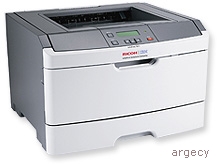
InfoPrint 1811 Printer 4549-D01
The 4549 InfoPrint 1811 Model D01 has 32 MB standard memory, 288 MB maximum memory, parallel & USB standard, 400 MHz processor, and duplex standard.
These monochrome laser printers offer faster printing of up to 40 pages per minute (ppm)(1) on letter media and up to 38 ppm(1) on A4 media.
| Toner | |
| Photoconductor Kit | |
| Fuser Maintenance Kit | |
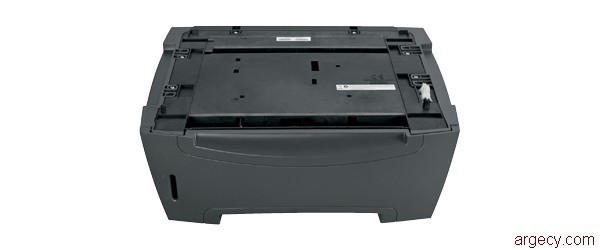 39V3438 250-Sheet Drawer with Tray | |
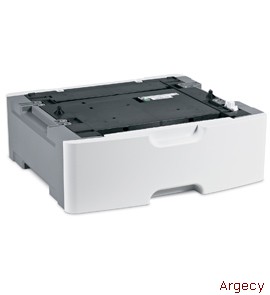 39V3439 550-Sheet Drawer with Tray | |
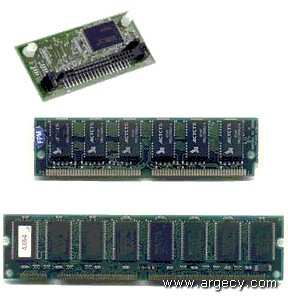 39V3360 128 MB Memory DIMM | |
39V3361 256 MB Memory DIMM | |
75P6990 64 MB Flash Memory | |
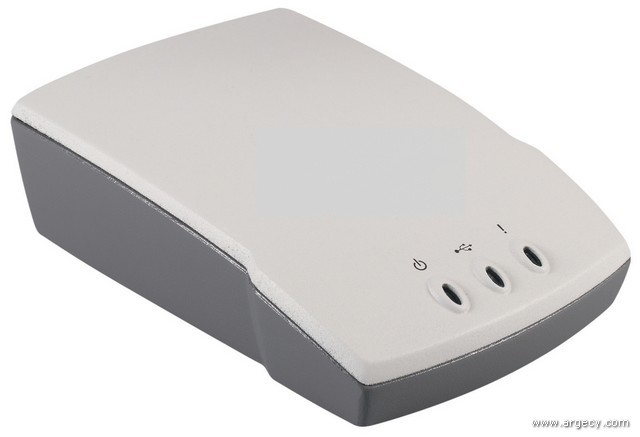 39V1524 Ethernet 10/100BaseTX (1 USB port) | |
| 39V1525 Ethernet 1000BaseTX (4 USB ports) | |
 75P6854 802.11g Wireless to USB | |
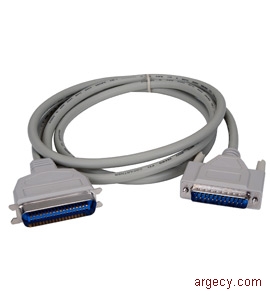 75P7029 10 ft. Parallel Cable | |
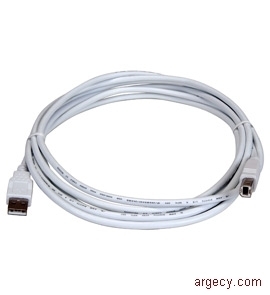 75P7030 2-meter USB Cable | |
39V3618 Korean Font Card | |
39V3619 Simplified Chinese Font Card | |
39V3620 Traditional Chinese Font Card | |
39V3621 Japanese Chinese Font Card |
| Highlights |
These monochrome laser printers offer faster printing of up to 40 pages per minute (ppm)(1) on letter media and up to 38 ppm(1) on A4 media. Other benefits of the InfoPrint 1811 include:
- A 50-sheet multipurpose feeder (MPF) compared to a single sheet MFP on the previous products
- Duplex printing standard on all models
- Faster processor than previous products
- Hardware, software, and firmware improvements for better print quality and smoother images, including automatic darkness adjustment, a new gear train resulting in a more uniform print, and a photoconductor drum
Note: (1) Exact print speeds vary depending on document complexity, system configuration, software applications, driver, and printer status.
| Description |
InfoPrint 1811 and 1812 are the replacements for the InfoPrint 1601, 1602, and 1612 workgroup printers. These monochrome laser printers offer faster printing of up to 40 pages per minute (ppm)(1) letter size and 38 ppm(1) A4 size media. The time to first print is as fast as 6.5 seconds. The printers come in the following models:
InfoPrint 1811
 Standard Maximum Parallel Standard
Model memory memory & USB Processor Duplex 10/100BaseTX
--------- -------- ------- -------- --------- -------- -----------
d01, d02 32 MB 288 MB Standard 400 MHz Standard No
All models include one 250-sheet drawer and a 50-sheet multipurpose feeder (MPF) for a total input capacity of 300 sheets standard. One optional 250-sheet drawer or optional 550-sheet drawer is supported for a maximum input capacity of 850-sheets. Duplex capability is standard on all models.
Network connections
The InfoPrint 1811 models do not include internal Ethernet. External networking features are available for the InfoPrint 1811.
Usage rates
The maximum monthly usage for the InfoPrint 1811 is 80,000 impressions. InfoPrint Solutions Company does not recommend printing to the monthly maximum on a consistent basis.
Memory
All models have one slot for additional SDRAM memory. Memory options for the printer include 128 MB or 256 MB memory DIMMs. All models have only one slot available for either the 64 MB flash memory option, or a DBCS font card option.
Print quality
The resolutions supported are:
- 1200 Image Quality (2)
- 2400 Image Quality (3)
- 1200 x 1200 dpi (4)
- 600 x 600 dpi
Note: (2) 1200 Image Quality defined as 600 dpi with 2 bit IET technology default mode for all models.
Note: (3) 2400 Image Quality defined as 600 dpi with 2 bit IET technology.
Note: (4) True 1200 dpi at one half rated speed.
The Toner Darkness setting offers 10 user-selectable settings to balance print darkness and toner savings. The higher the setting, the darker the print (that is, "1" is the lightest). The printers ship with a default setting of 8. From level 8 to level 1 offers up to 50% toner savings, thus reducing the cost of printing.
The Toner Darkness setting is accessible in the print driver.
Font support
The printer resident fonts include support for following:
Emulation Number of scalable fonts Number of bitmapped fonts
------------ ------------------------ -------------------------
HBP N/A N/A
PCL 5e & 6 84+5 (5) 2
PostScript 89 0
PPDS 39 5
Note: (5) These (5) additional fonts are OCR-A, OCR-B, and (3) Code 3 of 9 barcode fonts with different aspect ratios. These fonts are only available in PCL 5.
The fonts in the PCL emulation are compatible with the fonts in the HP LaserJet 1320; nine additional fonts and many extra languages and applications. The fonts in the PostScript emulation are compatible with 69 of the 136 fonts in Adobe PostScript 3 and include 20 additional fonts.
Additional fonts can be downloaded to the printer RAM or optional user flash. PCL emulation supports both scalable and bitmapped downloadable fonts. PostScript emulation supports only downloadable scalable fonts.
Features
The printer supports the following features:
Part
number Description
------- -----------------------------------
39V3438 250-Sheet Drawer with Tray
39V3439 550-Sheet Drawer with Tray
39V3360 128 MB Memory DIMM
39V3361 256 MB Memory DIMM
75P6990 64 MB Flash Memory
39V1524 Ethernet 10/100BaseTX (1 USB port)
39V1525 Ethernet 1000BaseTX (4 USB ports)
75P6854 802.11g Wireless to USB
75P7029 10 ft. Parallel Cable
75P7030 2-meter USB Cable
39V3618 Korean Font Card
39V3619 Simplified Chinese Font Card
39V3620 Traditional Chinese Font Card
39V3621 Japanese Chinese Font Card
Accessibility by people with disabilities
For hardware offerings:
The following features support use by people with disabilities:
- Controls and latches are operable with one hand and minimal dexterity.
- Keys are discernible by touch without activating them.
- The display, controls, latches, and levers are accessible to someone in a wheel chair.
- Color is used as an enhancement for conveying information, as well as an additional method of distinguishing between buttons, controls, and latches.
| Models |
Performance Specifications
The maximum print speeds are shown in the following table. Actual performance depends on:
- Interface to the host (parallel, USB or network)
- Host system and application
- Page complexity and content of the page
- Certain printer options installed or selected with the printer
- Available memory in the printer
- Media type, media weight, and media size
- Printer resolution
The time to first print are shown in the following table.
Time to first print (TTFP)
---------------------------- ---------
Time from standby mode 6.5 sec
Time from power saver mode 7.0 sec
Note: Time to first print (TTFP) is defined to be the time from the moment when the host sends the print signal until the moment the trailing edge of the first page leaves the exit feed rollers. TTFP is measured using a simplex text correspondence page and letter size paper. Assume nominal input voltage and approximately 23 deg C ambient temperature.
Print Speeds are shown in the following table. Speeds are for 600 x 600 dpi, 1200IQ, 2400IQ. 1200 x 1200 dpi is rated at half speed.
Media Size Tray 1
--------------------------- ------
simplex thru-put up to
Letter (PPM) 40
A4 (PPM) 38
Legal (PPM) 33

duplex thru-put up to
Letter (PPM) 18
A4 (PPM) 18
Legal (PPM) 17

A5/Narrow media thru-put up to
After slowdown (PPM) (1) 20
Note: (1) PPM could be slower based on media and environmental conditions speeds shown
Print Area
The printable area is limited to within 4.0 mm (0.158 in.) of top, bottom, left or right edges of the media. Any information placed outside this specified printable area will not print.
Media Support
The printer comes standard with one 250-sheet paper drawer and a 50-sheet multipurpose feeder (MPF). A 150-sheet output bin is standard. See table below for standard and maximum media capacities.
Input Media Combinations and Capacities (sheets)
 Standard 250-sheet 550-sheet Total
 drawer 1 MPF drawer drawer Capacity
 -------- ------ --------- --------- --------
Standard 250 50 300
Maximum 250 50 550 850
Output Media Capacities (sheets)
 Standard
 Output Bin
 ----------
Standard (top) 150
Standard (rear) 1
Maximum 150
Media Sizes Supported
Input Media
 Opt Opt
 Std 250 550
Media tray input input MPF Duplex
------------------------------------ ---- ----- ----- --- ------
A4 210x297 mm/8.27x11.7 in. Yes Yes Yes Yes Yes
A5 148x210 mm/5.83x8.27 in. Yes Yes Yes Yes No
A6 (3) 105x148 mm/4.13x5.83 in. Yes No No Yes No
JIS-B5 182x257 mm/7.17x10.1 in. Yes Yes Yes Yes No
Letter 215.9x279.4 mm/8.5x11 in. Yes Yes Yes Yes Yes
Legal 215.9x355.6 mm/8.5x14 in. Yes Yes Yes Yes Yes
Executive 184.2x266.7 mm/ Yes Yes Yes Yes No
7.25x10.5 in.
Folio 215.9x330.2 mm/8.5x13 in. Yes Yes Yes Yes Yes
Oficio(Mexico) 215.9x340 mm/ Yes Yes Yes Yes Yes
8.5x13.4 in.
Statement 139.7x215.9 mm/5.5x8.5 in. Yes Yes Yes Yes No
Universal (1) No No No Yes No
76.2 mm x 127 to 215.9 x 355.6 mm
3 x 5 in. to 8.5 x 14 in.
7 3/4 Env. No No No Yes No
98.4 x 190.5 mm/3.875x7.5 in.
9 Env. No No No Yes No
98.4 x 225.4 mm/3.875x8.9 in.
Commercial #10 Env. No No No Yes No
104.8 x 241.3 mm/4.12x9.5 in.
DL Env. 110x220 mm/4.33x8.66 in. No No No Yes No
C5 Env. 162 x 229 mm/6.38x9.01 in. No No No Yes No
B5 Env. 176 x 250 mm/6.93x9.84 in. No No No Yes No
Other Envelope (2) No No No Yes No
98.4 x 162 mm to 176 x 250 mm
3.87 x 6.38 in. to 6.93 x 9.84 in.

Media Types
Paper Yes Yes Yes Yes Yes
Cardstock No No No Yes No
Transparencies Yes No No Yes No
Paper Labels Yes Yes Yes Yes No
Dual web Labels-Not Supported No No No No No
Integrated Labels-Not Supported No No No No No
Vinyl Labels-Not Supported No No No No No
Note: (1) When Universal is selected, the page is formatted for 215.9x355.6 mm (8.5x14 in.) unless the size is specified by the software application.
Note: (2) When Other Envelope is selected, the page is formatted for 215.9x355.6 mm (8.5x14 in.) unless a size is specified by the software application.
Note: (3) A6 maximum input 150 sheets - only long grain support.
Output Media
 Top Rear
Media output output
------------------------------------ ------ ------
A4 210x297 mm/8.27x11.7 in. Yes Yes
A5 148x210 mm/5.83x8.27 in. Yes Yes
A6 (3) 105x148 mm/4.13x5.83 in. Yes Yes
JIS-B5 182x257 mm/7.17x10.1 in. Yes Yes
Letter 215.9x279.4 mm/8.5x11 in. Yes Yes
Legal 215.9x355.6 mm/8.5x14 in. Yes Yes
Executive 184.2x266.7 mm/ Yes Yes
7.25x10.5 in.
Folio 215.9x330.2 mm/8.5x13 in. Yes Yes
Oficio(Mexico) 215.9x340 mm/ Yes Yes
8.5x13.4 in.
Statement 139.7x215.9 mm/5.5x8.5 in. Yes Yes
Universal (1) Yes Yes
76.2 mm x 127 to 215.9 x 355.6 mm
3 x 5 in. to 8.5 x 14 in.
7 3/4 Env. Yes Yes
98.4 x 190.5 mm/3.875x7.5 in.
9 Env. Yes Yes
98.4 x 225.4 mm/3.875x8.9 in.
Commercial #10 Env. Yes Yes
104.8 x 241.3 mm/4.12x9.5 in.
DL Env. 110x220 mm/4.33x8.66 in. Yes Yes
C5 Env. 162 x 229 mm/6.38x9.01 in. Yes Yes
B5 Env. 176 x 250 mm/6.93x9.84 in. Yes Yes
Other Envelope (2) Yes Yes
98.4 x 162 mm to 176 x 250 mm
3.87 x 6.38 in. to 6.93 x 9.84 in.

Media Types
Paper Yes Yes
Cardstock Yes Yes
Transparencies Yes Yes
Paper Labels No Yes
Dual web Labels-Not Supported No No
Integrated Labels-Not Supported No No
Vinyl Labels-Not Supported No No
Note: (1) When Universal is selected, the page is formatted for 215.9x355.6 mm (8.5x14 in.) unless the size is specified by the software application.
Note: (2) When Other Envelope is selected, the page is formatted for 215.9x355.6 mm (8.5x14 in.) unless a size is specified by the software application.
Note: (3) A6 maximum input 150 sheets - only long grain support.
Media input size, weight, and capacity
 Paper
Source Media Size weight (1) Capacity (2)
------------ -------------- --------------------- ---------- ------------
Input tray 1 Paper & labels Continuously 60-90 gsm 250 sheets
(250 sheets) (3) adjustable for A4,A5, (16-24 lb) paper (20lb)
 A6(6),JIS B5,letter, 50 labels (3)
 executive,Folio,
 Oficio, and statement

2nd drawer Paper & labels Continuously 60-90 gsm 250 sheets
option (3) adjustable for A4,A5, (16-24 lb) paper (20lb)
(250 sheets A6(6),JIS B5,letter, 50 labels (3)
only) executive,Folio,
 Oficio, and statement

2nd drawer Paper & labels Continuously 60-90 gsm 250 sheets
option (3) adjustable for A4,A5, (16-24 lb) paper (20lb)
(550 sheets A6(6),JIS B5,letter, 50 labels (3)
only) executive,Folio,
 Oficio, and statement

Duplex Paper only Letter,Legal,A4, 60-90 gsm N/A
 folio and Oficio (16-24 lb)

Multipurpose Paper labels Continuously
feeder (3), adjustable for A4, 60-163 gsm 50 sheets
 transparencies, A5,A6(6),JIS B5, (16-43 lb) paper
 card stock (4), letter, legal, 7 envelopes
 envelopes (5) executive,folio, (5)
 oficio,statement/ 15 labels
 envelopes(5): (7)
 Monarch (7 3/4),9, 10 transpar
 Com-10,C5,B5,DL encies
 Min feed size: 76x127 mm 20 sheets
 Universal(max) paper size: cardstock
 216x357 mm
Note: (1) This refers to paper only. Treeing may occur on 16# paper.
Note: (2) For 20 lb print material, unless otherwise noted.
Note: (3) Single sided paper labels are supported for occasional use of less than 20 pages per month. Labels such as vinyl labels, pharmacy labels or dual-sided labels are not supported.
Note: (4) Cardstock up to 90# index. Designed to exit rear door. Short grain is recommended.
Note: (5) 20 lb envelopes are recommended. Wrinkling may also occur on the front side, but away from address or return address areas. Slight wrinkling (not in address areas) is permitted on 24# envelopes. Use envelopes that lay flat when individually placed on a table face-down. The distance of any edge or corner from the table should be less than 3 mm.
Note: (6) A6 long grain media support/short grain A6 not supported.
Note: (7) The capacity may be reduced on some labels.
Output capacity by media and source
Source Media Capacity Orientation
--------------- -------------------------- -------------- ---------------
Standard output Supports all sizes listed 150 sheets Face down
bin (top) (1) in the "Media Input Size, 20 lb.(75 gsm) collated
 Weight and Capacity" table paper

Rear output Supports all sizes listed Single sheet. Face up
door (2) in the "Media Input Size, No collation
 Weight and Capacity" table
Note: (1) The printer automatically sends print jobs to the standard output bin unless the rear output door is open. These printers incorporate a Bin Full sensor.
Note: (2) The printer automatically sends print jobs to the rear output door when it is open.
Additional Media Guidelines
Follow the media guidelines below for successful printing:
Paper designed for use with xerographic copiers should provide satisfactory print quality and feed reliability. Other types of supplies may be suitable. It is recommended that users test any particular brand for suitability to their applications. Refer to the printers User's Guide for additional media specifications.
Paper
- Rough, highly textured, limp, or pre-curled papers will result in lower print quality and more frequent paper feed failures.
- Colored papers must be able to withstand 200 deg C (392 deg F) fusing temperature.
- Preprinted forms and letterheads should be selected using guidelines found in the printer User's Guide. The chemical process used in preprinting may render some papers unsuitable for use with these printers.
- Unsuitable papers include multipart forms and documents; chemically treated papers; coated, synthetic and thermal papers; A5 paper less than 70 gsm (21 lb); recycled paper less than 75 gsm (20 lb).
- Recycled paper less than 80 gsm (21 lb) may cause unacceptable results.
All paper is either "short-grain" or "long grain", depending on the direction in which most of the paper fibers line up relative to the edges of the paper. Most paper is typically cut long-grain (letter, A4, legal, folio, B5, A6, and executive). Long-grain paper has a grain direction parallel to the long edge of the paper and generally feeds well. Short-grain paper (typically for A5 and statement) has a grain direction parallel to the short edge of the paper.
Paper feed reliability can be affected by media used. InfoPrint Solutions Company does not recommend the use of short grain paper in the following weights:
 1. All paper sizes: paper weights less than 64 gsm (17 lb)
 2. A5 paper weights less than 70 gsm (18 lb)
 3. A6 all paper weights
Recycled paper
As an environmentally conscious company, InfoPrint Solutions Company supports the use of recycled office paper produced specifically for use in laser (electrophotographic) printers. The printers are consistently tested with recycled paper (20-100% post-consumer waste) and a variety of test paper from around the world, using chamber tests for different temperature and humidity conditions. InfoPrint Solutions Company has found no reason to discourage the use of today's recycled office papers, but generally the following property guidelines apply to recycled paper.
- Low moisture content (4-5%)
- Suitable smoothness (100-200 Sheffield units)
- Suitable sheet-to-sheet coefficient of friction (0.4-0.6)
- Sufficient bending resistance in the direction of feed
Recycled paper, paper of lower weight (<60 gsm / 16 lb bond) and/or lower caliper (<3.8 mils / 0.1 mm), and paper that is cut grain-short for portrait (or short-edge) fed printers may have lower bending resistance than is required for reliable paper feeding. Before using these types of paper for laser (electrophotographic) printing, consult your paper supplier. Remember that these are general guidelines only and that paper meeting these guidelines may still cause paper feeding problems.
Unacceptable paper
The following paper types are not recommended for use with the printer:
- Chemically treated papers used to make copies without carbon paper, also known as carbonless papers, carbonless copy paper (CCP), or no carbon required(NCR) paper.
- Preprinted papers with chemicals that may contaminate the printer.
- Preprinted papers that can be affected by the temperature in the printer fuser Preprinted papers that require a registration (the precise print location on the page) greater than +2.3 mm (+0.9 in.), such as optical character recognition (OCR) forms. In some cases, registration can be adjusted with a software application to successfully print on these forms.
- Coated papers (erasable bond), synthetic papers, thermal papers Rough-edged, rough or heavily textured surface papers, or curled papers Recycled papers that fail EN12281:2002 (European).
- Paper weighing less than 60 gsm (16 lb)
- Multiple-part forms or documents
Envelopes
- All envelopes should be new, unused, and without package damage
- Envelopes with excessive curl or twist exceeding 6 mm, those stuck together, those with bent corners or nicked edges, or those that interlock should not be used
- Minimum weight: 75 gsm (20 lb.)
- The following envelopes should not be used:
- Envelopes with windows, holes, perforations, cutouts, or deep embossing
- Envelopes with metal clasps, string ties, or metal folding bars
- Envelopes with exposed flap adhesive when the flap is in the closed position
- Envelopes with stamps attached
- For best results, printing on new 75 gsm (20 lb.) sulfite or 25% cotton bond envelopes is recommended.
- Under high humidity conditions (over 60%), envelopes may seal during printing.
Transparencies
- Use letter or A4-size sheets only
- Transparencies specifically designed for xerographic copy machines or laser printers may be used with the printers
- Transparencies are not supported from either the 250 or 550-sheet drawers
Labels
Labels should be selected using guidelines found in the User's Reference, Complete Printer Reference, or the Cardstock and Label Guide and tested for acceptability. Paper labels are supported for occasional use only. VINYL AND POLYESTER LABELS ARE NOT SUPPORTED.
Print Quality
General Statement
During the life of the printer, components are subject to wear based on usage. Printers continuously operating at or near the maximum duty cycle may require service for replacement of these components to ensure high quality printing and good performance throughout the life of the printer.
Data Streams
- Host Based
- PCL 5e and 6 Emulation
- PostScript 3 Emulation
Operator Panel
Display
Two-line 128 x 32 pixel LCD backlit gray scale display supports two lines of 16 characters per line maximum. The DBCS op panel has a built-in font which allows it to display roughly 8,000 Asian characters in a 16 x 16 pixel format. Two lines of 16 asian characters each can be displayed on the DBCS op panel.
Certifications
The printers comply with the global safety standard for Information Technology Equipment, IEC 60950, and its country equivalents in the markets we serve. The following sections highlight the approvals and certifications that the printer is expected to receive.
Certifications
115V Version
- Underwriters Laboratories, Inc. UL 60950-1, First Edition, Information Technology Equipment Safety Part 1: General Requirement, deviations D1 and D2
- U.S. FDA, CDRH registration per 21 CFR Chapter I, Subchapter J, Section 1040, Class I laser product
- ENERGY STAR compliant
- Canadian Standards Association CAN/CSA-C22.2 No. 60950-1, Information Technology Equipment Safety Part 1: General Requirement, deviations D1 and D2 (Note: This and the UL standard are a single "bi-national" document, published jointly with UL)
- FCC Class B per FCC Rules, Parts 2 and 15
- Industry Canada (EMC) Class B
230V Version
- IEC 60320-1, Appliance Couplers for Household and Similar General Purposes
- IEC 60825-1 Safety of Laser Products Part 1: Equipment Classification, Requirements and User's Guide
- "CE" Mark (EU) Class B
- ACA "C-Tick Mark" (Australia) Class B
- InfoPrint Solutions Company will obtain the following country specific approvals as required by Marketing:
Printer Management Utilities
Local Printer Settings Utility
Provided on Drivers and Utilities CD
The Local Printer Settings Utility allows end users to select and save various user default settings for your printer. These settings remain in effect for all print jobs until either changed by the Setup Utility or overridden by the printer driver.
MarkVision Professional is a cross-platform print management solution that enables IT administrators to proactively monitor and manage network devices in an enterprise environment via a web browser. It provides IT administrators with realtime device status and information, centralized device setup, remote printer monitoring and management, and asset management capabilities, all from a single utility.MarkVision Messenger provides real-time notification of printer conditions via e-mail, paging, or other applications and facilitates automated responses to these conditions before they become critical and disruptive to user productivity. MarkVision Messenger enhances administrators' quality for service and improves end-user productivity and satisfaction.
Software Installation and Distribution tools
This Install utility provides a very powerful method to install or uninstall printer software in Windows 2000, Windows XP, Windows Server 2003, Windows Vista and Windows Server 2008 environments. Through the use of the Script Install utility, System Administrators can easily perform mass rollouts of InfoPrint Solutions Company printers by creating custom scripts to perform local or remote printer software installations on end user workstations. When combined with the Driver Profiler utility, I/T shops can centrally create and deploy custom printing environments for each remote location. Together, these utilities drastically reduce the time required to install printer software in a distributed environment.
Printing Solution for Novell systems
This Printing Solution for Novell systems offers administrators more control over these printers. This all-inclusive package provides support for both NDPS and iPrint printing systems on NetWare 5.1, 6.0, 6.5 and NOES for NetWare servers. The package consists of Novell's NDPS gateway coupled with InfoPrint Solutions Company custom control snap-ins for both NetWare Administrator (NWAdmin) and iManager. By offering custom support for both NetWare Administrator and iManager management utilities, this offering allows administrators to take full control of InfoPrint Solutions Company printers in a Novell printing environment.
Host Software
Windows Systems Drivers
To maximize the user experience, InfoPrint Solutions Company offers system Host-Based Printing (HBP), PCL XL emulation and PostScript emulation drivers for Windows 2000, XP, Server 2003, Vista and Server 2008 platforms. Systems drivers for Windows provide the most comprehensive set of printing features available for InfoPrint Solutions Company products. Offering an easy-to-use interface and time saving preset features, the InfoPrint Solutions Company system drivers allow users intuitive access popular features.
Universal Driver
The InfoPrint Solutions Company Universal Driver packages in PCL and PS emulations are compatible with the E26x, E36x and E46x printers. The Universal Drivers for Windows promote efficiency in the printing environment, while maintaining the ease-of-use of our system drivers.
Support and training are simplified, as one driver can print to multiple printers, including single function and multifunction, color and monochrome, desktop and departmental. The same graphic user interface has been used to maintain continuity with our product specific drivers. Many cost-saving options, like duplex and multi-page printing, and security options like Confidential Print, as part of our Print and Hold options, are available to maximize output, minimize cost, and maintain security. The Universal Driver packages are available for various operating systems in both PCL and PostScript emulations.
Printer Drivers for UNIX and Linux systems
These printer drivers reduce the complications of printing in UNIX and Linux environments. Built on the LPRng printing system, the InfoPrint Solutions Company printer drivers provide fully scriptable command-line options. When running in X-Windows mode, The printer drivers make it easy to access many popular printer features without memorizing command line options through a GUI interface.
InfoPrint Solutions Company Printer Settings for Macintosh
Printer Settings allows the user to see, select, and save various default settings for the printer. These settings remain in effect until changed by Printer Settings or overridden by the printer driver.
InfoPrint Solutions CompanyPrinter File Loader for Macintosh
Printer File Loader allows the user to send PostScript, NPA, UCF, and raw files to the printer over AppleTalk, TCP/IP, or USB.
InfoPrint Solutions Company Printer Status for Macintosh
Printer status allows the user to check the current status of a selected printer. It will show the level of consumables and any other messages for the selected printer.
Microsoft Windows Certification
The InfoPrint Solutions Company laser printers include Microsoft Certified and digitally signed printer drivers. The driver certification indicates a high level of compatibility between the Windows operating system and the InfoPrint Solutions Company printer. Printer drivers for these products have received certification under the following operating systems:
- Windows XP
- Windows Server 2003
- Windows Vista
- Windows Server 2008
Software
Printer drivers are provided on the Drivers and Utilities CD that is packaged with the printer. See Publications section for details.
The Windows software applications, which operate in the operating systems listed above, are best suited to run with the drivers supplied with the printer. These drivers for Windows take advantage of your printer functions and increase the printer performance wherever possible.
Operating Systems
The printers are compatible with applications running under the following operating systems for either local or network connections: For information about USB connections, see Local Connections.
Apple Macintosh(1)
- Apple Mac OS 9.x .APPLE
Microsoft Windows(1)
- Microsoft Windows 95 4.00950 (OSR2) or later(4)(12)
- Microsoft Windows 98.1st Edition (4)(12)
- Microsoft Windows 98 SE(4)(12)
- Windows Me(4)(12)
- Microsoft Windows NT 4 SP6(4)(12)
- Microsoft Windows NT 4 Server SP6a(4)(12)
- Microsoft Windows 2000 Professional
- Microsoft Windows 2000 Server
- Microsoft Windows 2000 Advanced Server
- Microsoft Windows 2000 Server running Terminal Services
- Microsoft Windows 2000 Server running Terminal Services with Citrix MetaFrame XP Presentation Server 3.0(11)
- Microsoft Windows 2000 Server running Terminal Services with Citrix MetaFrame Presentation Server 4.0(11)
- Microsoft Windows XP Home
- Microsoft Windows XP Professional
- Microsoft Windows XP Professional x64 Edition(9)
- Microsoft Windows Server 2003 Standard Edition
- Microsoft Windows Server 2003 Standard Edition Running Terminal Server
- Microsoft Windows Server 2003 x64 Standard Edition
- Microsoft Windows Server 2003 x64 Standard Edition Running Terminal Server
- Microsoft Windows Server 2003 Enterprise Edition
- Microsoft Windows Server 2003 Enterprise Edition Running Terminal Server
- Microsoft Windows Server 2003 Enterprise x64 Edition
- Microsoft Windows Server 2003 Enterprise x64 Edition Running Terminal Server
- Microsoft Windows Server 2003 Standard Edition running Terminal Services with Citrix MetaFrame Presentation Server 3.0
- Microsoft Windows Server 2003 Enterprise Edition running Terminal Services with Citrix MetaFrame Presentation Server 4.0
- Microsoft Windows Server 2003 Standard x64 Edition running Terminal Services with Citrix MetaFrame Presentation Server 4.0 x64
- Microsoft Windows Server 2003 Enterprise x64 Edition running Terminal Services with Citrix MetaFrame Presentation Server 4.0 x64
- Microsoft Windows Server 2003 Standard Edition running Terminal Services with Citrix MetaFrame Presentation Server 4.5
- Microsoft Windows Server 2003 Enterprise Edition running Terminal Services with Citrix MetaFrame Presentation Server 4.5
- Microsoft Windows Server 2003 Standard x64 Edition running Terminal Services with Citrix MetaFrame Presentation Server 4.5 x64
- Microsoft Windows Server 2008 Standard Edition
- Microsoft Windows Server 2008 Standard x64 Edition
- Microsoft Windows Server 2008 Standard Edition running Terminal Server
- Microsoft Windows Server 2008 Standard x64 Edition running Terminal Server
- Microsoft Windows Server 2008 Datacenter Edition
- Microsoft Windows Server 2008 Datacenter x64 Edition Terminal Server
- Microsoft Windows Server 2008 Datacenter x64 Edition running Terminal Server
- Microsoft Windows Vista Basic Edition
- Microsoft Windows Vista Home Basic Edition
- Microsoft Windows Vista Home x64 Basic Edition
- Microsoft Windows Vista Home Premium Edition
- Microsoft Windows Vista Home Premium x64 Edition
- Microsoft Windows Vista Business Edition
- Microsoft Windows Vista Business x64 Edition
- Microsoft Windows Vista Enterprise Edition
- Microsoft Windows Vista Enterprise x64 Edition
- Microsoft Windows Vista Ultimate Edition
- Microsoft Windows Vista Ultimate x64 Edition
UNIX
- HP-UX 11.11, 11.23, 11.31
- Sun Solaris SPARC 8, 9, 10
- Sun Solaris x86 10
- IBM AIX 5.2, 5.3, 6.1 (Colon files and enhanced printer drivers)
Linux
- SuSE Linux Enterprise Desktop 10
- SuSE Linux Enterprise Server 8, 9, 10
- SuSE Linus Enterprise Server 10
- OpenSUSE 10.2, 10.3, 11.0
- Red Hat Enterprise Linux WS 3, 4, 5
- Linspire 6.0
- Debian GNU/Linux 4.0
- Red Flag Linux Desktop 5.0 (Simplified Chinese only)
- Red Flag Linux Desktop 6.0 (Simplified Chinese only)
- Linpus Linux Desktop 9.2 (Traditional Chinese only)
- Linpus Linux Desktop 9.3 (Traditional Chinese only)
- Ubuntu 8.04 LTS
Other
- Virtually any platform supporting TCP/IP
- IBM iSeries Systems with TCP/IP with OS/400(r) V3R1 or later using OS/400 Host Print Transform.
- SAP Device Type support(6)
Note: (1) Download the latest printer drivers from InfoPrint Web Site
Note: (4) Printer driver support via Universal Driver 1.0 only, available on InfoPrint.com. No support for InfoPrint utilities
Note: (5) Printer Drivers for Linux that are shipped on the Drivers and Utilities CD
Note: (7) InfoPrint may not offer printer drivers for these systems
Note: (8) Support for these operating systems only available from the InfoPrint Web Site
Note: (9) System driver support only;no custom driver support
Note: (10) Use manufacturer type and model
Note: (11) Citrix and MetaFrame are registered trademarks of Citrix Systems, Inc. MetaFrame XP is a trademark of Citrix Systems Inc.
Note: (12) USB printing is not supported from this operating system
Infoprint Manager
Infoprint Manager support: Yes (post GA). Requires administrators to create printer objects.
Physical Specifications
Dimensions
 Width Depth Height Weight (5)
All --------------- --------------- --------------- ------------
models 404.0 mm 359.0 mm 259.5 mm 13.83 kg
 (15.91 in) (14.10 in) (10.2 in) (30.43 lb)

250-Sheet 404.0 mm 367.0 mm (3) 89.0 mm 2.55 kg
Drawer (15.91 in) (14.45 in) (3.50 in) (5.6 lb)

550-Sheet 404.0 mm 387.0 mm (3) 130.5 mm 3.23 kg
Drawer (15.91 in) (15.24 in) (5.08 in) (7.2 lb)

All models 404.0 mm 367.0 mm (1,3) 347.0 mm (1,4) 16.6 kg
+ 250-Sheet (15.91 in) (14.45 in) (13.7 in) (36.51 lb)
Drawer (2)

All models 404.0 mm 387.0 mm (1,3) 388.5 mm (1,4) 17.32 kg
+ 550-Sheet (15.91 in) (15.24 in) (15.3 in) (38.11 lb)
Drawer (2)
Note: (1) Measured with input and exit tray extensions in collapsed positions.
Note: (2) Printer weight includes the print cartridge that ships with printer.
Note: (3) Measured with paper size set to letter.
Note: (4) Total height of all printers installed on an optional drawer is 1.5 mm (0.1 in); shorter than the combined height of the individual items due to the interlocking fit of the printer and drawer.
Note: (5) Combined weight is based on the heaviest model.
Minimum clearance requirements
 Left side Right side Front Rear Top
 ------------ ------------ ----------- ------------ ------------
 12.7 mm 300.0 mm 200.0 mm 300.0 mm 300.0 mm
 (0.5 in) (12.0 in) (8.0 in) (12.0 in) (12.0 in)
Note: When installing the printer, the customer should allow enough room to access the paper trays and paper exits.
Operating Environment
Operating environment
 Temperature 15.6 to 32.2 C (60 to 90 F)
 Relative humidity (non-condensing) Up to 80% for temperatures
 less than 78 F (25.5 C)
 Altitude 0 to 2,500 meters (8,200 ft)

Storage and shipping environment (packed)
 Temperature -20 to 40 C (-4 to 104 F)
 Humidity 8% to 95% RH (non-condensing)
 Altitude 0.25 atmospheric pressure
 (equivalent to 10,300 m;
 34,000 feet)

Storage and shipping environment (Unpacked)
 Temperature 0 to 40 C (32 to 104 F)
 Humidity 8% to 80% RH (non-condensing)
Electrical specifications
Low voltage models
- 110 - 127 V ac at 50/60 +/-3 Hz, nominal
- 90 - 137 V ac, limits of operating range
High voltage models
- 220 - 240 V ac at 50/60 +/-3 Hz (not available in all countries)
- 198 - 259 V ac, limits of operating range
Average power consumption
The following table specifies nominal average power requirements for the base printer configuration.
Printing states power
consumption per normal operation
--------------------------------- -----------
Off 0 W
Power Consumption
 Continuous printing - Simplex 500 W
 Continuous printing - Duplex 310 W
 Ready Mode 12 W
 Sleep/Power Saver Mode 11 W
Maximum Current while printing
 120 Volts 9.5 A
 230 Volts 4.5 A
Average Current while printing
 120 Volts 7.6 A
 230 Volts 3.7 A
Notes
- Using a 220 V ac to 110 V ac power converter with the low voltage model is not recommended.
- All models are ENERGY STAR compliant.
Acoustics
All measurements were made in accordance with ISO 7779 and reported in conformance with ISO 9296.
 1 meter average
 sound pressure
Mode level
----------------------- ---------------
Printing simplex 53 dBA
Printing duplex 52 dBA
Idle (Standby mode) (6) inaudible
Quiet Mode 49 dBA
Sleep (6) inaudible

 Declared sound
Mode power level
----------------------- --------------
Printing simplex 6.8 BA
Printing duplex 6.6 BA
Idle (Standby mode) (6) inaudible
Quiet Mode 6.3 BA
Sleep (6) inaudible
Note: (6) No prominent discrete tones per ISO 7779-1988 Annex D.
Limitations
Not applicable.
Hardware Requirements
Not applicable.
Software Requirements
Not applicable.
| Publications |
All hardcopy publications are downloadable from the InfoPrint Solutions Company Web site:
- https://www.infoprint.com
The following publications are shipped with the products:
- Software and Documentation CD
User's Guide (contained on CD)
This will be available in the following languages: Arabic, English, Danish, Dutch, Finnish, French, German, Hebrew, Italian, Korean, Norwegian, Polish, Brazilian Portuguese, Romanian, Russian, Spanish, Swedish, Simplified Chinese, Traditional Chinese, and Turkish.
Quick Reference page (contained on CD)
This will be available in the following languages: Arabic, English, Danish, Dutch, Finnish, French, German, Hebrew, Italian, Korean, Norwegian, Polish, Brazilian Portuguese, Romanian, Russian, Spanish, Swedish, Simplified Chinese, Traditional Chinese, and Turkish.
Operator Panel
This will be available in the following languages: English, Danish, Dutch, Finnish, French, German, Italian, Norwegian, Polish, Brazilian Portuguese, Russian, Spanish, Swedish, Hungarian, Czech, Turkish, Simplified Chinese, Traditional Chinese, Korean, and Japanese.
| Features -- Specify/Special/Exchange |
No Charge Specify Codes
None.
Special Feature Codes -- Chargeable
Mach Feature Part
type Model number number Description UPC
---- ----- ------- ------- ------------------------------ ---------------
4549 d01 39V3559 InfoPrint 1811 8-83436-04391-5
ServicePacs

Machine Electronic
Type Model Description Part Number
------- ----- ------------------------------- -----------
4549 All SVCPAC PTR 2YR EZS NBD 54Y4888
4549 All SVCPAC PTR 3YR EZS NBD 54Y4889
4549 All SVCPAC PTR 1YR IOR 9X5/NBD 54Y4890
4549 All SVCPAC PTR 2YR IOR 9X5/NBD 54Y4891
4549 All SVCPAC PTR 3YR IOR 9X5/NBD 54Y4892
4549 All SVCPAC PTR 1YR IOR 24X7/SD 54Y4893
4549 All SVCPAC PTR 2YR IOR 24X7/SD 54Y4894
4549 All SVCPAC PTR 3YR IOR 24X7/SD 54Y4895
4549 All SVCPAC PTR 1YR EZS NBD (MA) 54Y4896
4549 All SVCPAC PTR 2YR EZS NBD (MA) 54Y4897
4549 All SVCPAC PTR 1YR IOR 9X5/NBD (MA) 54Y4898
4549 All SVCPAC PTR 2YR IOR 9X5/NBD (MA) 54Y4899
4549 All SVCPAC PTR 1YR IOR 24X7/SD (MA) 54Y4900
4549 All SVCPAC PTR 2YR IOR 24X7/SD (MA) 54Y4901

4564 All SVCPAC PTR 2YR EZS NBD 54Y4856
4564 All SVCPAC PTR 3YR EZS NBD 54Y4857
4564 All SVCPAC PTR 1YR IOR 9X5/NBD 54Y4858
4564 All SVCPAC PTR 2YR IOR 9X5/NBD 54Y4859
4564 All SVCPAC PTR 3YR IOR 9X5/NBD 54Y4860
4564 All SVCPAC PTR 1YR IOR 24X7/SD 54Y4861
4564 All SVCPAC PTR 2YR IOR 24X7/SD 54Y4862
4564 All SVCPAC PTR 3YR IOR 24X7/SD 54Y4863
4564 All SVCPAC PTR 1YR EZS NBD (MA) 54Y4864
4564 All SVCPAC PTR 2YR EZS NBD (MA) 54Y4865
4564 All SVCPAC PTR 1YR IOR 9X5/NBD (MA) 54Y4866
4564 All SVCPAC PTR 2YR IOR 9X5/NBD (MA) 54Y4867
4564 All SVCPAC PTR 1YR IOR 24X7/SD (MA) 54Y4868
4564 All SVCPAC PTR 2YR IOR 24X7/SD (MA) 54Y4869
Printer Features
All printer features are customer installable.
Input, Output and Other Media Features
The media features include:
(P/N 39V3438) 250-Sheet Drawer with Tray
- Minimum required = 0, maximum allowed = 1
- Prerequisite =none, Co-requisite = none
This additional drawer fits under the standard drawer and increases the printer's input capacity by 250 sheets.
(P/N 39V3439) 550-Sheet Drawer with Tray
- Minimum required = 0, maximum allowed = 1
- Prerequisite =none, Co-requisite = none
This additional drawer fits under the standard drawer and increases the printer's input capacity by 550 sheets.
Memory and Flash Memory Features
The printers have one slot for additional memory DIMMs and one slot for an optional flash memory or font card.
The memory features include the following SDRAM features:
(P/N 39V3360) 128 MB Memory DIMM
- Minimum required = 0, maximum allowed = 1
- Prerequisite = none, Co-requisite = none
(P/N 39V3361) 256 MB Memory DIMM
- Minimum required = 0, maximum allowed = 1
- Prerequisite = none, Co-requisite = none
The flash memory features include:
(P/N 75P6990) 64 MB Flash Card
- Minimum required = 0, maximum allowed = 1
- Prerequisite = none, Co-requisite = none
The following font cards plug into the flash memory slot. Only one flash memory card or one font card is supported.
The optional DBCS (Double-Byte Character Set) Font Cards provide printer resident fonts for use printing Simplified Chinese, Traditional Chinese, Japanese and Korean. The DBCS Font Cards are suitable for use in a range of InfoPrint Solutions Company printers and MFPs. Fonts contained in these cards emulate those provided in Microsoft Windows. The use of printer-resident fonts in the card improves performance and minimizes network traffic since less data is downloaded to the printer. Each font card supports encodings appropriate for the language, including Adobe CID encodings.
(P/N 39V3619) Simplified Chinese Font Card
- Minimum required = 0, maximum allowed = 1
- Prerequisite = none, Co-requisite = none
(P/N 39V3620) Traditional Chinese Font Card
- Minimum required = 0, maximum allowed = 1
- Prerequisite = none, Co-requisite = none
These two cards are for use with PCL and PostScript emulation. DBCS font support is available for the following languages:
- Simplified Chinese for China with two scalable print fonts.
- Traditional Chinese for Taiwan with two scalable print fonts.
The fonts used with the PCL emulation are compatible with the fonts in the HP LaserJet Language DIMM Memory options for Traditional Chinese and Simplified Chinese, which are compatible with the HP LaserJet 4050, 4000, 4000 N, 4000 T and 4000 JN. These fonts are available in the PostScript emulation and are compatible with Adobe PostScript 3.
(P/N 39V3621) Japanese Font Card
- Minimum required = 0, maximum allowed = 1
- Prerequisite = none, Co-requisite = none
The Japanese Font Card contains two scalable print fonts for use with PCL and PostScript emulation. The Postscript fonts are compatible with Adobe PostScript 3 and emulate Adobe PostScript fonts such as those in the Ricoh NX750. The fonts used with the PCL emulation are compatible with the fonts in the HP LaserJet Language DIMM Memory options for Japanese, which are compatible with the HP LaserJet 4050, 4000, 4000 N, 4000 T and 4000 JN.
(P/N 39V3618) Korean Font Card
- Minimum required = 0, maximum allowed = 1
- Prerequisite = none, Co-requisite = none
The Korean Font Card contains eight scalable print fonts for use with PCL and PostScript emulation and is compatible with Adobe PostScript 3. The fonts used with the PCL emulation are compatible with the fonts in the HP LaserJet Language DIMM Memory options for Korean, which are compatible with the HP LaserJet 4050, 4000, 4000 N, 4000 T and 4000 JN.
Application Solution features
This feature plugs into the one application solution slot.
Cable Features
(P/N 75P7029) 10 Ft. Parallel Cable
- Minimum required = 0, maximum allowed = no maximum
- Prerequisite = none, Co-requisite = none
This IEEE 1284 cable allows the user to connect one laser printer to one host machine (or external print server). The cable is 10 feet in length and provides a DB-25 pin connector for the host and a 36-pin Centronics connector for the printer.
(P/N 75P7030) 2-meter USB Cable
- Minimum required = 0, maximum allowed = no maximum
- Prerequisite = none, Co-requisite = none
This 2 meter USB cable allows the user to connect one laser printer to one host machine (or external print server). The cable provides a USB "A" connector for the host machine and a USB "B" connector for the printer.
USB Support
The printers support USB 2.0 high speed.
External Print Servers Features
Theses external features plug into a USB port on the printer.
(P/N 39V1524) Ethernet 10BaseT/100BaseTX (1 USB port)
- Minimum required = 0, maximum allowed = 1
- Prerequisite = none, Co-requisite = none
(P/N 39V1525) Ethernet 1000BaseTX (4 USB ports)
- Minimum required = 0, maximum allowed = 1
- Prerequisite = none, Co-requisite = none
(P/N varies by country) 802.11g Wireless to USB
- Minimum required = 0, maximum allowed = 1
- Prerequisite = network model or Ethernet feature, Co-requisite =none
This external feature allows the printer to be connected directly to a wireless LAN using the IEEE 802.11g wireless standard. This standard operates at speeds of up to 54 megabits per second (Mbps). The range of this wireless adapter depends on the environment, whether used indoors or outdoors and building construction. Typical indoor ranges are 20-50 meters and outdoor ranges are 100-200 meters. Performance will degrade with distance. The wireless LAN feature is compliant with any WiFi-compliant device.
The feature is an external adapter that connects to the standard USB port on the printer.
Trademarks
(R), (TM), * Trademark or registered trademark of International Business Machines Corporation.
** Company, product, or service name may be a trademark or service mark of others.
InfoPrint is a trademark of InfoPrint Solutions Company LLC in the United States, other countries, or both.
Windows is a trademark of Microsoft Corporation.
UNIX is a registered trademark in the United States and other countries licensed exclusively through X/Open Company Limited.
- IBM Corporation 2008.