

IBM Infoprint 1836 MFP Color 4989
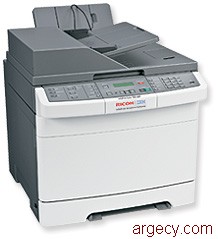
New
4989-DT1 (New)
Abstract
The 4989 from InfoPrint Solutions Company, a Ricoh-IBM joint venture, is the InfoPrint Color 1836 multifunction printer (MFP) - an all-in-one MFP with color printing, scanning, and faxing capability.
Model Abstract 4989-DT1
The 4989 InfoPrint Color 1836 MFP Model DT1 comes with 256 MB standard memory, 640 MB maximum memory, USB port, duplex capability, a 500 MHz processor, and 10/100BaseTX Ethernet.
Highlights
This color laser MFP offers fast printing of up to 25 pages per minute (ppm)(1) for both color and monochrome printing on letter media and up to 23 ppm(1) on A4 media. Other benefits of the InfoPrint Color 1836 MFP include:
- All-in-one MFP with color printing, scanning, and faxing capability
- Smaller size and weight than previous color MFPs
- Eco-Mode and Quiet Mode settings will help decrease energy consumption and printing noise
- Chemical-processed toner that provides better image quality
- 10/100BaseTX networking and duplex printing standard on all models
- Wireless model that includes the 802.11b/g/n standard, eliminating the need for extra networking cables
Note: (1) Exact print speeds vary depending on document complexity, system configuration, software applications, driver, and printer status.
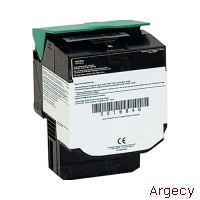 39V2430 | |
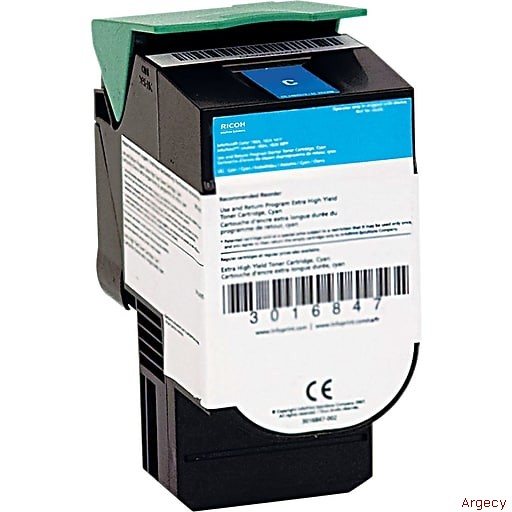 39V2431 | |
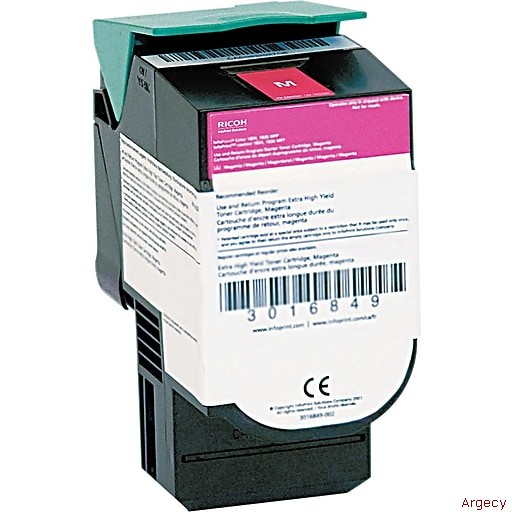 39V2432 | |
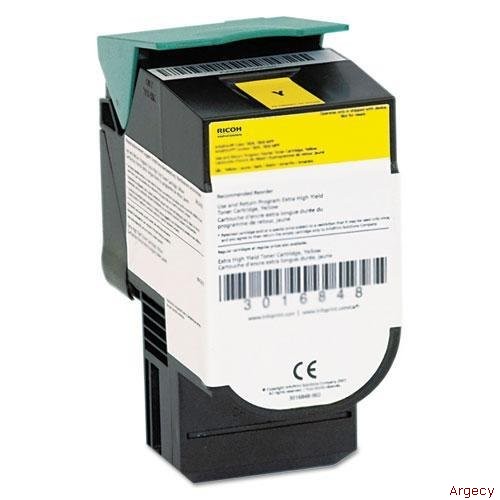 39V2433 | |
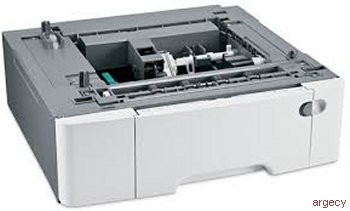 550 Sheet Drawer 39V3927 | |
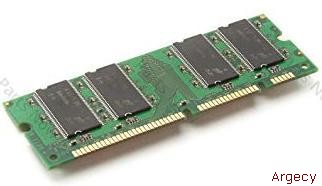 39V3360 128 MB Memory DIMM | |
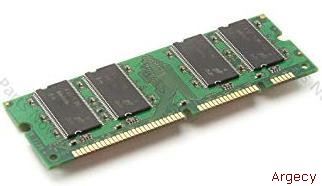 39V3361 256 MB Memory DIMM | |
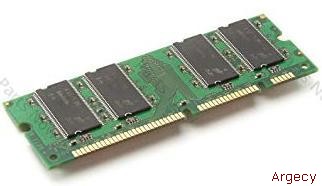 39V3362 512 MB Memory DIMM | |
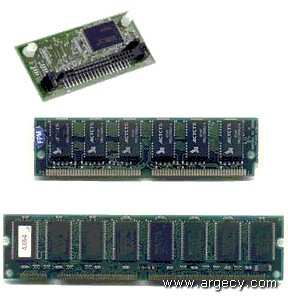 75P6990 64 MB Flash Card | |
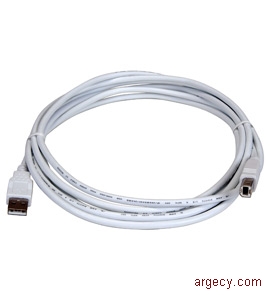 75P7030 2-meter USB Cable | |
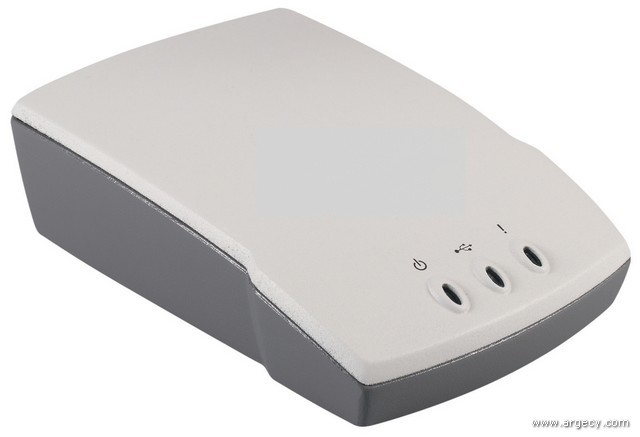 39V1524 Ethernet 10BaseT/100BaseTX (1 USB port) | |
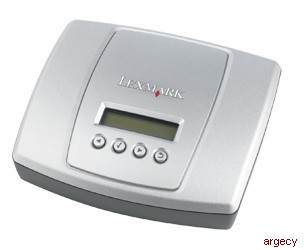 39V1525 Ethernet 1000BaseTX (4 USB ports) | |
 75P6854 802.11g Wireless to USB |
| Description |
InfoPrint Color 1836 MFP is an all-in-one MFP with color printing, scanning, and faxing capability. It offers printing of up to 25 pages per minute (ppm) letter size and 23 ppm A4 size for both color and monochrome printing. The time to first print is as fast as 13 seconds for monochrome and color.
The 1836 MFP comes in the following models:
           Standard  Maximum                                 Standard
Model      memory    memory   USB port  Processor   Duplex   10/100BaseTX
---------  --------  -------  --------  ---------  --------  ------------
dt1, dt2    256 MB    640 MB  Standard   500 MHz   Standard      Yes
All models include one 250-sheet drawer, one 550-sheet drawer, and a single sheet manual slot standard. One optional 550-sheet drawer is supported for a total input capacity of 1,451 sheets. Output capacity for all models is 100 sheets. Duplex capability is standard.
Memory
The multifunction printer has one slot for SDRAM memory. All models are shipped with the SDRAM slot populated with a 128 MB DIMM. Optional 256 MB and 512 MB memory DIMMs are available to replace the 128 MB DIMM.
Network connections
The MFP includes 10/100BaseTX Ethernet as standard.
Usage rates
The maximum monthly usage for the InfoPrint Color 1836 MFP is 55,000 impressions. InfoPrint Solutions Company does not recommend printing to the monthly maximum on a consistent basis.
License conditions
These machines are sold subject to certain license conditions. For licensing details, refer to:
- https://www.infoprint.com
Print quality
The resolutions of the printers are:
- 4800CQ (default resolution) (full printer speed)
- 1200 dpi (at reduced printer speed) (supported in PostScript and PCL only)
InfoPrint Color 1836 MFP has five Toner Darkness levels for color and monochrome. The default setting is level 4. When printing in color, level 5 is equal to level 4. Refer to the table below.
Setting                              1       2       3       4       5
--------------------------------   -----   -----   -----  -------  -----
Delta toner from default (mono)    -50%    -30%    -15%   Default  +10%
Delta toner from default (color)   -50%    -30%    -15%   Default   N/A
Note: These percentages are only approximate.
Note: N/A = Not applicable.
Font support
The InfoPrint Color 1836 MFP printer resident fonts include support for following:
Emulation      Number of scalable fonts   Number of bitmapped fonts
------------   ------------------------   -------------------------
PCL 6                     89                          2
PostScript                91                          0
PPDS                      39                          5
Additional fonts can be downloaded to the printer RAM. PCL emulation supports both scalable and bitmapped downloadable fonts. PostScript emulation supports only downloadable scalable fonts.
Included on the CD-ROM shipped with the printer are a variety of downloadable fonts for Hebrew and Arabic.
MFP
Scanner----------------------- ------------------------------------
Scanner Type Color Scanner, Flatbed with ADF
Scan Technology Charge Coupled Device (CCD)
Light Source Cold Cathode Fluorescent Lamp (CCFL)
Number of Light Sources One
Scanner ADF
------------------------------------------------------------------------
ADF Type Duplex
ADF Document Size Max. 8.5 x 14.0 in (216 x 355 mm) SEF
Min. 3.0 x 5.5 in (76 x 140 mm) SEF
ADF Media Weight Max. 32 lb (120 gsm)
Min. 14 lb (52 gsm)
Scanner ADF Document Input 50 sheets 20 lb. (75 gsm) paper
& Output Capacity
ADF Document Stack Height Up to 8 mm (approx 50 sheets of printed 5%
coverage, 20 lb. fanned paper, uncompressed,
at ambient environment
ADF Document Size Sensing N/A
ADF Paper Present Sensing Yes
ADF Media Jam Sensing Yes
Scanner Flatbed
------------------------------------------------------------------------
Scan area/
Flatbed Max Document Size 8.5 x 11.7 in. (216 x 297.18 mm)
Flatbed Scanner Media Up to .5 in. (12.7 mm) 20 lb paper
Depth (Thickness)
Flatbed Document Size NA
Sensing
Printer
------------------------------------------------------------------------
Print Speed Up to 25 ppm (mono/color/letter)
Up to 23 ppm (mono/color/A4)
Print Resolution 4800CQ (default)(full printer speed)
1200 x 1200dpi (reduced printer speed)
(PS & PCL only)
Print Technology Electro-photography with CPT (chemical
process toner) toning system
Fuser Types Instant-on, Contact Belt fuser
120 volt
220 volt
Duplex Output Standard
Paper Feed Orientation Short Edge Feed
Cover Open Sensing Yes
Cartridge Present Sensing Yes
Waste Toner Container Yes
Present Sensing
Waste Toner Container Yes
Full Sensing
Fax
-------------------------------------------------------------------------
Modem Built-in Group 3 compatible, Full Function
Fax 33,600 bps, Max V.34 (SuperG3)Half Duplex
The InfoPrint Color 1836 MFP supports the following features:
Part
number  Description
------- -----------------------------------
39V3927 550-Sheet Drawer
39V3361 256 MB Memory DIMM
39V3362 512 MB Memory DIMM
75P6990 64 MB Flash Memory
39V1524 Ethernet 10/100BaseTX (1 USB port)
39V1525 Ethernet 1000BaseTX (4 USB ports)
75P6854 802.11g Wireless to USB
75P7030 2-meter USB Cable
39V3618 Korean Font Card
39V3619 Simplified Chinese Font Card
39V3620 Traditional Chinese Font Card
39V3621 Japanese Font Card
39V3998 Printer Stand
Accessibility by people with disabilities
For hardware offerings:
The following features support use by people with disabilities:
- Controls and latches are operable with one hand and minimal dexterity.
- Keys are discernible by touch without activating them.
- The display, controls, latches, and levers are accessible to someone in a wheel chair.
- Color is used as an enhancement for conveying information, as well as an additional method of distinguishing between buttons, controls, and latches.
|
|
| Models |
|
|
Model Summary Matrix
| Model | Standard Memory | Maximum Memory | USB Port | Processor | Duplex | Standard Wireless |
|---|---|---|---|---|---|---|
| dt1 | 256 MB | 640 MB | Standard | 500 MHz | Standard | Yes |
Customer Setup (CSU)
All products in this announcement are customer setup.
Devices Supported
Not applicable.
Model Conversions
Not applicable.
Performance Specifications
The InfoPrint Color 1836 MFP maximum print speeds are shown in the following table. Actual performance depends on:
- Interface to the host (USB or network)
- Host system and application
- Page complexity and content of the page
- Certain printer options installed or selected with the printer
- Available memory in the printer
- Media type, media weight, and media size
- Printer resolution
- Printer usage setting
Continuous Print Speeds (ppm simplex, spm duplex) are shown in the following table. For media sizes smaller than those listed below, the "narrow media" paper type should be selected. Throughput may be reduced for narrow media in some circumstances to protect the printer from thermal damage.
Media Size - Tray 1 and optional 650 drawer(1)(2)  4800CQ  1200dpi
-------------------------------------------------  ------  -------
Full-sized media, full rated speed
- Letter (20 lb paper) (8.5 x 11 in.)              25.0    12.5
- A4 (80 gsm paper) (8.3 x 11.7 in.)               23.0    11.7
- Legal (20 lb paper) (8.5 x 14.0 in.)             20.0    10.1

Full-sized media, less than full rated speed
- Cardstock (8.5 x 11 in.)                         12.5    12.5
- Paper Labels (8.5 x 11 in.)(3)                   10.0    10.0

- Duplex (Ltr) (spm)                               13.0     6.0
Note: (1) When printing from tray 1 or the optional 650 Drawer: Simplex and Duplex; In the first print job after a POR or tray insertion, the first 4 pages print at "legal" speed. The remainder of the pages printed (until the next POR or tray insertion) print at the speeds shown.
Note: (2) The first 15 narrow pages run at full rated engine speed; subsequent pages run at the speed shown.
Note: (3) Paper labels supported for occasional use only.
Media Size - Optional Multipurpose feeder         4800CQ  1200dpi
---------------------------------------------     ------  -------
Full-sized media, full rated speed(1)(2)
- Letter (20 lb paper) (8.5 x 11 in.)              10.0    10.0
- A4 (80 gsm paper) (8.3 x 11.7 in.)                9.5     9.5
- Legal (20 lb paper) (8.5 x 14.0 in.)              8.1     8.1

Full-sized media, less than full rated speed
- Cardstock (8.5 x 11 in.)                         10.0    10.0
- Paper Labels (8.5 x 11 in.)(4)                   10.0    10.0

- Envelopes(3) (all supported sizes)               10.0    10.0
- Duplex (Ltr)(1)                                   6.0     6.0
Note: (1) When printing from the multipurpose feeder: Simplex and Duplex; the first 4 pages print at "legal" speed. The remainder of the pages in that job print at the speeds shown. This speed change occurs at each new job.
Note: (2) The first 15 narrow pages run at full rated engine speed; subsequent pages run at the speed shown.
Note: (3) The first 15 envelopes run at multipurpose feeder's full rated engine speed; subsequent pages run at the speed shown.
Note: (4) Paper labels supported for occasional use only.
Media Size - Manual Slot                          4800CQ  1200dpi
--------------------------------------------      ------  -------
Full-sized media, full rated speed(1)(2)
- Letter (20 lb paper) (8.5 x 11 in.)              25.0    10.0
- A4 (80 gsm paper) (8.3 x 11.7 in.)               23.0     9.5
- Legal (20 lb paper) (8.5 x 14.0 in.)             20.0     8.1

Full-sized media, less than full rated speed
- Cardstock (8.5 x 11 in.)                         10.0    10.0
- Paper Labels (8.5 x 11 in.)(1)                   10.0    10.0

- Envelopes (all supported sizes)                  10.0    10.0
- Duplex (Ltr) (spm)                               13.0     6.0
Note: (1) Paper labels supported for occasional use only.
Copy times are shown in the following table:
First copy time from standby(1) - mono           <13.0 sec.
First copy time from standby(1) - color          <13.0 sec.
First copy time from power saver(1) - mono       <20.0 sec.
First copy time from power saver(1) - color      <20.0 sec.
Note: (1) All first copy times are measured for 4800 "Color Quality" simplex printing on letter sized paper. The test job consists of the a single page of simple text (approximately 20% coverage). The First Copy time is defined as the elapsed time from hitting enter on the PC keyboard to the page exiting to the output bin. All tests will pick paper from the default primary input tray and the page will exit into the default primary output bin. Times may be longer if an automatic calibration is required.
Print Area
The InfoPrint Color 1836 MFP printable area is limited to within 4.2 mm (0.167 in.) of top, bottom, left or right edges of the media. Any information placed outside this specified printable area will not print.
Media Support
The printer comes standard with one 250-sheet paper drawer and a manual slot. Up to 150-sheet output bin is standard. See table below for standard and maximum media capacities.
Input Media Combinations and Capacities (sheets)
         Standard   Manual   650-sheet    Total
         drawer 1   slot     Duo drawer   Capacity
         --------   ------   ----------   --------
Standard   250        1                     251
Maximum    250        1         650         901
Output Media Capacities (sheets)
Standard
Output Bin
-------------------
Standard  up to 150
Maximum   up to 150
Media Sizes Supported
Input Media for InfoPrint Color 1836 MFP
                                          Opt
                                     Std  650   Opt Man.        Std
Media                                tray input MFP slot Duplex output
------------------------------------ ---- ----- --- ---- ------ ------
A4 210x297 mm/8.27x11.7 in.           Yes   Yes  Yes Yes   Yes    Yes
A5 148x210 mm/5.83x8.27 in.           Yes   Yes  Yes Yes   No     Yes
JIS-B5 182x257 mm/7.17x10.1 in.       Yes   Yes  Yes Yes   No     Yes
A6 105x148 mm/4.13x5.83 in.           No    No   Yes Yes   No     Yes
Statement 139.7x215.9 mm/5.5x8.5 in.  No    No   Yes Yes   No     Yes
Letter 215.9x279.4 mm/8.5x11 in.      Yes   Yes  Yes Yes   Yes    Yes
Folio 215.9x330.2 mm/8.5x13 in.       Yes   Yes  Yes Yes   Yes    Yes
Oficio(Mexico) 215.9x340 mm/          Yes   Yes  Yes Yes   Yes    Yes
8.5x13.4 in.
Legal 215.9x355.6 mm/8.5x14 in.      Yes   Yes  Yes Yes   Yes    Yes
Executive 184.2x266.7 mm/            Yes   Yes  Yes Yes   No     Yes
7.25x10.5 in.
Universal(1)(2)                      Yes   Yes  Yes Yes   No     Yes
148 mm x 210.0 to 215.9 x 355.6 mm
5.83 x 8.27 in. to 8.5 x 14 in.
Universal(1)(2)                      No    No   Yes Yes   No     Yes
76.2 mm x 127 to 215.9 x 355.6 mm
3 x 5 in. to 8.5 x 14 in.
Universal(1)(2)                      Yes   Yes  Yes Yes   Yes    Yes
210 x 279.4 mm to 215.9 x 355.6 mm
8.27 x 11 in. to 8.5 x 14 in.
7 3/4 Env.                           No    No   Yes Yes   No     Yes
98.4 x 190.5 mm/3.875x7.5 in.
9 Env.                               No    No   Yes Yes   No     Yes
98.4 x 225.4 mm/3.875x8.9 in.
Commercial #10 Env.                  No    No   Yes Yes   No     Yes
104.8 x 241.3 mm/4.12x9.5 in.
DL Env. 110x220 mm/4.33x8.66 in.     No    No   Yes Yes   No     Yes
C5 Env. 162 x 229 mm/6.38x9.01 in.   No    No   Yes Yes   No     Yes
B5 Env. 176 x 250 mm/6.93x9.84 in.   No    No   Yes Yes   No     Yes
Other Envelope(3)                    No    No   Yes Yes   No     Yes
98.4 x 162 mm to 176 x 250 mm
3.87 x 6.38 in. to 6.93 x 9.84 in.

Media Types
Paper                                Yes   Yes  Yes Yes   Yes    Yes
Cardstock                            Yes   Yes  Yes Yes   No     Yes
Transparencies                       Yes   No   Yes Yes   No     Yes
Envelopes                            No    No   Yes Yes   No     Yes
Paper Labels(4)                      Yes   Yes  Yes Yes   No     Yes
Note: (1) When Universal is selected, the page is formatted for 215.9x355.6 mm (8.5x14 in.) unless the size is specified by the software application.
Note: (2) Narrow media should be loaded with the length in the feed direction (portrait).
Note: (3) When Other Envelope is selected, the page is formatted for 215.9x355.6 mm (8.5x14 in.) unless a size is specified by the software application.
Note: (4) Paper labels supported for occasional use only.
Media Weights by input source
Material     Type           Standard Tray         Opt. 650-sheet drawer
------------ -------------- --------------------- ---------------------
Paper selected as:(2)(6)(9)(10)
Light paper  Xerographic or 60 to 74.9 gsm grain  60 to 74.9 gsm grain
             business paper long (16 to 19.9 lb   long (16 to 19.9 lb
                            bond)(2)(6)           bond)(2)(6)

Plain paper  Xerographic or 75 to 89.9 gsm grain  75 to 89.9 gsm grain
             business paper long (20 to 23.8 lb   long (20 to 23.8 lb
                            bond)                 bond)

Heavy paper  Xerographic or 90 to 104.9 gsm grain 90 to 104.9 gsm grain
             business paper long (23.9 to 27.8 lb long (23 to 27.8 lb
                            bond)                 bond)

Cardstock    Xerographic or 105 to 176 gsm grain  105 to 176 gsm grain
             business paper long (27.9 to 47 lb   long (27.9 to 47 lb
                            bond)                 bond)

Specialty    Gloss Book     88 to 176 gsm grain   88 to 176 gsm grain
Papers                      long (60 to 120 lb    long (60 to 120 lb
                            book)                 book)

             Gloss Cover    162 to 176 gsm grain  162 to 176 gsm grain
                            long (60 to 65 lb     long (60 to 65 lb
                            cover)                cover)

Cardstock    Index Bristol  120 gsm (67 lb)       120 gsm (67 lb)
upper limit  Tag            120 gsm (67 lb)       120 gsm (67 lb)
(grain long) Cover          135 gsm (50 lb)       135 gsm (67 lb)
(1)
Cardstock    Index Bristol  163 gsm (90 lb)       163 gsm (90 lb)
upper limit  Tag            163 gsm (100 lb)      163 gsm (100 lb)
(grain short)Cover          176 gsm (65 lb)       176 gsm (65 lb)
(1)
Transparency Laser printer  170 to 180 gsm
(8)                         (45 to 48 lb bond)

Labels-upper Paper          131 gsm (35 lb)       131 gsm (35 lb)
limit

Envelopes    Sulfite,       N/A                   N/A
             wood-free, or
             up to 100%
             cotton
Note: (1) For 60 to 176 gsm paper, grain long fibers are recommended.
Note: (2) Paper less than 75 gsm (20 lb) must be printed with Paper Type set to Light Paper.
Note: (4) 100% cotton content maximum weight is 24 lb bond.
Note: (5) 28 lb bond envelopes are limited to 25% cotton content.
Note: (6) Duplex supports paper weights between 16-28 lbs (60-long grain bond). The duplex does not support cardstock, transparencies, envelopes, and labels.
Note: (9) Paper 90 to 104.9 gsm (23.9 to 27.8 lb) must be printed with Paper Type set to Heavy Paper.
Note: (10) Paper 105 to 176 gsm (27.9 to 47 lb) must be printed with Paper Type set to Cardstock.
Material     Type           Opt. MPF              Manual slot
------------ -------------- --------------------- ---------------------
Paper selected as:(2)(6)(9)(10)
Light paper  Xerographic or 60 to 74.9 gsm grain  60 to 74.9 gsm grain
             business paper long (16 to 19.9 lb   long (16 to 19.9 lb
                            bond)(2)(6)           bond)(2)(6)

Plain paper  Xerographic or 75 to 89.9 gsm grain  75 to 89.9 gsm grain
             business paper long (20 to 23.8 lb   long (20 to 23.8 lb
                            bond)                 bond)

Heavy paper  Xerographic or 90 to 104.9 gsm grain 90 to 104.9 gsm grain
             business paper long (23.9 to 27.8 lb long (23 to 27.8 lb
                            bond)                 bond)

Cardstock    Xerographic or 105 to 176 gsm grain  105 to 176 gsm grain
             business paper long (27.9 to 47 lb   long (27.9 to 47 lb
                            bond)                 bond)

Specialty    Gloss Book     88 to 176 gsm grain   88 to 176 gsm grain
Papers                      long (60 to 120 lb    long (60 to 120 lb
                            book)                 book)

             Gloss Cover    162 to 176 gsm grain  162 to 176 gsm grain
                            long (60 to 65 lb     long (60 to 65 lb
                            cover)                cover)

Cardstock    Index Bristol  120 gsm (67 lb)       120 gsm (67 lb)
upper limit  Tag            120 gsm (67 lb)       120 gsm (67 lb)
(grain long) Cover          135 gsm (50 lb)       135 gsm (67 lb)
(1)
Cardstock    Index Bristol  163 gsm (90 lb)       163 gsm (90 lb)
upper limit  Tag            163 gsm (100 lb)      163 gsm (100 lb)
(grain short)Cover          176 gsm (65 lb)       176 gsm (65 lb)
(1)
Transparency Laser printer  170 to 180 gsm
(8)                         (45 to 48 lb bond)

Labels-upper Paper          131 gsm (35 lb)       131 gsm (35 lb)
limit

Envelopes    Sulfite,       N/A                   N/A
             wood-free, or
             up to 100%
             cotton
Note: (1) For 60 to 176 gsm paper, grain long fibers are recommended.
Note: (2) Paper less than 75 gsm (20 lb) must be printed with Paper Type set to Light Paper.
Note: (4) 100% cotton content maximum weight is 24 lb bond.
Note: (5) 28 lb bond envelopes are limited to 25% cotton content.
Note: (6) Duplex supports paper weights between 16-28 lbs (60-long grain bond). The duplex does not support cardstock, transparencies, envelopes, and labels.
Note: (9) Paper 90 to 104.9 gsm (23.9 to 27.8 lb) must be printed with Paper Type set to Heavy Paper.
Note: (10) Paper 105 to 176 gsm (27.9 to 47 lb) must be printed with Paper Type set to Cardstock.
Media Weights by output bin and duplex
Material     Type           Standard output bin         Duplex
------------ -------------- -------------------   ------------------
Paper        Xerographic or 60 to 176 gsm grain   60 to 105 gsm
             business paper long (16 to 47 lb     (16 to 28 lb bond)
                            bond)

Specialty    Gloss Book     88 to 176 gsm grain   N/A
Papers                      long (60 to 120 lb
                            book)
             Gloss Cover    162 to 176 gsm grain  N/A
                            long (60 to 65 lb
                            cover)

Cardstock    Index Bristol  120 gsm (67 lb)       N/A
upper limit  Tag            120 gsm (67 lb)       N/A
(grain long) Cover          135 gsm (50 lb)       N/A

Transparencies Laser        170 to 180 gsm        N/A
               printer      (45 to 48 lb bond)

Labels-upper   Paper        131 gsm (35 lb bond)  N/A
limit

Envelopes     Sulfite,      60 to 105 gsm (16 to  N/A
              wood-free or  28 lb bond)
              up to 100%
              cotton bond
Input and output capacities by media type
                                          Stack   Approximate
Source                   Media            height  reference capacity
-----------------------  ---------------  ------  ----------------------
Input
Std. 250-sheet tray(2)   Plain paper(1)   28 mm   250 sheets (75 gsm)
                         Transparencies           50 sheets
                         Labels                   100 labels(3)

Opt. 650-sheet drawer(2) Plain paper(1)   62 mm   650 sheets (75 gsm)
                         Labels                   200 labels(3)

Opt. MPF(2)              Plain paper(1)   11 mm   100 sheets (75 gsm)
                         Envelopes                10 envelopes (75 gsm)
                         Other                    Various quantities

Output
Std. Up to 150-sheet     Plain paper(1)   14 mm   100 sheets (75 gsm)
output bin(1)(2)
Note: (1) 20 lb xerographic paper at ambient environment.
Note: (2) Capacity may vary and is subject to media specifications and printer operating environment.
Note: (3) Capacity will vary with label material and construction
Note: (4) Capacity will vary depending on weight and type of media.
Media Sensing
                                    Integrated   Opt.
                            All     250-sheet    650-sheet  Opt  Manual
Sensing Function            models  drawer       duodrawer  MPF  slot
--------------------------  ------  -----------  ---------  ---  ------
Auto Media Size Sensing
- Media Tray                 No        No           No      No     No
Media Out Sensing
- Media Tray                 Yes       Yes          Yes     Yes    No
Tray Present Sensing
- Paper Tray                 Yes       Yes          Yes     Yes    Yes
Output Bin Near Full(1)      Yes       No           No      No     No
Output Bin Full(1)           Yes       No           No      No     No

Misc. Other
- Narrow Media               Yes       No           No      No     No
- Tray Low                   Yes       Yes          Yes     No     No
- Cover Open                 Yes       No           No      No     No
- Cartridge Present          Yes       No           No      No     No
- Input sensor               Yes       No           No      No     No
- Fuser Exit                 Yes       No           No      No     No
- Waste Toner Present        Yes       No           No      No     No
- Waste Toner Full           Yes       No           No      No     No
- Media Present              No        No           Yes     No     Yes
Note: (1) Output Bin Near Full and Output Bin Full are not supported for narrow media.
Additional Media Guidelines for InfoPrint Color 1836 MFP
Follow the media guidelines below for successful printing:
Paper
- Rough, highly textured, limp, or pre-curled papers will result in lower print quality and more frequent paper feed failures.
- Colored papers must be able to withstand 200 deg C (392 deg F) fusing temperature.
- Preprinted forms and letterheads must be able to withstand 200 deg C (392 deg F) fusing temperature and should be selected using guidelines found in the printer User's Guide. The chemical process used in preprinting may render some papers unsuitable for use with this printer.
- Paper less than 75 gsm (20 lb) must be printed with Paper Type set to Light Paper
- Paper 75 to 89.9 gsm (20 to 23.8 lb) must be printed with Paper Type set to Plain Paper
- Paper 90 to 104.9 gsm (23.9 to 27.8 lb) must be printed with Paper Type set to Heavy Paper
- Paper 105 to 176 gsm (27.9 to 47 lb) must be printed with Paper Type set to Cardstock
Recycled paper
As an environmentally conscious company, InfoPrint Solutions Company supports the use of recycled office paper produced specifically for use in laser (electrophotographic) printers. The following property guidelines apply to recycled paper.
- Low moisture content (4-5%)
- Suitable smoothness (100-200 Sheffield units)
- Suitable sheet-to-sheet coefficient of friction (0.4-0.6)
- Sufficient bending resistance in the direction of feed
Recycled paper, paper of lower weight (<60 gm2 / 16 lb bond) and/or lower caliper (<3.8 mils / 0.1 mm), and paper that is cut grain-short for portrait (or short-edge) fed printers may have lower bending resistance than is required for reliable paper feeding. Before using these types of paper for laser (electrophotographic) printing, consult your paper supplier. Remember that these are general guidelines only and that paper meeting these guidelines may still cause paper feeding problems.
Unacceptable paper
The following paper types are not recommended for use with the printer:
- Chemically treated papers used to make copies without carbon paper, also known as carbonless papers, carbonless copy paper (CCP), or no carbon required (NCR) paper
- Preprinted papers with chemicals that may contaminate the printer
- Preprinted papers that can be affected by the temperature in the printer fuser
- Preprinted papers that require a registration (the precise print location on the page) greater than +/-2.3 mm (+/-0.9 in.), such as optical character recognition (OCR) forms. In some cases, registration can be adjusted with a software application to successfully print on these forms.
- Coated papers (erasable bond), synthetic papers, thermal papers
- Rough-edged, rough or heavily textured surface papers, or curled papers
- Recycled papers that fail EN12281:2002 (European).
- Paper weighing less than 60 gsm (16 lb)
- A5 paper less than 80 gsm (21lb)
- Multiple-part forms or documents
Envelopes
- All envelopes should be new, unused, and without package damage
- Envelopes with excessive curl or twist exceeding 6 mm, those stuck together, those with bent corners or nicked edges, or those that interlock should not be used
- Minimum weight: 60 gsm (16 lb.)
- The following envelopes should not be used:
- Envelopes with windows, holes, perforations, cutouts, or deep embossing
- Envelopes with metal clasps, string ties, or metal folding bars
- Envelopes with exposed flap adhesive when the flap is in the closed position
- For best results, printing on new 90 gsm (24 lb.) sulfite or 25% cotton bond envelopes is recommended.
- Under high humidity conditions (over 60%), envelopes may seal during printing.
Transparencies
- Use letter or A4-size sheets only
- Transparencies specifically designed for xerographic copy machines or laser printers may be used with the InfoPrint Color 1836 MFP
Labels
Labels should be selected using guidelines found in the User's Reference, Complete Printer Reference, or the Cardstock and Label, and tested for acceptability. VINYL AND POLYESTER LABELS ARE NOT SUPPORTED.
Print Quality
General Statement
During the life of the printer, components are subject to wear based on usage. Printers continuously operating at or near the maximum duty cycle may require service for replacement of these components to ensure high quality printing and good performance throughout the life of the printer. Replacement is recommended every 30,000 pages for the Imaging Unit.
Automatic Calibration
The printer performs an automatic calibration under the following conditions: 1. at power on, 2. after 8 hours of Power Saver, 3. every 500 pages, or 4. after changing a print cartridge. A manual calibration can be initiated from the Op Panel.
Resolution
The following resolutions are available:
- 4800 "Color Quality" (default) (full printer speed)
- 1200 x 1200 dpi (reduced printer speed) (supported in PS and PCL only)
Op Panel Menu Lockout
An administrator may apply a PIN number to protect the administration menus available through the printer operator panel. The following top-level menus can be protected using the feature:
- Paper
- Reports
- Settings
- Security
- Network/Ports
Color Correction Settings
The InfoPrint Color 1836 MFP will offer the following color correction settings:
Auto (default)
Applies different color correction to each object on the printed page depending upon the type of object and how the color for each object is specified.
Off
No color correction is implemented.
Manual
Allows users to customize color correction output from Drivers or the Op Panel.
"Auto/default" Color Correction Setting
Incoming Color Format         Color Correction Output
---------------------         -----------------------
RGB Graphics                  sRGB Vivid
RGB Image                     sRGB Display
RGB Text                      sRGB Vivid
CMYK Graphics                 US CMYK
CMYK Image                    US CMYK
CMYK Text                     US CMYK
"Manual" Color Correction Output Op Panel Selections
Incoming
Color Format Color Correction Output Selections
---------------------------------------------------------
RGB Graphic sRGB Vivid(1), Vivid, sRGB Display, RGB Off,
  Display True Black
RGB Image   sRGB Vivid(1), Vivid, sRGB Display*, RGB Off,
  Display True Black
RGB Text    sRGB Vivid(1), Vivid, sRGB Display, RGB Off,
  Display True Black
CMYK(2)     US CMYK, Vivid CMYK, CMYK Off, Euro CMYK
Note: (1) Default setting.
Note: (2) US CMYK is default for low volt printers, Euro CMYK is default for high volt printers.
"Manual" Color Correction Output Selection Definitions
Vivid
Applies a color correction algorithm that produces brighter, more saturated colors.
sRGB Display
Applies color correction to produce output that approximates the colors displayed on a computer monitor.
sRGB Vivid
Increased color saturation for the sRGB Display color correction.
Display - True Black
Applies color conversion table to produce output that approximates the colors displayed on a computer monitor using only black toner for neutral gray colors.
RGB Off
No color correction is implemented.
US CMYK
Applies color correction to approximate SWOP color output.
Vivid CMYK
Increased color saturation for the US CMYK color correction.
CMYK Off
No color correction is implemented.
Euro CMYK
Applies color correction to approximate EuroScale color output
Color Balance Control
InfoPrint Color 1836 MFP offers a Color Balance Control. It is a color correction option that allows the user to increase or decrease the amount of toner going to the page individually for the cyan, magenta, yellow and black color planes. The scale for the adjustments is +5 to -5. Color balance is available in the default host based PS and PCL drivers.
ColorSaver Mode
InfoPrint Color 1836 MFP will offer a ColorSaver Mode that allows end users to print images and graphics lighter. Text will print at Toner Darkness "4", while images and graphics print at Toner Darkness "1". The ColorSaver Mode is located on the Op panel and may be selected from the PostScript or PCL Drivers. The ColorSaver Mode is also available in the default host based and XPS drivers.
Coverage Estimator
The Coverage Estimator is designed to give the user an approximation of percent coverage per color when printing a composite color document. The estimation of coverage can be used to calculate an approximate cost of any given document if yield and coverage are assumed to be linear and inversely related. This tool should allow customers to discover for themselves that printing color documents on color laser printers is frequently an economical way to create these documents. Furthermore, they can discover that many black and white documents can be improved for a nominal increase in cost.
The Coverage Estimator allows end users to estimate the percent coverage of cyan, magenta, yellow and black for a print job. The estimates will be printed on a report page following the job. The Coverage Estimator is available from the Op Panel under the utility menu.
The Coverage Estimator is intended to only estimate the coverage on a given page. For all toner colors that are used, the minimum percentage reported will be two percent. Reported values may vary from printer to printer. The accuracy of the estimates may be affected by the fullness of the print cartridges, environmental conditions, media type, application, application settings, driver, driver settings, and the content of the page. InfoPrint Solutions Company makes no claim as to the accuracy of the estimated percents.
Color Samples
To assist users in selecting the colors to be printed, they can print color samples pages for each of the RGB and CMYK color conversion tables used in the printer. The color samples pages consist of a series of colored boxes along with the RGB or CMYK combination that creates the color observed for each particular box. These pages can be useful in helping users decide which RGB or CMYK combinations to use in their software applications to create the desired printed color output.
Enhance Fine Lines
The printer offers this feature via the Op Panel or Host Based drivers. In this feature, setting this option to TRUE has the effect of more faithfully representing fine detail in jobs, such as fine lines in CAD drawings. The default is false. Enhance Fine Lines is available in the default host based PS, PCL, and XPS drivers.
MFP
Scanner
-------------------------------------------------------------------
Scanner Type                Color Scanner, Flatbed and ADF attached
Scan Technology             Charge Coupled Device (CCD)
Light Source                Cold Cathode Fluorescent Lamp (CCFL)
Number of Light Sources     One
Color bit depth             24
Max Optical Resolution      600 x 600 dpi
Scan Area - Flatbed         Max. 8.5 x 14.0 in (216 x 355 mm)
Document Size Sensing       N/A

Scanner ADF
------------------------------------------------------------------------
ADF Type                    Duplex
Resolution ADF              600 dpi optical, 300 or 600 dpi feed
Scanner ADF Document Input  50 sheets 20 lb. (75 gsm) paper
& Output Capacity
Flatbed Scanner Media       Up to .5 inch (12.7 mm) 20 lb. paper
Depth (thickness)
ADF Document Stack Height   Up to 8 mm (approx 50 sheets of printed 5%
                            coverage, 20 lb. fanned paper, uncompressed,
                            at ambient environment
Scanner Media Weight        Max. 32 lb (120 gsm)
                            Min. 14 lb (52 gsm)
Scan Speed (simplex)        600 x 600 dpi   20 SPM letter (mono)
                                            20 SPM letter (color)
Scan Speed (duplex)         600 x 600 dpi    8 SPM letter (mono)
                                             8 SPM letter (color)
Document Size               Max. 8.5 x 14.0 in (216 x 355 mm) SEF*
                            Min. 3.0 x 5.5 in (76 x 139.7 mm) SEF*
Document Sensing            N/A

Scanner Flatbed
----------------------------------------------------
Flatbed Resolution          From 300 to 1200 dpi
Flatbed Max Document Size   8.5 x 11.7 inches (SEF*)
Flatbed Document Size               N/A
Sensing

Printer
------------------------------------------------------------------
Print Speed                 25/23 ppm (mono/color)(LTR/A4)
TTFP (Mono/Color)           <13 sec/<13+ sec, cold start <20 sec
Print Technology            Electro-photography with CPT (chemical
                            process toner) toning system
Fuser Types                 Belt fuser
                            120 volt non-contact
                            220 volt solenoid-actuated contact fuser
Paper Feed Orientation      * Short Edge Feed

Fax
----------------------------------------------------------------------
Modem                       Built-in Group 3 compatible, Full Function
                            Fax 33,600 bps, Max V.34 (Super G3) Half
                            Duplex
Scan Speed and Performance
Flatbed Scan Time               All Models (Letter/A4)
----------------------          ----------------------
From Standby
 Mono Scan (Letter/A4)
  300x300 dpi                   <3 sec/3 sec
  600x300 dpi                   <3 sec/3 sec
  (default)                     <6 sec/6 sec
  600x600 dpi                   <12 sec/12 sec
  600x1200 dpi

 Color Scan (Letter/A4)
  300x300 dpi                   <3 sec/3 sec
  600x300 dpi                   <3 sec/3 sec
  (default)                     <6 sec/6 sec
  600x600 dpi                   <12 sec/12 sec
  600x1200 dpi

From Power Saver                (Added 15 sec warm-up)
 Mono Scan (Letter/A4)
  300x300 dpi
  600x300 dpi                   <18 sec/18 sec
  (default)                     <18 sec/18 sec
  600x600 dpi                   <21 sec/21 sec
  600x1200 dpi                  <27 sec/27 sec

 Color Scan (Letter/A4)
  300x300 dpi
  600x300 dpi                   <18 sec/18 sec
  (default)                     <18 sec/18 sec
  600x600 dpi                   <21 sec/21 sec
  600x1200 dpi                  <27 sec/27 sec

From Power On (POR)             (Added 15 sec warm-up)
 Mono Scan (Letter/A4)
  300x300 dpi
  600x300 dpi                   <18 sec/18 sec
  (default)                     <18 sec/18 sec
  600x600 dpi                   <21 sec/21 sec
  600x1200 dpi                  <27 sec/27 sec

 Color Scan (Letter/A4)
  300x300 dpi
  600x300 dpi                   <18 sec/18 sec
  (default)                     <18 sec/18 sec
  600x600 dpi                   <21 sec/21 sec
  600x1200 dpi                  <27 sec/27 sec
ADF Scan Speed
ADF Scan Speed                  All Models (Letter/A4/Legal)
-----------------------         ----------------------------
From Standby
 Mono Scan
  300x300 dpi                   20/20/16 IPM
  600x300 dpi (default)         20/20/16 IPM
  600x600 dpi                   10/10/8 IPM

 Color Scan
  300x300 dpi                   20/20/16 IPM
  600x300 dpi (default)         20/20/16 IPM
  600x600 dpi                   10/10/8 IPM

From Power Saver                (Added 15 sec warm-up)
 Mono Scan
  300x300 dpi                   20/20/16 IPM
  600x300 dpi (default)         20/20/16 IPM
  600x600 dpi                   10/10/8 IPM

 Color Scan
  300x300 dpi                   20/20/16 IPM
  600x300 dpi (default)         20/20/16 IPM
  600x600 dpi                   10/10/8 IPM

From Power On (POR)             (Added 15 sec warm-up)
 Mono Scan
  300x300 dpi                   20/20/16 IPM
  600x300 dpi (default)         20/20/16 IPM
  600x600 dpi                   10/10/8 IPM

 Color Scan
  300x300 dpi                   20/20/16 IPM
  600x300 dpi (default)         20/20/16 IPM
  600x600 dpi                   10/10/8 IPM
ADF Scan Speed - Duplex Mode
ADF Scan Speed-Duplex Mode      All Models (Letter/A4/Legal)
--------------------------      ----------------------------
From Standby
 Mono Scan
  300x300 dpi                   8/8/6 IPM
  600x300 dpi (default)         8/8/6 IPM
  600x600 dpi                   4/4/3 IPM

 Color Scan
  300x300 dpi                   8/8/6 IPM
  600x300 dpi (default)         8/8/6 IPM
  600x600 dpi                   4/4/3 IPM

From Power Saver                (Added 15 sec warm-up)
 Mono Scan
  300x300 dpi                   8/8/6 IPM
  600x300 dpi (default)         8/8/6 IPM
  600x600 dpi                   4/4/3 IPM

 Color Scan
  300x300 dpi                   8/8/6 IPM
  600x300 dpi (default)         8/8/6 IPM
  600x600 dpi                   4/4/3 IPM

From Power On (POR)             (Added 15 sec warm-up)
 Mono Scan
  300x300 dpi                   8/8/6 IPM
  600x300 dpi (default)         8/8/6 IPM
  600x600 dpi                   4/4/3 IPM

 Color Scan
  300x300 dpi                   8/8/6 IPM
  600x300 dpi (default)         8/8/6 IPM
  600x600 dpi                   4/4/3 IPM
Fax Features
- Block Junk Fax Function = Yes.
- Blocks junk faxes based on caller ID and remote station ID.
- Caller ID Support = Yes
- Fax Forwarding
- Incoming faxes may be forwarded to another fax machine
- HalfTone
- Max Broadcast Locations is 12
Note: Each number in a group fax is a location.
- Group Fax (Broadcasting)
- Manual Fax
- Fax from PC
- Fax from PC is supported using Postscript driver for both local and network attach modes.
- Fax Shortcuts
- Maximum charactors per shortcut = 512 characters
- Speed Dials = 999 (In address book)
- Fax Content
- Text
- Text/Photo
- Photograph
- Fax Preservation
- LDAP Lookup
Scan Specific Specifications
Scan Performance
The following table summarizes performance numbers for the InfoPrint Color 1836 MFP.
Scan Speed
-Sides Per Minute (SPM) (Mono Simplex)    Letter - 20
                                          A4 - 18
-Sides Per Minute (SPM) (Color Simplex)   Letter - 20
                                          A4 - 18

-Sides Per Minute (SPM) (Mono Duplex)     Letter - 8
                                          A4 - 8
-Sides Per Minute (SPM) (Color Duplex)    Letter - 8
                                          A4 - 8
Scan Features
- Duplex Scan
- Mono and Color Output Resolution 600 X 600 dpi (max)
- USB and Network TWAIN Drivers:
- For a list of supported operating systems, see Driver tables Chapter 6
- Scan Destinations - this isn't a scan destination by itself - it uses
the Scan to PC:
- USB Thumbdrive
- Scan to PC (Network and USB)
- File Formats:
- TIFF
- JPG or JPEG
- Support Compressions:
- PDF - 1 bit - JBIG2, CCIT G4, Flate 8/24 bit - Flate, JPEG
- TIFF - 1 bit - CCIT G4, 8/24 bit - Packbits, LZW
- JPG - 8/24 bit - JPEG
Image Format
- USB Direct: Support for Direct Image file formats:+5
- gif
- jpeg
- jpg
- bmp
- *png
- tiff
- pcx
- dcx
- Graphics formats:
- tff
- tif
- jpeg
- jpe
- gif
- *png
- bmp
- pcx
- dcx
Copy Specific Specifications
Monochrome and Color:
Input      Size    Copy Start State  Copy Time(1)
-------    ------  ----------------  ------------
ADF(1)     Letter  StandBy/Ready      25 SPM Max.
ADF(1)     A4      StandBy/Ready      23 SPM Max.

Flatbed    Letter  StandBy/Ready      25 SPM Max.
Flatbed    A4      StandBy/Ready      23 SPM Max.

                                     Time to First
Input      Size    Copy Start State  Copy Out
-------    ------  ----------------  -------------
ADF(1)     Letter  StandBy/Ready      <17.5 sec
(mono)

Flatbed    Letter  StandBy/Ready      <16.5 sec
(mono)

ADF(1)     Letter  StandBy/Ready      <19.0 sec
(color)

Flatbed    Letter  StandBy/Ready      <17.0 sec
(color)
Note: (1) Loading paper in the ADF or Flatbed or touching the M40 MFP Option display will activate warm-up of the MFP and could lower this time to first copy.
Time to First Copy/or First Copu Out Time (TTFC or FCOT) - Regardless of using the Flatbed or the ADF this is the amount of time from pressing the Copy button until the preprinted copy sheet lands in the output bin.
Copy Features/Functions
- Copy Resolution:
- Copy Output Resolution is 600 X 600dpi.
- Copy Collation:
- Copy collation function is available on the InfoPrint Color 1764 MFP
- Paper Save Functions (N-Up):
- 2 Up Portrait
- 2 Up Landscape
- 4 Up Portrait
- 4 Up Landscape
- Reduced/Enlarge function 25% to 400%
- Maximum Number of Copies:
- 999
- Margin Shift
- Separator Sheets:
- Between Pages
- Between Copies
- Between Jobs
- Overlays
- Duplex output without optional print duplexor:
- Long edge binding
- Short edge binding
Fax Specific Specifications
Fax Performance
The following table summarizes performance numbers for the InfoPrint Color 1836 MFP.
Function                     Specification
------------------------     --------------------------------------
Transmission Speed           Approx. 3 seconds per page
Compression                  MH, MR, MMR, JPEG
Fax Memory                   4 MB Flash (More then 320)
                             User selectable parameters
                             are stored in NVRAM.
Resolutions                  Receive:
                             200x100 dpi, 200x200 dpi, 300x300 dpi,
                             400x400 dpi, 204x196 dpi, 204x391 dpi,
                             408x391 dpi
                             Send:
                             200x100 dpi, 200x200 dpi, 300x300 dpi
Color Fax                    Yes
Speed Dials                  999
Broadcast                    Yes-12 Destinations
Manual Fax                   Yes
Fax from PC                  Yes
External Phone Interface     Yes
Distinctive Ring             Yes
Last Number Redial           Yes
Auto Redial                  Yes
Pause                        Yes
Fax Forward                  Yes
Tone/Pulse                   Tone: Default, Pulse: Yes
One Touch Dial               No
On Hook Dial                 Yes
Search                       Yes (Phone Book)
Sound Control                Ring Volume - Yes (On, Off)
                             Key Volume - Yes (On, Off)
                             Speaker - Yes (On, On until connect, off)
Caller ID                    Yes
Junk Fax Blocking            Yes
Security Mode                No
Real time clock battery      Supercap
backup
When installed in the MFP, the following specifications are met by the fax card:
Function                     Specification
---------------------------  -------------------------------------------
Line Connection              PSTN or Analog PABX (RJ-11)
ITU Compatibility            Group 3 / ECM
Standard Resolution          8 x 3.85 pels/mm (200x100 dpi)
Fine                         8 x 7.7 pels/mm (200x200 dpi)
Superfine:                   11.8 x 11.8 pels/mm (300x300 dpi)
Ultrafine:                   15.7 x 15.7 pels/mm (400x400 dpi)
Coding:                      ITU T.4 and T.6 (MH, MR, MMR)

Modem
 Speed - Standard            33,600 BPS Max, V.34 (Super G3) Half-Duplex
 Error Correction Method     ITU T.30
 Automatic Train Down        Yes
Communications
                             The modem satisfies the requirements
                             specified in ITU-T (CCITT) recommendations
                             V.34 half-duplex, V.17, V.29, V.27 ter,
                             and meets the binary signaling requirements
                             of V.8 and T.30 with annex F.
Data Compression             T.4 1D Modified Huffman encoding
                             T.4 2D Modified Read encoding
Modem Speeds:                T.6 - Modified Read Encoding
                             V.34, 2,400-33,600 BPS
                             V.17, 7,200-14,400 BPS
                             V.27, 2,400-4,800 BPS
Receive Level:               -9dBm  -43 dBm
Output Level:                Adjustable: -9dBm-15dBm
Initial Setting:             Country Dependent

Line Interface Section
Modular Plug:                Dual RJ-11C
OutBand Signal Level:        Guaranteed North American and Europe PTT
Input Level Range            -16dBm-50dBm
Ring Detection:              Complies with all regulatory requirements
Fax and Telecom Compatibility Information
FAX Compatibility
-Line Connection                              PSTN or Analog PABX (RJ-11)
-ITU Compatibility                            Group 3 / ECM
           Standard Resolution  200x100 (Send) 200x100, 204x98  (Receive)
           Fine Resolution      200x200 (Send) 200x200, 204x196 (Receive)
           SuperFine Resolution 300x300 (Send) 300x300, 204x391 (Receive)

-Modem
           Speed - Standard                    Max is 33,600 bps, V.34
                                               (Super G3) Half-Duplex
           Error Correction Method             ITU T.30
           Automatic Train Down                Yes
-Hand Set  No
-Communications
           The modem satisfies the require-
           ments specified in ITU-T (CCITT)
           recommendations V.34 half-duplex,
           V.17, V.33, V.29, V.27 ter, V.21
           and meets the binary signaling
           requirements of V.8 and T.30 with
           annex F.
           Protocol:                           ITU T.30
           Modulation Type:                    ITU V.34, V.17, V.29,
                                               V.27ter
           Tonal Signal:                       ITU V.8, V.21 T.30
           Data Compression/Compression Memory T.4 1D Modified Huffman
                                               Encoding
                                               T.4 2D Modified Read
                                               Encoding
                                               T.6 Modified Modified Read
                                               Encoding
           Modem Speeds:                       33600, 31200, 28800,
                                               26400, 21600, 19200,
                                               16800, 14400, 12000,
                                               9600, 7200, 4800, 2400bps
           Receive Level:                      -16dBm to -50dBm
           Modem Chipset:                      Conexant SFX336 Plus
                                               Conexant SSF336
           Output Level:                       Adjustable:-1dBm to -35dBm
           Initial Setting:                    Country Dependent
Line Interface Section
-Modular Plug:                                 RJ-11C
           OutBand Signal Level:               Guaranteed North American
           standard                            and Europe PTT
-Insulation
 Resistance
 (250VDC)
           Tip - Ring:                         Higher than 5 Meg Ohms
           Tip - Ring-GND                      Higher than 5 Meg Ohms
           Ring Detection:                     Complies with all
                                               regulatory requirements

Dialing Characteristics
-Dial Pulse
           Not Supported
 1) DTMF
 Coding Format
           1209 Hz      1336 Hz      1477 Hz
   697 Hz    1            2            3
   770 Hz    4            5            6
   852 Hz    7            8            9
   941 Hz    *            0            #

 Retry     No Answer  1 Additional Retry
           (also if not a fax at the far end)

           Busy  0 to 9 Additional Tries
           (user programmable, factory default is 5)

           Frequency  1 to 200 minutes
           (user programmable, factory default is 3 minutes)
Data Streams
- PostScript 3 Emulation
- PCL 6 Emulation
- PPDS Migration Tool
- PDF 1.6
- HBD
- Direct Image
Font and Symbol Sets
This printer includes international font support. The printer's resident fonts include support for languages that use the following character sets:
- Latin 1 (US, Western Europe, etc)
- Latin 2 (Eastern Europe)
- Latin 5 (Turkish)
- Latin 6 (Baltic)
- Cyrillic
- Greek
- Japanese (Katakana characters only)
There are 88 symbol sets in the PCL emulation to support all the languages that use these characters. All fonts do not necessarily support all symbol sets. Refer to the Technical Reference manual or use the printer operator panel to find the symbol sets each font supports. All printer models have UTF-8 code support standard. UTF-8 code is a particular way in which fonts are accessed. UTF-8 is available for PCL and PostScript fonts.
Operator Panel
Op panel Component
---------------------         ----------------------------------------
Buttons
-Mode Buttons                 3 with LED's (copy, scan, fax)
-Dedicated Buttons            4 copy, 4 fax
-Multipurpose Buttons         6 (content, option, duplex, stop/cancel,
                              start black, start color)
-Keypad                       12 (3X4 array)
-Menu keys                    5 (menu, back, left, right, select)
Display                       2 x 16 character LCD
Additional LED's              3 = content, 1 = status
Navigational Elements
Left/Right buttons navigate within the menus.
USB Direct Interface
This interface located on the Operator Panel allows individuals to print supported files directly to the printer using an approved USB flash memory device. This interface is PictBridge certified.
Certifications
The InfoPrint Color 1836 MFP printer complies with the global safety standard for Information Technology Equipment, IEC 60950, and its country equivalents in the markets we serve. The following sections highlight the approvals and certifications that printer is expected to receive.
Certifications
The following table highlights the approvals and the certifications the InfoPrint Color 1836 MFP will receive:
Country               Certification
---------------------  --------------------------------------------------
USA, Canada, Japan    Energy Star
USA                   47CFR Part 68 TCB Grant of FCC Equipment
                      Certification (Fax)
USA                   UL 60950-1, Information Technology
                      Equipment - Safety - Part 1: General Requirements,
                      deviations D1 & D2
USA                   U.S. FDA CDRH - Registration - Laser
                      Safety - per 21 CFR Chapter I, Subchapter J,
                      Section 1040
USA                   IEC 60320 Appliance Couplers for Household and
                      Similar General Purposes @ Part 1;
                      General Requirements
USA                   ECMA 370:  The ECO Declaration (TED) Form
USA                   CFR 47, Part 173
USA                   ACMA "A-Tick" mark based on Suppliers Declaration
                      of Conformity with Electromagnetic
                      Compatibility Standards as required under the
                      Radiocommunications Act, AS/ACIF S002:2005,
                      Analogue interworking and non-interference
                      requirements for Customer Equipment for connection
                      to the Public Switched Telephone Network and
                      safety standard AS/NZS 60950-1:2003
USA                   FCC Part 15.27 and other relevant provisions of the
                      Code of Federal Regulations dealing with
                      intentional radiators
Canada                EMC Compliance Statement
Canada                ICES-003, Issue 4, Class B
Canada                Self Declaration to CS-03
Canada                Industry Canada RSS-210, RSS-GEN and RSS-102
European Union,
Europe Union          CE Class B
European Union        CB IEC 60950-1:2001, Information Technology
                      Equipment -Safety - Part 1: General Requirements
                      with all National differences of CENELEL
                      countries (EN 60950-1:2001)
European Union        IEC 60825-1, Edition 1.2, 2001-08; Safety of
                      Laser Products - Part 1: Equipment Classification,
                      Requirements and User's Guide, report included
                      report included in the CB Report for all
                      voltage machines
European Union        IEC 61000-3-2 (harmonics)
                      IEC 61000-3-3 (Flicker)
European Union        EN 55022:2006 Class B
European Union        EN 55024:1998 +A1:2001 + A2:2003
European Union        EN 61000-3-2: 2006
European Union        EN 61000-3-3: 1995+A1:2001
European Union        CISPR 22: 2005+A1:2005+A2:2006(ClassB)
European Union        IEC 60320 Appliance Couplers for Household
                      and Similar General Purposes
European Union        CE marking via EU Declaration of Conformity
                      to the EMC (2004/108/EC), Low Voltage (2006/95/EC),
                      Low Voltage (2006/95/EC) R&TTE (1999/5/EC)
                      Directives
European Union        Complies with Directive 2002/95/EC @RoHS@
European Union        Complies with Directive 2002/96/EC @WEEE@
Europe                -Nordic Information
                       Technologies Organization
                       (NITO) IT-Eco Declaration
European Union        Meets R&TTE Directive 1999/5/EC and is
                      tested to ETSI ES 203 021-2 and ETSI ES 203 021-3
European Union        Meet R&TTE Directive 1999/5/EC and Compliance
                      to ETSI EN 300 328, EN 301 489-1, -17 and EN 50371
Finland               VTT
(In-Country Testing 1
Certification is Finland's
discretion)
Germany               GS (TUV)- EN 60950-1 Information Technology
                      Equipment - Safety - Part 1: General Requirements
Germany               EN 608825-1, +A1 +A2 +A3 Safety of Laser
                      Products - Part 1: Equipment Classification,
                      Requirements and User's Guide
Germany               German Eco-Label, Section 3.2.2 Nordic EcoLabelling
                      of Copiers, Printers, Fax Machines and Copiers,
                      Printers, Fax Machines and Multi-Function Devices,
                      V3.0 Statskontoret TS26.6 (ITI Draft) Acoustics
Germany               PTS
(In-Country Testing 1
Certification is
Germany's discretion)
Netherlands           COT
(In-Country Testing 1
Certification is the
Netherlands' discretion)
Sweden                SAT
Sweden                SEMKO "S" mark
Belarus               Bel GISS
Bulgaria              KPSIM
Croatia               ZIK
Russia                GOST-R "Cpt" mark
Russia                Russian Ministry certificate
Russia                Russian Declaration of Compliance validated by
                      Federal Communications Agency (CCC)
South Africa          SABS
South Africa          ICASA certificate
Turkey                TK certificate
Australia             A-tick mark Class B
                      AS/NZS 60950:2003 standard by a lab that is a RTA
                      of the ACA
Australia             Declaration of Conformity to Australian ACMA
                      standards Radiocommunications (Data Transmission
                      Equipment Using Spread Spectrum Modulation
                      Techniques) Standard 2003 and Radiocommunications
                      (Electromagnetic Radiation - Human Exposure)
                      Standard 2003
India                 TEC certificate
Indonesia             POSTEL
Korea                 EK - K60950
Korea                 Korean Ecomark
Malaysia              SIRIM certificate
New Zealand           Permit to Connect (PTC)
Philippines           Certificate of Type Approval from the
                      Philippines Regulator NTC
PRC (China)           CCC per GB 9254-1998 & GB 17625-1-1998 (Class B)
                      Safety - GB9254-1998 & GB 17625-1-1998 1
                      GB 17625-1-1998 (Class B)
PRC (People of China) Official China Ministry of Information
                      Industry (MII) Network Access License (MII Label
                      Req'd)
PRC (People of China) Complies with Mll Order #39 - Management Methods
                      for Controlling Pollution by Electronic Information
                      Products (a.k.a - China RoHS)
Singapore             PSB - SS 337:2001
Singapore             PSB
South Korea           MIC certificate (EMC)
South Korea           Complies with Bill 6319 - Act for Resource
                      Recycling of Electrical and Electronic Equipment
                      and Vehicles (a.k.a. - Korea RoHS/WEEE/ELV)
Taiwan                BSMI Class A
                      CNS 13438
                      Safety - CNS 14336
Taiwan                RPC (EMC)
Taiwan                DGT certificate
Taiwan                Certificate of Type Approval from the Taiwan
                      regulator NCC
Note: Other/Miscellaneous Other country approvals may be obtained.
Note: CB Certificate and Test report to include the country differences of all participating CB Scheme members as listed at: www.cbscheme.com, with the exception of Canada (CA), and U.S.A. (US). CB assessment shall be to IEC 60950-1:2001
This product meets the following archival requirements:
- PTS (Germany)
- VTT (Finland)
- COT (Netherlands)
Printer Management Solutions
Software Installation and Distribution Tools
Provided on Drivers and Utilities CD.
The InfoPrint Solutions Company Script Install utility provides a very powerful method to install or uninstall printer software in Windows NT 4.0, Windows 2000, Windows XP or Windows Server 2003 environments. Through the use of the Script Install utility, System Administrators can easily perform mass rollouts of IBM printers by creating custom scripts to perform local or remote printer software installations on end user workstations. When combined with the Driver Profiler utility, I/T shops can centrally create and deploy custom printing environments for each remote location. Together, these utilities drastically reduce the time required to install printer software in a distributed environment.
Printing Solution for Novell systems
Available via download from:
- https://www.infoprint.com
The InfoPrint Solutions Company Printing Solution for Novell systems offers administrators more control over the printers. This all-inclusive package provides support for both NDPS and iPrint printing systems on NetWare 5.1, 6.0, 6.5 and NOES for NetWare servers. The package consists of Novell's NDPS gateway coupled with IBM's custom control snap-ins for both NetWare Administrator (NWAdmin) and iManager. By offering custom support for both NetWare Administrator and iManager management utilities, this offering allows administrators to take full control of IBM printers in a Novell printing environment.
Printer Management Options
MarkVision Professional
Available from:
- https://www.infoprint.com
MarkVision Professional is a cross-platform print management solution that enables IT administrators to proactively monitor and manage network devices in an enterprise environment via a web browser. It provides IT administrators with realtime device status and information, centralized device setup, remote printer monitoring and management, and asset management capabilities.
MarkVision Messenger
Available from:
- https://www.infoprint.com
MarkVision Messenger provides real-time notification of printer conditions via e-mail, paging, or other applications and facilitates automated responses to these conditions before they become critical and disruptive to user productivity. MarkVision Messenger enhances administrators' quality for service and improves end-user productivity and satisfaction.
Host Software
Windows System Drivers (Available via CD)
InfoPrint Color 1836 MFP printer drivers for Windows provide users with the most comprehensive set of printing features available. Offering an easy-to-use interface and time saving preset features, these drivers allow users to access popular printer features intuitively. Built on Microsoft technology, these drivers mix key InfoPrint Solutions Company printer capabilities with Microsoft's rendering engine to provide a solid, full-featured driver. InfoPrint Solutions Company drivers are available in HBP, PCL emulation, PostScript emulation, and XPS emulation versions.
InfoPrint Printer Drivers for UNIX and Linux systems
InfoPrint Solutions Company printer drivers reduce the complications of printing in UNIX and Linux environments. Built on the LPRng printing system, the InfoPrint Solutions Company printer drivers provide fully scriptable command-line options. When running in X-Windows mode, InfoPrint Solutions Company printer drivers make it easy to access many popular printer features without memorizing command line options through a GUI interface.
InfoPrint Printing Software for Macintosh
Available from:
- https://www.infoprint.com
InfoPrint Solutions Company offers Mac OS printing software (PPDs, PDEs, etc.) to provide a first rate printing experience in an Apple environment. These files allow Mac OS 9 and Mac OS X users access to advanced printing features included with this product. The Printer Status Utility complements the driver software by providing printer status feedback from a remote location. Another utility, Printer File Loader, allows download of any files to printers.
Microsoft Windows Certification
The InfoPrint Solutions Company laser printers include Microsoft Certified and digitally signed printer drivers. The driver certification indicates a high level of compatibility between the Windows operating system and the IBM printer. Printer drivers for these products have received certification under the following operating systems:
- Windows XP:
- Standard Edition
- Professional Edition
- Professional x64 Edition
- Windows Server 2003:
- Standard Edition
- Enterprise Edition
- Standard x64 Edition
- Enterprise x64 Edition
- Windows Vista:
- Standard Edition
- Enterprise Edition
- Standard x64 Edition
- Enterprise x64 Edition
- Windows Server 2008:
- Standard Edition
- Enterprise Edition
- Standard x64 Edition
- Enterprise x64 Edition
Software
Printer drivers are provided on the Drivers and Utilities CD that is packaged with the printer. See Publications section for details.
The Windows software applications, which operate in the operating systems listed above, are best suited to run with the drivers supplied with the printer. These drivers for Windows take advantage of your printer functions and increase the printer performance wherever possible.
Operating Systems
InfoPrint Color 1836 MFP is compatible with applications running under the following operating systems for either local or network connections: For information about USB connections, see Local Connections.
Apple Macintosh(1)
- Apple Mac OS 9.2.2(8) .APPLE
Microsoft Windows(1)
- Microsoft Windows 95 4.00950 (OSR2) or later(4)
- Microsoft Windows 98.1st Edition(4)
- Microsoft Windows 98 .2nd Edition(4)
- Windows Me(4)
- Microsoft Windows NT 4 SP6(4)
- Microsoft Windows NT 4 Server SP6(4)
- Microsoft Windows 2000 Professional
- Microsoft Windows 2000 Server
- Microsoft Windows 2000 Advanced Server
- Microsoft Windows 2000 Server running Terminal Services
- Microsoft Windows 2000 Server running Terminal Services with Citrix MetaFrame XP Presentation Server(9)
- Microsoft Windows 2000 Server running Terminal Services with Citrix MetaFrame Presentation Server 3.0(9)
- Microsoft Windows 2000 Server running Terminal Services with Citrix MetaFrame Presentation Server 4.0(7)
- Microsoft Windows XP Home
- Microsoft Windows XP Professional
- Microsoft Windows XP Professional x64 Edition(8)(10)
- Microsoft Windows XP Professional x64 Edition(6)(7)
- Microsoft Windows Server 2003 Standard Edition
- Microsoft Windows Server 2003 Enterprise Edition
- Microsoft Windows Server 2003 x64 Standard Edition(8)(10)
- Microsoft Windows Server 2003 x64 Enterprise Edition(8)(10)
- Microsoft Windows Server 2003 running Terminal Server
- Microsoft Windows Server 2003 running Terminal Services with Citrix MetaFrame XP Presentation Server(9)
- Microsoft Windows Server 2003 running Terminal Server with: Citrix MetaFrame Presentation Server 3.0(9)
- Microsoft Windows Server 2003 running Terminal Server with: Citrix MetaFrame Presentation Server 4.0(9)
- Microsoft Windows Vista (all versions)
- Microsoft Windows Server 2008 (all versions)
- Microsoft Windows Server 2008 running Terminal Server
- Microsoft Windows Server 2008 running Terminal Server with: Citrix MetaFrame Presentation Server 4.0
Novell(2)
- Novell NetWare 5.1
- Novell NetWare 6.0
- Novell NetWare 6.5
- Novel Open Enterprise Server (NOES) for NetWare Server
- Novel Open Enterprise Server on SUSE Linux Enterprise Server
UNIX(8)
- HP-UX 11.11, 11.23, 11.31
- Sun Solaris SPARC 8, 9, 10
- Sun Solaris x86 10
- IBM AIX 5.2, 5.3, 6.1
Linux(8)
- SuSE Linus Enterprise Server 8
- SuSE Linus Enterprise Server 9
- SuSE Linus Enterprise Server 10
- openSUSE 11.0
- openSUSE 10.3
- openSUSE 10.2
- Red Hat Enterprise Linux WS 3
- Red Hat Enterprise Linux WS 4
- Red Hat Enterprise Linux WS 5
- Debian GNU/Linux 4.0
- Linspire 6.0
- Red Flag Linux Desktop 5.0 (Simplified Chinese only)
- Red Flag Linux Desktop 6.0 (Simplified Chinese only)
- Linpus Linux Desktop 9.2 (Traditional Chinese only)
- Linpus Linux Desktop 9.3 (Traditional Chinese only)
- Ubuntu 8.04 LTS
- Ubuntu 8.04
- Ubuntu 7.10
IBM AIX Colon Files
- IBM AIX 5.2, 5.3, 6.1
Note: (1) Download the latest printer drivers from InfoPrint Web Site.
Note: (3) Printer Driver for Unix are shipped on the Drivers and Utilities CD.
Note: (4) Printer driver support only. No support for IBM utilities. Driver must be installed using Windows Add Printer Wizard and is only supported for network printing..
Note: (5) Printer Drivers for Linux that are shipped on the Drivers and Utilities CD.
Note: (7) InfoPrint may not offer printer drivers for these systems.
Note: (8) Support for these operating systems only available from the InfoPrint Web Site.
Note: (9) Citrix and MetaFrame are registered trademarks of Citrix Systems, Inc. MetaFrame XP is a trademark of Citrix Systems Inc.
Note: (10) System driver support only; no custom driver support.
Infoprint Manager
Infoprint Manager support: Yes (post GA). Requires administrators to create printer objects.
Physical Specifications
Dimensions
              Width           Depth            Height        Weight
All         ---------       ---------         ---------      ---------
models      440.0 mm         537.0 mm         463.0 mm        27.2 kg
            (17.3 in)       (21.1 in)         (18.2 in)      (60.0 lb)

Worst case scenario - extension in full open position:

            492.0 mm         571.0 mm         523.0 mm
            (19.4 in)        (22.5 in)        (20.6 in)

650-Sheet   393.0 mm         376.0 mm         130.0 mm         4.0 kg
Duo drawer  (15.5 in)        (14.8 in)        (5.1 in)        (8.8 lb)
option
Minimum clearance requirements
          Left side    Right side     Front        Rear       Top (1)
          ---------    ----------   ---------    --------    ---------
           100.0 mm     100.0 mm     480.0 mm    100.0 mm     360.0 mm
           (3.9 in)    (3.9 in)     (19.0 in)    (3.9 in)    (14.0 in)
Note: (1) Allow clearance above the printer for optional drawer.
Operating Environment
Operating environment:
----------------------
  Temperature (operating)                 15.6 to 32.2 C (60 to 90 F)
  Temperature (powered off)               10.0 to 43.3 C (50 to 110 F)
  Relative humidity                       8% to 80%
  Wet bulb temperature (operating)        22.8 C (73.0 F) Maximum
  Wet bulb temperature (powered off)      26.7 C (80.1 F) Maximum
  Altitude                                0 to 3,048 meters (10,000 ft)
  Atmospheric pressure                    74.6 kPa
  Ambient operating environment (2)       15.6 to 32.2 C (60 to 90 F)
                                          and 8 to 80% RH

Storage and shipping environment (packed):
------------------------------------------
  Cartridges                              -40 to 43.3 C (-40 to 110 F)
  Printer with cartridges                 -40 to 43.3 C (-40 to 110 F)
  Printer without cartridges              -40 to 43.3 C (-40 to 110 F)
  Relative humidity                       8% to 80%
  Altitude                                10,300 meters (34,000 ft)
  Wet bulb temperature (powered off)      26.7 C (80.1 F) Maximum
Note: (2) In some cases performance specifications (such as paper OCF, EP cartridge usage) are specified to be measured at an ambient condition.
Electrical specifications
Low voltage models
- 110 - 127 V ac at 50/60 Hz, nominal
- 90 - 137 V ac, extreme
High voltage models
- 220 - 240 V ac at 50/60 Hz nominal
- 198 - 264 V ac, extreme
Average power consumption
                                   Models   Models
Printing states                    dn1/dn2  dw1/dw2
---------------------------------  -------  -------
Off                                   0 W      0 W
Power Saver Mode/Sleep               23 W     24 W
Standby Mode                         50 W     50 W
Continous Copying                   510 W    510 W
Continous Printing-Simplex          540 W    540 W
Continous Printing-Duplex           370 W    370 W
Scanning                             60 W     60 W
Max. (AVG) current while printing
 115 - 110 Volts (2)                7.0 A    7.0 A
 220 - 240 Volts (2)                3.6 A    3.6 A
Note: (2) The power consumed is the maximum average observed during our testing at the prescribed test conditions per the applicable Product Safety standards. Your measurements and those made at other prescribed operating points (such as EPA testing) will vary considerably, although these should be the maximum observed in any realistic customer operating mode.
Note: The numbers shown in the above are the actual power values for the product measured with the final level hardware tested using standard procedures.
Note: Using a 220 V ac to 110 V ac power converter with the low voltage model is not recommended.
Note: All models are ENERGY STAR compliant.
Note: All models ship with Power Save Mode = On.
Note: The default timeout to power saver is 60 minutes.
Acoustics
All measurements were made in accordance with ISO 7779:1999 -- Acoustics: Measurement of airborne noise emitted by information technology and telecommunications and reported in conformance with ISO 9296:1988-04-15 -- Acoustics: Declared noise emission values of computer and business equipment.
Emission Sound Pressure Level (dBA):

                            Bystander Position
Mode                        Average (LpAm)
-------------------------   ------------------
Printing (simplex mono)          47 dB(A)
Printing (simplex color)         48 dB(A)
Printing (duplex mono)           50 dB(A)
Printing (duplex color)          51 dB(A)
Copy (ADF mono)                  49 dB(A)
Copy (ADF color)                 50 dB(A)
Scan (ADF mono)                  45 dB(A)
Scan (ADF color)                 45 dB(A)
Idle                             Inaudible
Quiet Mode (simplex mono)        45 dB(A)
Quiet Mode (simplex color)       45 dB(A)

Declared Sound Power Levels (Bels):

                            Bystander Position
Mode                        Average (LpAm)
-------------------------   ------------------
Printing (simplex mono)          6.2 Bels
Printing (simplex color)         6.3 Bels
Printing (duplex mono)           6.5 Bels
Printing (duplex color)          6.5 Bels
Copy (ADF mono)                  6.4 Bels
Copy (ADF color)                 6.5 Bels
Scan (ADF mono)                  6.1 Bels
Scan (ADF color)                 6.1 Bels
Idle                             Inaudible
Quiet Mode (simplex mono)        5.9 Bels
Quiet Mode (simplex color)       6.0 Bels
Limitations
Not applicable.
Hardware Requirements
Not applicable.
Software Requirements
Not applicable.
| Publications |
All hardcopy publications are downloadable from the InfoPrint Solutions Company Web site:
- https://www.infoprint.com
The following publications are shipped with the products:
- Software and Documentation CD
- User's Guide (contained on CD)
This will be available in the following languages: Arabic, English, Danish, Dutch, Finnish, French, German, Hebrew, Italian, Korean, Norwegian, Polish, Brazilian Portuguese, Portuguese, Romanian, Russian, Spanish, Swedish, Simplified Chinese, Traditional Chinese, and Turkish.
- Quick Reference page (contained on CD)
These will be available in the following languages: Danish, Dutch, English, Finnish, French, German, Italian, Korean, Norwegian, Polish, Brazilian Portuguese, Russian, Spanish, Simplified Chinese, Traditional Chinese, Arabic, Hebrew, Romanian, Swedish, and Turkish.
- Operator Panel
This will be available in the following languages: English, Danish, Dutch, Finnish, French, German, Italian, Norwegian, Polish, Brazilian Portuguese, Russian, Spanish, Swedish, Hungarian, Czech, Turkish, Simplified Chinese, Traditional Chinese, Korean, and Japanese.
No Charge Specify Codes
None.
Special Feature Codes -- Chargeable
Mach       Feature Part
type Model number  number  Description                    UPC
---- ----- ------- ------- ------------------------------ ---------------
4989  dt1          39V3968 InfoPrint Color 1836 MFP       8-45481-00227-9
Printer Features
All printer features are customer installable.
Input, Output and Other Media Features
The InfoPrint Color 1836 MFP media features include:
(P/N 39V2904) 650-Sheet Duo Drawer
- Minimum required = 0, maximum required = 1
- Prerequisite =none, Co-requisite = none
This additional drawer fits under the standard drawer and increases the printer's input capacity by 650 sheets. It includes a 550-sheet drawer and a 100-sheet multipurpose feeder.
Memory and Flash Memory Features
The InfoPrint Color 1836 MFP has one slot for memory DIMMs and one slot for flash memory cards.
The memory features include the following SDRAM features:
(P/N 39V3360) 128 MB Memory DIMM
- Minimum required = 0, maximum allowed = 1
- Prerequisite = none, Co-requisite = none
(P/N 39V3361) 256 MB Memory DIMM
- Minimum required = 0, maximum allowed = 1
- Prerequisite = none, Co-requisite = none
(P/N 39V3362) 512 MB Memory DIMM
- Minimum required = 0, maximum allowed = 1
- Prerequisite = none, Co-requisite = none
The flash memory features include:
(P/N 75P6990) 64 MB Flash Card
- Minimum required = 0, maximum allowed = 1
- Prerequisite = none, Co-requisite = none
The following font cards plug into the flash memory slot. Only one flash memory card or one font card is supported.
The optional DBCS (Double-Byte Character Set) Font Cards provide printer resident fonts for use printing Simplified Chinese, Traditional Chinese, Japanese and Korean. The Chinese and Japanese font cards also contain a display font used for displaying Chinese and Japanese on some MFP devices. The DBCS Font Cards are suitable for use in a range of InfoPrint Solutions Company printers and MFPs. Fonts contained in these cards emulate those provided in Microsoft Windows. The use of printer-resident fonts in the card improves performance and minimizes network traffic since less data is downloaded to the printer. Each font card supports encodings appropriate for the language, including Adobe CID encodings.
(P/N 39V3619) Simplified Chinese Font Card
- Minimum required = 0, maximum allowed = 1
- Prerequisite = none, Co-requisite = none
(P/N 39V3620) Traditional Chinese Font Card
- Minimum required = 0, maximum allowed = 1
- Prerequisite = none, Co-requisite = none
These two cards are for use with PCL and PostScript emulation. DBCS font support is available for the following languages:
- Simplified Chinese for China with two scalable print fonts and one display font.
- Traditional Chinese for Taiwan with two scalable print fonts and one display font.
The fonts used with the PCL emulation are compatible with the fonts in the HP LaserJet Language DIMM Memory options for Traditional Chinese and Simplified Chinese, which are compatible with the HP LaserJet 4050, 4000, 4000 N, 4000 T and 4000 JN. These fonts are available in the PostScript emulation and are compatible with Adobe PostScript 3.
(P/N 39V3621) Japanese Font Card
- Minimum required = 0, maximum allowed = 1
- Prerequisite = none, Co-requisite = none
The Japanese Font Card contains two scalable print fonts for use with PCL and PostScript emulation and one display font. The Postscript fonts are compatible with Adobe PostScript 3 and emulate Adobe PostScript fonts such as those in the Ricoh NX750. The fonts used with the PCL emulation are compatible with the fonts in the HP LaserJet Language DIMM Memory options for Japanese, which are compatible with the HP LaserJet 4050, 4000, 4000 N, 4000 T and 4000 JN.
(P/N 39V3618) Korean Font Card
- Minimum required = 0, maximum allowed = 1
- Prerequisite = none, Co-requisite = none
The Korean Font Card contains eight scalable print fonts for use with PCL and PostScript emulation and is compatible with Adobe PostScript 3. The fonts used with the PCL emulation are compatible with the fonts in the HP LaserJet Language DIMM Memory options for Korean, which are compatible with the HP LaserJet 4050, 4000, 4000 N, 4000 T and 4000 JN.
Cable Features
(P/N 75P7030) 2-meter USB Cable
- Minimum required = 0, maximum allowed = no maximum
- Prerequisite = none, Co-requisite = none
This 2 meter USB cable allows the user to connect one laser printer to one host machine (or external print server). The cable provides a USB "A" connector for the host machine and a USB "B" connector for the printer.
USB Support
The InfoPrint Color 1836 MFP supports USB 2.0 high speed.
External Print Servers Features
These external features plug into a USB port on the printer.
(P/N 39V1524) Ethernet 10BaseT/100BaseTX (1 USB port)
- Minimum required = 0, maximum allowed = 1
- Prerequisite = none, Co-requisite = none
(P/N 39V1525) Ethernet 1000BaseTX (4 USB ports)
- Minimum required = 0, maximum allowed = 1
- Prerequisite = none, Co-requisite = none
(P/N varies by country) 802.11g Wireless to USB
- Minimum required = 0, maximum allowed = 1
- Prerequisite = network model or Ethernet feature, Co-requisite = none
This external feature allows the printer to be connected directly to a wireless LAN using the IEEE 802.11g wireless standard. This standard operates at speeds of up to 54 megabits per second (Mbps). The range of this wireless adapter depends on the environment, whether used indoors or outdoors and building contruction. Typical indoor ranges are 20-50 meters and outdoor ranges are 100-200 meters. Performance will degrade with distance. The wireless LAN feature is compliant with any WiFi-compliant device.
The feature is an external adapter that connects to the standard USB port on the printer.
Trademarks
(R), (TM), * Trademark or registered trademark of International Business Machines Corporation.
** Company, product, or service name may be a trademark or service mark of others.
InfoPrint is a trademark of InfoPrint Solutions Company LLC in the United States, other countries, or both.
Windows is a trademark of Microsoft Corporation.
UNIX is a registered trademark in the United States and other countries licensed exclusively through X/Open Company Limited.