

IBM Infoprint 1985 Family (4856)
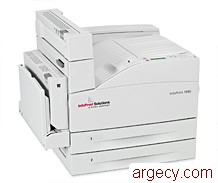
New
4856-N01 39V3729 (New)
New
4856-DN1 39V3730 (New)
The 4856 from InfoPrint Solutions Company, a Ricoh-IBM joint venture, enhances the workgroup printer family with the introduction of the InfoPrint 1985 printer. This printer is the replacement for the InfoPrint 1585 printer.
Model Abstract 4856-N01
The 4856 InfoPrint 1985 Model N01 is a monochrome laser printer that offers printing of up to 50 pages per minute (ppm) on letter media and up to 50 ppm on A4 media.
Model Abstract 4856-DN1
The 4856 InfoPrint 1985 Model DN1 is a monochrome laser printer that offers printing of up to 50 pages per minute (ppm) on letter media and up to 50 ppm on A4 media. Duplex printing is standard with this model.
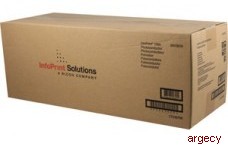 Photoconductor 39V3629 | |
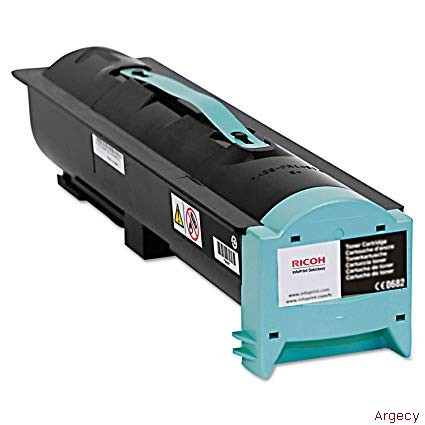 Toner Cartridge 39V3628 | |
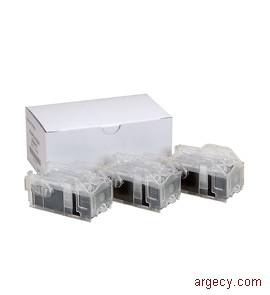 Staple Cartridge 75P6997 | |
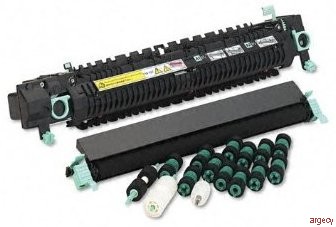 Maintenance Kit 39V2603 | |
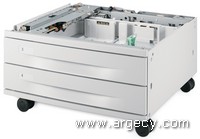 2x500 Sheet Drawer 39V0943 | |
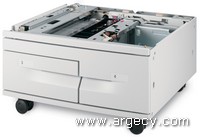 2000-Sheet Drawer 39V0944 | |
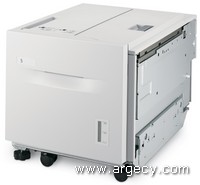 2000-Sheet HCAP Feeder 39V0947 | |
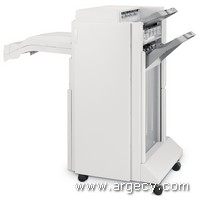 2/3 Hole Finisher 39V0945 | |
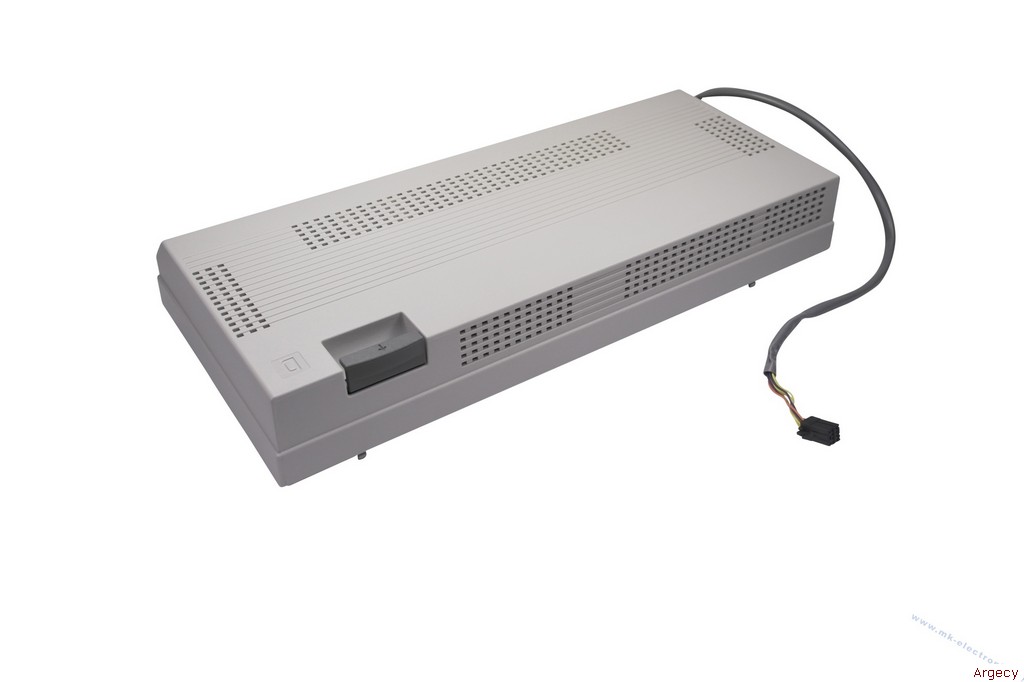 Duplex Unit 75P6949 | |
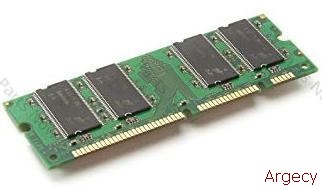 256 MB Memory 39V3415 | |
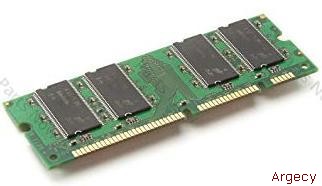 512 MB Memory 39V3416 | |
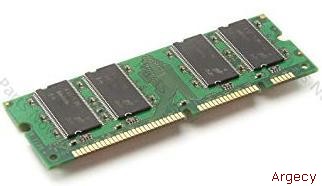 1024 MB Memory 39V3417 | |
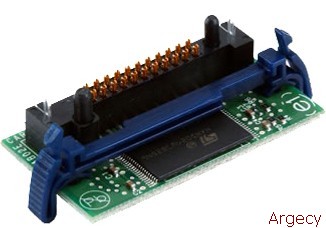 256 MB Flash Memory 39V3593 | |
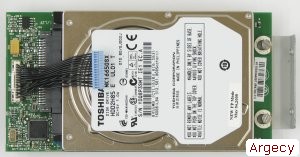 80 GB Hard Disk 39V3420 | |
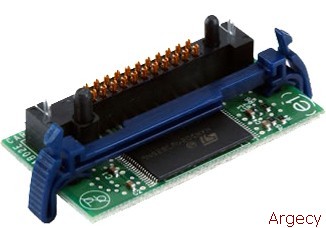 Bar Code Card 39V3889 | |
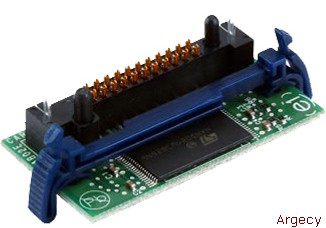 Decryption Card 39V3463 | |
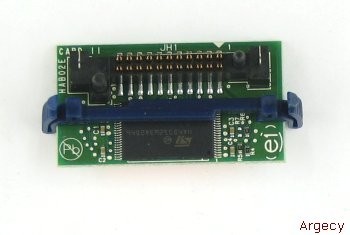 IPDS & SCS/Tne Card 39V3633 | |
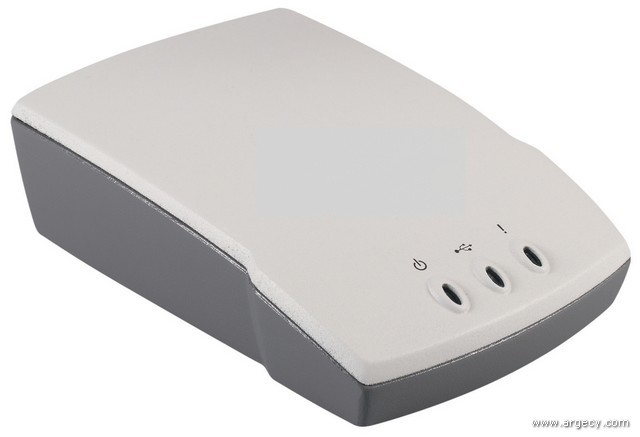 Ethernet 10/100BaseTX - 1 port 39V1524 | |
| Ethernet 10/100BaseTX - 4 port 39V1525 | |
 802.11g Wireless to USB 75P6854 | |
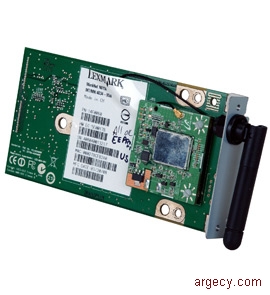 802.11g Wireless to Prnit Server 39V3623 | |
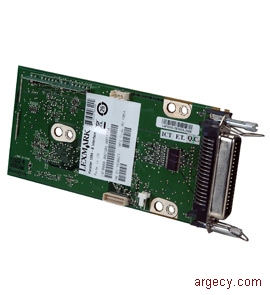 Parallel 1284-B Inter Card 39V3423 | |
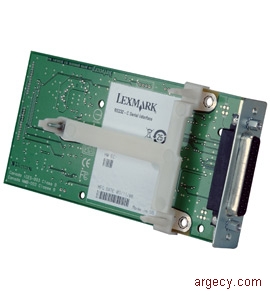 RS-232C Serial Inter Card 39V3424 | |
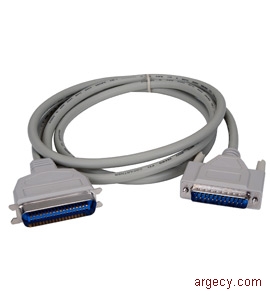 Parallel 10 ft. Cable 75P7029 | |
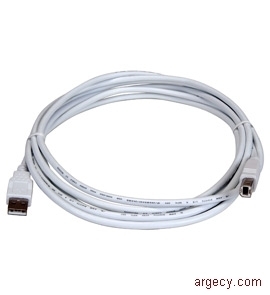 USB 2 meter Cable 75P7030 | |
| Printer Stand 39V3890 |
| Highlights |
Benefits of the InfoPrint 1985 include:
- Faster processor than previous product
- Support for A3/tabloid media
- Enhanced security built-in
- Numeric keypad with control buttons
- Gigabit Ethernet standard on all models
Note: (1) Exact print speeds vary depending on document complexity, system configuration, software applications, driver, and printer status.
| Description |
InfoPrint 1985 is the replacement for the InfoPrint 1585 workgroup printer. This new monochrome laser printer offers printing of up to 50 ppm(2) on letter size media and up to 50 ppm(2) on A4 size media. This printer supports A3 and tabloid media. The printer comes in the following models:
           Standard  Maximum                                 Standard
Model      memory    memory     USB     Processor   Duplex   1000BaseTX
---------  --------  -------  --------  ---------  --------  ------------
n02, n01    256 MB   1280 MB  Standard   800 MHz   No            Yes
dn2, dn1    256 MB   1280 MB  Standard   800 MHz   Standard      Yes
           Standard  Maximum                                 Standard
Model      memory    memory     USB     Processor   Duplex   1000BaseTX
---------  --------  -------  --------  ---------  --------  ------------
n02         256 MB   1280 MB  Standard   800 MHz   No            Yes
dn2         256 MB   1280 MB  Standard   800 MHz   Standard      Yes
All models include two 500-sheet drawers and a 100-sheet multipurpose feeder (MPF) for a total input capacity of 1,100 sheets standard. Up to two optional input sources are supported for a total maximum input capacity of 5,100 sheets. Standard output capacity is 500 sheets with a maximum output capacity of 3,800 sheets.
Note: (2) Exact print speeds vary depending on document complexity, system configuration, software applications, driver, and printer status.
Memory
All models have one slot for additional SDRAM memory. Memory options for the printer include 256 MB, 512 MB, or 1024 MB memory DIMMs. All models have one slot for the optional 256 MB flash memory card. All models have a slot for an optional hard disk.
Network connections
All models include internal 1000BaseTX (Gigabit Ethernet) as standard.
The internal wireless feature allows the printer to be connected directly to a wireless LAN. This supports the IEEE 802.11b, 802.11g, and 802.11n draft 2.0 standards. Draft 2.0 refers to the version of the not-yet-ratified IEEE 802.11n standard.
Usage rates
The maximum monthly usage for the InfoPrint 1985 is 300,000 impressions. InfoPrint Solutions Company does not recommend printing to the monthly maximum on a consistent basis.
Print quality
The print resolutions supported by the printer are:
- Models
- Interface to the host (parallel, USB or network
- Host system and application
- Page complexity and content of the page
- Certain printer options installed or selected with the printer
- Available memory in the printer
- Media size, media type, and tray source
- Printer resolution
Model Summary Matrix
| Model | Standard Memory | Maximum Memory | USB | Processor | Duplex | Standard 1000BaseTX |
|---|---|---|---|---|---|---|
| n01 | 256 MB | 1280 MB | Standard | 800 MHz | No | Yes |
| dn1 | 256 MB | 1280 MB | Standard | 800 MHz | Standard | Yes |
Customer Setup (CSU)
All products in this announcement are customer setup.
| Technical Description |
The InfoPrint 1985 maximum print speeds are shown in the following table. Actual performance depends on:
The table below specifies throughput based on resolution and media size. For a complete range of media sizes supported, see Media Support.
The InfoPrint 1985 time to first print are shown in the following table.
Time to first print (TTFP)
--------------------------        ---------
Ready Mode                         6.0 sec
Power Saver Mode                  32.5 sec
Note: Time to first print (TTFP) is the amount of time it takes to print the first page of a print job. TTFP test measure the average time it takes from pressing the "Enter" button on the keyboard to the page exiting the standard output bin.
Print Speeds are shown in the following table.
Media Size                      Tray 1
---------------------------     ------
simplex thru-put up to
Letter & A4 LEF                 50 PPM
Ledger & A3 SEF                 28 PPM
Legal SEF                       33 PPM

duplex thru-put up to
Letter & A4 LEF                 50 PPM
Ledger & A3 SEF                 18 PPM
Legal SEF                       20 PPM
Print Area
The InfoPrint 1985 printable area is limited to within 4.0 mm (0.16 in.) of top, bottom, left or right edges of the media. Any information placed outside this specified printable area will not print.
Media Support
The printer comes standard with two 500-sheet paper drawers and a 100-sheet multipurpose feeder (MPF). A 500-sheet output bin is standard. See table below for standard and maximum media capacities.
Input Media Combinations and Capacities (sheets)
                                Opt.(1)
                                2x500   Opt.(1)    Opt.
              Std.   Std.       sheet   2000-sheet 2000-sheet    Total
              drawer drawer MPF drawer  dual input hi cap feeder capacity
              ------ ------ --- ------- ---------- ------------- --------
Standard       500    500   100                                    1100

Opt. 2x500     500    500   100  1000                              2100
sheet drawer

Opt. 2000-     500    500   100            2000                    3100
sheet drawer

Maximum        500    500   100            2000         2000       5100
Note: (1) Either optional 2x500-sheet drawer or optional 2000-sheet dual input can be installed but not both together.
Output Media Capacities (sheets)
           Std.    Opt.      Opt.
           output  finisher  finisher  Total
           bin     bin 1     bin 2     capacity
           ------  --------  --------  --------
Standard     500                          500

Maximum      300     500       3000      3800
w/ finisher
Media Size Sensing
The table below outlines the automatic sensing support.
Sensing function
---------------------  -----
Paper present           Yes
Output bin near full    Yes
Output bin full         Yes
Output bin empty        Yes
Misc. other
-Auto size              Yes
-Tray low               Yes
-Cover open             Yes
-Cartridge present      Yes
-Supplies low           Yes
-Staples low/out        Yes
Output bin sensing capability
                           Empty   Full
Sensing function           sensor  sensor
-------------------------  ------  ------
Standard bin                No      Yes
Standard finisher bin 1     No      Yes
Standard finisher bin 2     No      Yes
Input and output media capabilities
Duplex feed characteristics
Paper size          Orientation  Duplex support
------------------  -----------  --------------
A5                      SEF           Yes
JIS-B5                  LEF           Yes
JIS-B4                  SEF           Yes
Executive               LEF           Yes
Letter                LEF/SEF         Yes
A4                    LEF/SEF         Yes
11 x 17 in.             SEF           Yes
A3                      SEF           Yes
Legal                   SEF           Yes
Folio                   SEF           Yes
Statement               SEF           Yes
Universal             SEF/LEF         No
7 3/4 Env               LEF           No
10 Env                  LEF           No
DL Env                  LEF           No
C5 Env                  LEF           No
Other Env               SEF           No
Media weights by source and destination
Source                         Weight gsm  Weight Lbs (bond)
-----------------------------  ----------  -----------------
Integrated Tray 1                64-105         17-28
Integrated Tray 2                64-216         17-58
Multi-purpose feeder             64-216         17-58
2 x 500 option                   64-216         17-58
2000-sheet dual input            64-105         17-28
2000-sheet high cap feeder       64-105         17-28
Duplex                           64-120         17-32
Standard output                  64-216         17-58
Finisher bin 1 (upper)           64-105         17-28
Finisher bin 2                   64-216         17-58
Media Sizes Supported
Input Media for InfoPrint 1985
The following table details the standard paper and envelope sizes supported by each of the respective sources. The "Universal" paper-size setting allows the user to select custom sizes within the limits specified. The table also indicates the types of media supported.
                                      Int.  Int.       2 x   2K
                                      tray  tray       500   dual    2K
Media                                 1     2     MPF  tray  input   HCF
------------------------------------  ----  ----  ---  ----  ------  ---
A4 210x297 mm/8.27x11.7 in.           Yes   Yes   Yes  Yes    Yes    Yes
A5 148x210 mm/5.83x8.27 in.           Yes   Yes   Yes  Yes    No     No
A3 297x420 mm                         Yes   Yes   Yes  Yes    No     No
JIS-B5 182x257 mm/7.17x10.1 in.       Yes   Yes   Yes  Yes    Yes    Yes
JIS-B4 257x364 mm                     Yes   Yes   Yes  Yes    No     No
Letter 215.9x279.4 mm/8.5x11 in.      Yes   Yes   Yes  Yes    Yes    Yes
Tabloid 11x 17 in.                    Yes   Yes   Yes  Yes    No     No
Legal 215.9x355.6 mm/8.5x14 in.       Yes   Yes   Yes  Yes    No     No
Executive 184.2x266.7 mm/             Yes   Yes   Yes  Yes    Yes    Yes
7.25x10.5 in.
Folio 215.9x330.2 mm/8.5x13 in.       Yes   Yes   Yes  Yes    No     No
Statement 139.7x215.9 mm/5.5x8.5 in.  Yes   Yes   Yes  Yes    No     No
7 3/4 Env.                            No    No   Yes   No     No     No
98.4 x 190.5 mm/3.875x7.5 in.
10 Env.                               No    No   Yes   No     No     No
104.8 x 241.3 mm/4.12x9.5 in.
DL Env. 110x220 mm/4.33x8.66 in.      No    No   Yes   No     No     No
C5 Env. 162x229 mm/6.38x9.01 in.      No    No   Yes   No     No     No
Other Envelope                        No    No   Yes   No     No     No
Length: 98.4 to 431.8 mm
(3.8 to 17 in.)
Width: 89 to 297 mm
(3.5 to 11.7 in.)

Media Types
Paper                                 Yes   Yes  Yes   Yes    Yes    Yes
Cardstock                             No    Yes  Yes   No     Yes    Yes
Transparencies                        Yes   Yes  Yes   No     No     No
Paper Labels (occasional use only)    Yes   Yes  Yes   No     No     No
Output Media for InfoPrint 1985
                                              Fin.   Fin.
                                      Std.    bin 1  bin 2
Media                                 output  upper  lower
------------------------------------  ------  -----  -----
A4 210x297 mm/8.27x11.7 in.            Yes     Yes    Yes
A5 148x210 mm/5.83x8.27 in.            Yes     Yes    No
A3 297x420 mm                          Yes     Yes    Yes
JIS-B5 182x257 mm/7.17x10.1 in.        Yes     Yes    Yes
JIS-B4 257x364 mm                      Yes     Yes    Yes
Letter 215.9x279.4 mm/8.5x11 in.       Yes     Yes    Yes
Tabloid 11x 17 in.                     Yes     Yes    Yes
Legal 215.9x355.6 mm/8.5x14 in.        Yes     Yes    Yes
Executive 184.2x266.7 mm/              Yes     Yes    Yes
7.25x10.5 in.
Folio 215.9x330.2 mm/8.5x13 in.        Yes     Yes    Yes
Statement 139.7x215.9 mm/5.5x8.5 in.   Yes     Yes    No
7 3/4 Env.                             Yes     No     No
98.4 x 190.5 mm/3.875x7.5 in.
10 Env.                                Yes     No     No
104.8 x 241.3 mm/4.12x9.5 in.
DL Env. 110x220 mm/4.33x8.66 in.       Yes     No     No
C5 Env. 162x229 mm/6.38x9.01 in.       Yes     No     No
Other Envelope                         Yes     No     No
Length: 98.4 to 431.8 mm
(3.8 to 17 in.)
Width: 89 to 297 mm
(3.5 to 11.7 in.)

Media Types
Paper                                  Yes     Yes    Yes
Cardstock                              Yes     No     Yes
Transparencies                         Yes     No     No
Paper Labels (occasional use only)     Yes     No     No
Additional Media Guidelines for InfoPrint 1985
Follow the media guidelines below for successful printing:
Paper designed for use with xerographic copiers should provide satisfactory print quality and feed reliability. Other types of supplies may be suitable. It is recommended that users test any particular brand for suitability to their applications. Refer to the printers User's Guide for additional media specifications.
Paper
Follow the media guidelines below for successful printing:
- Rough, highly textured, limp, or pre-curled papers will result in lower print quality and more frequent paper feed failures.
- Colored papers must be able to withstand 220 deg C (446 deg F) fusing temperature.
- Preprinted forms and letterheads should be selected using guidelines found in the printer User's Guide. The chemical process used in preprinting may render some papers unsuitable for use with these printers.
The following paper types are not recommended for use with the printer:
- Chemically treated papers used to make copies without carbon paper, also known as carbonless papers, carbonless copy paper (CCP), or no carbon required (NCR) paper.
- Preprinted papers with chemicals that may contaminate the printer.
- Preprinted papers that can be affected by the temperature in the printer fuser.
- Preprinted papers that require a registration (the precise print location on the page) greater than +/-2.3 mm (+/-0.9 in.), such as optical character recognition (OCR) forms. In some cases, registration can be adjusted with a software application to successfully print on these forms.
- Rough-edged, rough or heavily textured surface papers, or curled papers.
- Recycled papers that fail EN12281:2002 (European).
- Paper weighing less than 60 gsm (16 lb).
- Unsuitable papers include multipart forms and documents; chemically treated papers; coated, synthetic and thermal papers; and preprinted papers requiring a high degree of registration.
- Recycled paper less than 80 gsm may cause unacceptable results.
Recycled paper
As an environmentally conscious company, InfoPrint Solutions Company supports the use of recycled office paper produced specifically for use in laser (electrophotographic) printers. The printers are consistently tested with recycled paper (20-100% post-consumer waste) and a variety of test paper from around the world, using chamber tests for different temperature and humidity conditions. InfoPrint Solutions Company has found no reason to discourage the use of today's recycled office papers, but generally the following property guidelines apply to recycled paper.
- Low moisture content (4-5%)
- Suitable smoothness (100-200 Sheffield units)
- Suitable sheet-to-sheet coefficient of friction (0.4-0.6)
- Sufficient bending resistance in the direction of feed
Recycled paper, paper of lower weight (<60 gsm / 16 lb bond) and/or lower caliper (<3.8 mils / 0.1 mm), and paper that is cut grain-short for portrait (or short-edge) fed printers may have lower bending resistance than is required for reliable paper feeding. Before using these types of paper for laser (electrophotographic) printing, consult your paper supplier. Remember that these are general guidelines only and that paper meeting these guidelines may still cause paper feeding problems.
Envelopes
- If envelope wrinkling occurs refer to the User's Guide for correct loading and stacking of envelopes.
- All envelopes should be new, unused, and without package damage.
- Envelopes with excessive curl or twist exceeding 6.0 mm, those stuck together, those with bent corners or nicked edges, or those that interlock should not be used.
- Minimum weight: 75 gsm (20lb.)
- The following envelopes should not be used:
- Envelopes with windows, holes, perforations, cutouts, or deep embossing
- Envelopes with metal clasps, string ties, or metal folding bars
- Envelopes with exposed flap adhesive when the flap is in the closed position
- For best results, printing on new 90 gsm (24 lb.) sulfite or 25% cotton bond envelopes is recommended.
- Under high humidity conditions (over 60%) the envelopes may seal during printing.
Transparencies
- Use letter or A4-size sheets only
- Transparencies specifically designed for xerographic copy machines or laser printers may be used with the InfoPrint 1985
- Single-sided transparencies designed for color laser printers may not work well
Labels
Labels should be selected using guidelines found in the User's Reference or the Cardstock and Label Guide and tested for acceptability. Paper labels are supported for occasional use only. VINYL AND POLYESTER LABELS ARE NOT SUPPORTED.
Print Quality
General Statement
Due to the InfoPrint 1985 print technology, paper designed for use with xerographic copiers should provide satisfactory print quality and feed reliability. Other types of supplies may be suitable. It is recommended that users test any particular brand for suitability to their applications. Refer to the User's Guide for additional media specifications.
Data Streams
- PostScript 3 emulation
- PCL 6 emulation
- XPS
- PPDS Migration Tool
- PDF v1.6 emulation
- HTML
- DirectImage
Operator Panel
Display
Four-line 160x64 pixel APA backlit gray scale display: Non-double byte languages use a proportional font, supporting four lines with roughly 20 characters per line. Double byte characters, at 16x16 pixels in size, support four lines of 10 characters per line maximum.
Numeric Pad The numeric pad consists of numbers, a pound (#) sign, and a backspace button. The "5" button has surrounding bumps for non-visual orientation.
Two-Toned LED
The two-toned LED button is green and red. The lighting/flash patterns are:
- Blinking green: Device warming up, processing data, or printing
- Solid red: User intervention occurring or required
- Solid green: Ready state
Navigational Elements
An intuitive grouping of navigation elements is placed close to the display panel. Up/Down navigation arrows navigate up and down lists. Left/Right buttons navigate within the screens.
User Workflow Separated from Administration/Configuration
User and print job related workflow is accessed via the Home screen. Administrative related workflow is accessed via the Menus button.
Show Me
Additional information is provided for a select group of required user interventions via a "Show me" selection. "Show me" selections contain detailed steps (text and graphics with animation) that instruct the user how to clear the specified intervention.
Tell Me More
Additional information is provided for a select group of user interventions via a "Tell me more" selection. "Tell me more" selections contain more detail (text only, no graphics) about the specific, such as why it has occurred and/or what the user can do to clear the intervention.
USB Direct Interface
Direct USB connectivity allows individuals to print files directly to the printer using an approved USB flash memory device. Through the printer's USB Direct interface on the printer's operator panel, a user can simply insert the USB flash memory device and select the appropriate file.
Direct USB requires a supported USB flash memory device. The following have been tested and approved for USB flash memory devices:
- Lexar Firefly 512MB (Part Number JDFF512-431EM)
- Lexar Firefly 1GB (Part Number JDFF1GB-431TO)
- SanDisk Cruizer Micro 512MB (Part Number SDCZ4-512-A10)
- SanDisk Cruizer Micro 1GB (Part Number SDCZ4-1024-A10)
- Sony 512MB (Part Number USM512J)
- Sony 1GB (Part Number USM1GJ)
While other USB flash drives have not been tested and therefore cannot be approved by InfoPrint Solutions Company, these products may function if the storage device meets the following qualifications:
- Supports the USB 2.0 specification, specifically supporting the High Speed mode
- Use the FAT file system
Certifications
The InfoPrint 1985 printer complies with the global safety standard for Information Technology Equipment, IEC 60950, and its country equivalents in the markets we serve. The following sections highlight the approvals and certifications that printer is expected to receive.
115V Version
USA,Canada          Energy Star
Canada              Canadian Standards Assoc. CAN/CSA-C22.2 No.
                    60950-1-03, Information Technology Equipment
                    -Safety- Part1: General Requirements,
                    deviations D1 & D2
Canada              ICES Class B
USA                 UL 60950-1, Information Technology Equipment - Safety
USA                 - Part 1: General Requirements, deviations D1 & D2
USA                 U.S. FDA CDRH - Registration - Laser Safety - per
                    21 CFR Chapter I, Subchapter J, Section 1040
USA                 IEC 60320 Appliance Coupler for Household and
                    Similar General Purposes
USA                 ECMA-74.8 Edition, Annex D

Environment Certifications

US, Canada,     Energy Star

802.11 Wireless Certifications

USA             FCC Part 15.27 and other relevant provisions of the Code
                of Federal Regulations dealing with intentional radiators
Canada          Industry Canada RSS-210, RSS-GEN and RSS-102
European Union  Meet R&TTE Directive 1999/5/EC and Compliance to ETSI EN
                300 328, EN 301 489-1, -17 and EN 50371
Australia       Declaration of Conformity to Australian ACMA standards
                Radiocommunications (Data Transmission Equipment Using
                Spread Spectrum Modulation Techniques) Standard 2003 and
                Radiocommunications (Electromagnetic Radiation - Human
                Exposure) Standard 2003
Israel          Certificate of Type Approval from Israel regulator MOC
Other/Misc.     Other country approvals may be obtained
Security Features
These printers contain several standard and optional features and functions that improve or enhance the security of the device. See User Guide for more information.
Authentication and Authorization Subsystem (AAS)
This subsystem provides a centralized method for user authentication and authorization when trying to access protected functions or settings. It supports several types of user credentials including internal accounts, NTLM, Kerberos 5, LDAP, LDAP + GSSAPI, passwords and PINs. Access controls can be modified through settings from the operator panel or through the embedded web server.
Many access controls support both authentication (all users with valid credentials can gain access) and authorization (users in particular groups are granted access after they successfully authenticate).
Users can also disable unneeded protocols and network communication paths by which the printer can be configured.
Security Audit Log The security audit log monitors the device's operations and records security-related events and security-related settings changes. Supports industry-standard syslog.
Using the Secure Embedded Web Server (http)
When a browser is pointed to the printer address with the "https://" prefix the printer and a client system can negotiate an SSL (Secure Sockets Layer) connection. SSL provides encrypted connections to a device's Embedded Web Server via the SSL port (443) instead of the default HTTP port (80). This protects the contents of the session against eavesdropping, and allows for secure remote management of the printer.
Supporting SNMPv3 (Simple Network Management Protocol version 3)
SNMPv3 protocol allows for encrypted and authenticated network communications. It also lets the administrator select a desired level of security. Prior to use, at least one user name and password must be established from the settings page. To configure for SNMPv3 through the Embedded Web Server of the printer:
Supporting IPSec (Internal Protocol Security)
IP Security protocol provides authentication and encryption of communications at the network layer allowing all application and network communications over the IP protocol to be secure. IPSec can be set up between the printer and up to five hosts, using both IPv4 and IPv6.
Disabling Ports and Protocols
The TCP and UDP ports can be configured to be enabled or disabled.
Using 802.1x Authentication
802.1x port authentication allows the printer to join networks that require authentication before allowing access. 802.1x port authentication can be used with the WPA (Wi-Fi Protected Access) feature of an optional internal wireless print server to provide WPA-Enterprise security support.
Support for 802.1x requires the establishment of credentials for the printer. The printer must be known to the Authentication Server (AS). The AS will allow network access to devices presenting a valid set of credentials which typically involves a name/password combination and possibly a certificate. The AS will allow network access to the printer presenting a valid set of credentials. The credentials can be managed by using the Embedded Web Server of the printer.
Confidential Print Setup
Confidential Print Setup allows the designation of a maximum number of PIN entry attempts and allows setting an expiration time for print jobs. When a user exceeds a specific number of PIN entry attempts, all of the user's print jobs are deleted. When a user has not printed their jobs within a designated time period, the print jobs are deleted.
Encrypting the Hard Disk (AES-256)
Note: This setting is only available when a hard disk is installed.
The hard disk encryption setting gives the device the ability to encrypt all data, buffered and/or stored, on the devices internal hard disk drive. This protects not only residual data left over after jobs, but also protects data actively being used from malicious access at all times. When hard disk drive encryption is activated, an encryption key (256 bit AES symmetric encryption) is pseudo-randomly generated and stored in a proprietary fashion within the printer and not on the device's hard disk drive. This measure insures the contents of the hard disk drive would remain indecipherable if the hard drive were stolen from the device.
This feature is disabled by default, and enabled through the Power On Configuration menu. When enabled or disabled, the entire drive is formatted, destroying any references to data that may have been stored previously.
Hard Disk Wiping
Hard disk wiping is the ability to clean/sanitize information buffered and/or stored on a device's internal hard disk drive. There are two levels of disk wiping supported within the device. A fast disk wipe is a single overwrite pass with all zeros. A secure disk wipe is a three overwrite passes with different bit patterns followed by a verification pass, otherwise known as a NIST compliant wipe.
There are 4 ways to initiate wiping of the hard disk:
- Manual wipe(1) - Use the operator panel to initiate wiping of all data that has been written to the disk since the manual wiping mode was enabled.
- Scheduled wipe(1) - Use the EWS to schedule times and the day(s) when a disk wipe will occur.
- Automatic wipe(1) - Use this to automatically wipe data written to the disk after each job.
- Configuration menu wipe - Use this to perform a multi-purpose overwrite of all sectors on the hard drive.
Each of the above wiping methods can be configured to perform a single or multi-pass wipe.
Disk wiping can be enabled from the Embedded Web Server or manually through the Power On Configuration Menu.
Note: (1) Data written to the disk while disk wiping mode was off will not be wiped.
Using the Restricted Server List Function
The Restricted Server List lets a system support person restrict which hosts are allowed to communicate with the printer over the network which prevents other hosts from managing and printing to the printer. Note: The Restricted Server List only restricts TCP traffic; it does not affect UDP traffic. The Restricted Server List supports up to ten host addresses or ten network addresses.
Digitally Signed Firmware Update Files
Upgraded firmware files from InfoPrint Solutions Company are now signed with a digital signature, which verifies the source and authenticity of the updated code. This prevents a malicious user from creating and uploading to the printer custom code that could intercept and expose potential confidential data.
Printer Management Utilities
MarkVision Professional
(Available from https://www.markvisionprofessional.com)
MarkVision Professional is a cross-platform print management solution that enables IT administrators to proactively monitor and manage network devices in an enterprise environment via a web browser or client application. It provides IT administrators with realtime device status and information, centralized device setup, remote printer monitoring and management, and asset management capabilities. These devices are supported by MarkVision Professional v11.2 with no additional plug-ins.
MarkVision Messenger
(Available from https://www.markvisionprofessional.com)
MarkVision Messenger provides real-time notification of printer conditions via e-mail, paging, or other applications and facilitates automated responses to these conditions before they become critical and disruptive to user productivity. MarkVision Messenger enhances administrators' quality for service and improves end-user productivity and satisfaction.
Software Installation and Distribution tools
This Install utility provides a very powerful method to install or uninstall printer software in Windows 2000, Windows XP, or Windows Server 2003 environments. Through the use of the Script Install utility, System Administrators can easily perform mass rollouts of these printers by creating custom scripts to perform local or remote printer software installations on end user workstations. When combined with the Driver Profiler utility, I/T shops can centrally create and deploy custom printing environments for each remote location. Together, these utilities drastically reduce the time required to install printer software in a distributed environment.
Printing Solution for Novell systems
(Available from https://www.infoprint.com)
This Printing Solution for Novell systems offers administrators more control over these printers. This all-inclusive package provides support for both NDPS and iPrint printing systems on NetWare 5.1, 6.0, 6.5 servers and NOES for NetWare servers. The package consists of Novell's NDPS gateway coupled with InfoPrint Solutions Company custom control snap-ins for both NetWare Administrator (NWAdmin) and iManager. By offering custom support for both NetWare Administrator and iManager management utilities, this offering allows administrators to take full control of InfoPrint Solutions Company printers in a Novell printing environment.
Host Software
Windows Systems Drivers
To maximize the user experience, InfoPrint Solutions Company offers PCL emulation and PostScript emulation drivers for Windows systems. Built on Microsoft technology, these customized system drivers for Windows provide the most comprehensive set of printing features available for InfoPrint Solutions Company products. Offering an easy-to-use interface and time saving preset features, the InfoPrint Solutions Company drivers allow users to access popular features intuitively, while utilizing Microsoft's rendering engine to provide a solid printing experience. InfoPrint Solutions Company Status Messenger replaces the prior status window.
Universal Driver
The InfoPrint Solutions Company Universal Driver packages in PCL and PS emulations are compatible with InfoPrint printers. The Universal Drivers for Windows promote efficiency in the printing environment, while maintaining the ease-of-use of our system drivers.
Support and training are simplified, as one driver can print to multiple printers, including single function and multifunction, color and monochrome, desktop and departmental. The same graphic user interface has been used to maintain continuity with our product specific drivers. Many cost-saving options, like duplex and multi-page printing, and security options like Confidential Print, as part of our Print and Hold options, are available to maximize output, minimize cost, and maintain security. The Universal Driver packages are available for various operating systems in both PCL and PostScript emulations.
Printer Drivers for UNIX and Linux systems
These printer drivers reduce the complications of printing in UNIX and Linux environments. The InfoPrint Solutions Company printer drivers provide fully scriptable command-line options. When running in X-Windows mode, The printer drivers make it easy to access many popular printer features without memorizing command line options through a GUI interface.
InfoPrint Solutions Company provides PPD files for Linux distributions using the Common Unix Printing System (CUPS). These PPD files provide the user with access to popular printing features while allowing the user to take full advantage of built-in CUPS capabilities.
InfoPrint Solutions Company Printer Software for Macintosh
InfoPrint Solutions Company offers Max OS printing software (PPDs, PDEs, etc.) to enhance the printing experience in an Apple environment. These files allow Mac OS 9 and Mac OS X users access to advanced printing features included with this product. Printer Status complements the driver software by providing printer status feedback from a remote location. Other utilities such as Printer File Loader and Printer Settings provide means to perform targeted tasks.
Microsoft Windows Certification
The InfoPrint Solutions Company laser printers include Microsoft Certified and digitally signed printer drivers and signed USB scan drivers. The driver certification indicates a high level of compatibility between the Windows operating system and the InfoPrint Solutions Company printer. Printer drivers for these products have received certification under the following operating systems:
- Windows XP:
- Home Edition
- Professional Edition
- Professional x64 Edition
- Windows Server 2003:
- Standard Edition
- Enterprise Edition
- Standard x64 Edition
- Enterprise x64 Edition
- Windows Vista:
- Home Basic Edition
- Home Premium Edition
- Business Edition
- Enterprise Edition
- Ultimate Edition
- Home Basic x64 Edition
- Home Premium x64 Edition
- Business x64 Edition
- Enterprise x64 Edition
- Ultimate x64 Edition
- Windows Server 2008:
- Standard Edition
- Enterprise Edition
- Datacenter Edition
- Standard x64 Edition
- Enterprise x64 Edition
- Datacenter x64 Edition
Software
Printer drivers are provided on the Drivers and Utilities CD that is packaged with the printer. See Publications section for details.
The Windows software applications, which operate in the operating systems listed above, are best suited to run with the drivers supplied with the printer. These drivers for Windows take advantage of your printer functions and increase the printer performance wherever possible.
Operating Systems
Apple Macintosh(1)
- Mac OS 9 (9.2)
- Mac OS X (10.2, 10.3, 10.4 or 10.5)
Microsoft Windows(1)
- Microsoft Windows 95 4.00950 (OSR2) or later(10)
- Microsoft Windows 98.1st Edition(10)
- Microsoft Windows 98.2nd Edition(10)
- Microsoft Windows Me(10)
- Microsoft Windows NT 4 SP6(10)
- Microsoft Windows NT 4 Server SP6(10)
- Microsoft Windows 2000 Professional
- Microsoft Windows 2000 Server
- Microsoft Windows 2000 Advanced Server
- Microsoft Windows 2000 Server running Terminal Services
- Microsoft Windows 2000 Server running Terminal Services with Citrix MetaFrame Presentation Server 3.0
- Microsoft Windows 2000 Server running Terminal Services with Citrix MetaFrame Presentation Server 4.0
- Microsoft Windows XP Home
- Microsoft Windows XP Professional
- Microsoft Windows XP Professional x64 Edition
- Microsoft Windows Server 2003 Standard Edition
- Microsoft Windows Server 2003 Standard Edition Running Terminal Server
- Microsoft Windows Server 2003 Standard x64 Edition
- Microsoft Windows Server 2003 Standard x64 Edition running Terminal Server
- Microsoft Windows Server 2003 Enterprise Edition
- Microsoft Windows Server 2003 Enterprise Edition Running Terminal Server
- Microsoft Windows Server 2003 Enterprise x64 Edition
- Microsoft Windows Server 2003 Enterprise x64 Edition running Terminal Server
- Microsoft Windows Server 2003 Standard Edition running Terminal Services with Citrix MetaFrame Presentation Server 3.0
- Microsoft Windows Server 2003 Standard Edition running Terminal Services with Citrix MetaFrame Presentation Server 4.0
- Microsoft Windows Server 2003 Standard Edition running Terminal Services with Citrix MetaFrame Presentation Server 4.5
- Microsoft Windows Server 2003 Enterprise Edition running Terminal Services with Citrix MetaFrame Presentation Server 3.0
- Microsoft Windows Server 2003 Enterprise Edition running Terminal Services with Citrix MetaFrame Presentation Server 4.0
- Microsoft Windows Server 2003 Enterprise Edition running Terminal Services with Citrix MetaFrame Presentation Server 4.5
- Microsoft Windows Server 2003 Standard x64 Edition running Terminal services with Citrix MetaFrame Presentation Server 4.0 for Microsoft Windows Server 2003 x64 Edition
- Microsoft Windows Server 2003 Standard x64 Edition running Terminal Services with Citrix MetaFrame Presentation Server 4.5 for Microsoft Windows Server 2003 x64 Edition
- Microsoft Windows Server 2003 Enterprise x64 Edition running Terminal Services with Citrix MetaFrame Presentation Server 4.0 for Microsoft Windows Server 2003 x64 Edition
- Microsoft Windows Server 2003 Enterprise x64 Edition running Terminal Services with Citrix MetaFrame Presentation Server 4.5 for Microsoft Windows Server 2003 x64 Edition
- Microsoft Windows Vista Basic Edition
- Microsoft Windows Vista Home Basic Edition
- Microsoft Windows Vista Home Basic x64 Edition
- Microsoft Windows Vista Home Premium Edition
- Microsoft Windows Vista Home Premium x64 Edition
Supported Operating Systems (Printer Drivers)
- Microsoft Windows Vista Business Edition
- Microsoft Windows Vista Business x64 Edition
- Microsoft Windows Vista Enterprise Edition
- Microsoft Windows Vista Enterprise x64 Edition
- Microsoft Windows Vista Ultimate Edition
- Microsoft Windows Vista Ultimate x64 Edition
- Microsoft Windows Server 2008 Standard Edition
- Microsoft Windows Server 2008 Standard x64 Edition
- Microsoft Windows Server 2008 Standard Edition running Terminal Server
- Microsoft Windows Server 2008 Standard x64 Edition running Terminal Server
- Microsoft Windows Server 2008 Enterprise Edition
- Microsoft Windows Server 2008 Enterprise x64 Edition
- Microsoft Windows Server 2008 Enterprise Edition running Terminal Server
- Microsoft Windows Server 2008 Enterprise x64 Edition running Terminal Server
- Microsoft Windows Server 2008 Datacenter Edition
- Microsoft Windows Server 2008 Datacenter x64 Edition
- Microsoft Windows Server 2008 Datacenter Edition running Terminal Server
- Microsoft Windows Server 2008 Datacenter x64 Edition running Terminal Server
Novell(2)
- Novell NetWare 5.1 (Support Pack 6 or later) with NDPS
- Novell NetWare 6.0 (Support Pack 3 or later) with NDPS
- Novell NetWare 6.5 with iPrint or NDPS
- Novell NetWare 5.x, 6.x with iPrint or NDPS
- Novell Open Enterprise Server for NetWare with iPrint or NDPS
- Suse-based Open Enterprise Server (Windows Client support only)
UNIX(4)
- HP UX 11.11, 11.23, 11.31
- Sun Solaris SPARC 7, 8, 9, 10
- Sun Solaris x86 10
- IBM AIX 5.2, 5.3, 6.1 (Colon files and enhanced printer drivers)
Linux
- SUSE Linux Enterprise Server 8
- SUSE Linux Enterprise Server 9
- SUSE Linux Enterprise Server 10
- SUSE Linux Enterprise Desktop 10
- OpenSUSE 10.2
- OpenSUSE 10.3
- OpenSUSE 11.0
- Red Hat Enterprise Linux WS 3
- Red Hat Enterprise Linux WS 4
- Red Hat Enterprise Linux WS 5
- Debian GNU/Linux 4.0
- Linspire 6.0
- Red Flag Linux Desktop 5.0 (Simplified Chinese only)
- Red Flag Linux Desktop 6.0 (Simplified Chinese only)
- Linpus LINUX Desktop 9.2 (Traditional Chinese only)
- Linpus LINUX Desktop 9.3 (Traditional Chinese only)
- Ubuntu 7.10
- Ubuntu 8.04 LTS
Other
- Virtually any platform supporting TCP/IP(5)
- IBM iSeries and AS/400 Systems with TCP/IP with OS/400 V3R1 or later, using OS400 Host Print Transform(5)
- SAP Device Type Support
Note: (1) Download the latest printer drivers from the InfoPrint Web Site.
Note: (2) InfoPrint Printing Solution is only available from the InfoPrint Web Site.
Note: (3) Printer driver support only. No support for InfoPrint utilities. Driver must be installed using Windows Add Printer Wizard.
Note: (4) Support for these operating systems only available from the InfoPrint Web Site.
Note: (5) Drivers for these operating systems are not provided by InfoPrint.
Operating Systems (MarkVision Professional 11.2)
Apple Macintosh
- Apple Mac OS X 10.4
Microsoft Windows
- Windows 2000 Service Pack 4 (SP4)
- Windows XP Service Pack 2 (SP2), 32-bit only
- Windows 2003 Server Service Pack 2 (SP2), 32-bit only
- Windows 2003 Server R2 Service Pack 2 (SP2), 32-bit only
- Windows Vista Enterprise
- Windows Vista Business
UNIX
- IBM AIX 5.3
- HP-UX 11i (11.11)
- Sun Solaris SPARC 9, 10
Linux
- Red Hat Enterprise Linux (RHEL) ES 4, Client 5
- SuSE Linux Enterprise 9, 10
Physical Specifications
Dimensions
              Width           Depth            Height        Weight
         ---------------  ---------------  ---------------  ------------
All         616.0 mm (4)     520.0 mm         475.0 mm        45.6 kg
models     (24.25 in)        (20.5 in)       (18.7 in)       (100.5 lb)

2,000-Sheet 540.0 mm         520.0 mm         292.0 mm       29.5 kg
Drawer      (21.3 in)        (20.5 in)       (11.5 in)      (65.0 lb)
Note: (4) Extending MPF fully adds 13 inches (330 mm).
Minimum clearance requirements
          Left side    Right side     Front        Rear       Top
         ------------ ------------ ----------- ------------ ------------
           200.0 mm     460.0 mm     642.0 mm    200.0 mm     200.0 mm
           (7.8 in)     (18.1 in)    (25.3 in)   (7.8 in)    (7.8 in)

 Note: When installing the printer, the customer should allow enough room
       to access the paper trays and paper exits.
Operating Environment
Operating environment
  Temperature                             16 to 32 C (60 to 90 F)
  Humidity                                8% to 80% relative humidity
  Altitude                                0 to 3,048 meters (10,000 ft)

Storage and shipping environment (packed)
  Temperature                             -40 to 43.3 C (-40 to 110 F)
  Humidity                                5% to 95% relative humidity
  Altitude                                0.25 atmospheric pressure
                                          (equivalent to 10,300 m;
                                          34,000 feet)

Storage and shipping environment (Unpacked)
  Temperature                             0 to 40 C (32 to 104 F)
  Humidity                                5% to 80% relative humidity
Electrical specifications
Low-voltage models
- 100 - 127 V ac at 50 - 60 Hz, nominal
- 90 - 137 V ac, extreme
High-voltage models
- 220 - 240 V ac at 50 - 60 Hz (not available in all countries)
- 198 - 259 V ac, extreme
Average power consumption
The following table specifies nominal average power requirements for the base printer configuration for InfoPrint 1985.
Printing states                    All models
---------------------------------  -----------
Off                                    .35 W
Power saver mode                      8    W
Ready mode                          100    W
Simplex printing                    700    W
Duplex printing                     560    W

Typical electricity consumption test
Normal mode                        6.00 kwh/wk
Eco mode                           4.52 kwh/wk

Maximum current while printing
115 Volts                          12 A (rms)
230 Volts                           8 A (rms)
Note: All duplex models are Energy Star compliant.
Acoustics
All measurements were made in accordance with ISO 7779 and reported in conformance with ISO 9296.
                          1 meter average   Declared
                          sound pressure    sound power
Mode                      level (dBA)       level (Bels)
-----------------------   ---------------   ------------
Simplex                         55              7.1
Duplex                          58              7.4
Ready                           22              3.8
| |
| Publications |
All hardcopy publications are downloadable from the InfoPrint Solutions Company Web site:
https://www.infoprint.com
The following publications are shipped with the products:
- Software and Documentation CD
User's Guide (contained on CD)
The User's Guide will be available in the following languages: Arabic, English, Danish, Dutch, Finnish, French, German, Hebrew, Italian, Korean, Norwegian, Polish, Brazilian Portuguese, Romanian, Russian, Spanish, Swedish, Simplified Chinese, Traditional Chinese, and Turkish.
Operator Panel
The Operator Panel will be available in the following languages: English, Danish, Dutch, Finnish, French, German, Italian, Norwegian, Polish, Brazilian Portuguese, Russian, Spanish, Swedish, Turkish, Simplified Chinese, Traditional Chinese, Korean, and Japanese.
| Features -- Specify/Special/Exchange |
| |
No Charge Specify Codes
None.
Special Feature Codes -- Chargeable
Mach       Feature Part
type Model number  number  Description                    UPC
---- ----- ------- ------- ------------------------------ ---------------
4856  n01          39V3729 InfoPrint 1985                 8-45481-00090-9
4856  dn1          39V3730 InfoPrint 1985                 8-45481-00091-6
                   39V3633 IPDS and SCS/TNe Card          8-83436-04874-3
                   39V3889 Bar Code Card                  8-45481-00177-7
                   39V3890 Printer Stand with Cabinet     8-45481-00178-4
ServicePacs

Machine                                          Electronic
Type     Model  Description                      Part Number
-------  -----  -------------------------------  -----------
4856      All   SVCPAC PTR 2YR IOR 9X5/NBD         68Y4952
4856      All   SVCPAC PTR 3YR IOR 9X5/NBD         68Y4953
4856      All   SVCPAC PTR 1YR IOR 24X7/SD         68Y4954
4856      All   SVCPAC PTR 2YR IOR 24X7/SD         68Y4955
4856      All   SVCPAC PTR 3YR IOR 24X7/SD         68Y4956
4856      All   SVCPAC PTR 1YR IOR 9X5/NBD (MA)    68Y4957
4856      All   SVCPAC PTR 2YR IOR 9X5/NBD (MA)    68Y4958
4856      All   SVCPAC PTR 1YR IOR 24X7/SD (MA)    68Y4959
4856      All   SVCPAC PTR 2YR IOR 24X7/SD (MA)    68Y4960
Printer Features
All printer features are customer installable.
Input, Output and Other Media Features
The InfoPrint 1985 media features include:
(P/N 39V0943) 2 x 500-Sheet Drawer
- Minimum required = 0, maximum allowed = 1
- Prerequisite =none, Co-requisite = none
- Conflict = 2000-Sheet Dual Input
This optional input source installs beneath the printer, and has two 500-sheet (20 lb. paper) drawers.
(P/N 39V0944) 2000-Sheet Dual Input
- Minimum required = 0, maximum allowed = 1
- Prerequisite =none, Co-requisite = none
- Conflict = 2 x 500-Sheet Drawer
This optional input source installs beneath the printer, and has one 800-sheet (20 lb. paper) drawer and one 1,200-sheet (20 lb. paper) drawer.
(P/N 39V0947) 2000 Sheet High Capacity Feeder
- Minimum required = 0, maximum allowed = 1
- Prerequisite =none, Co-requisite = 2 x 500-Sheet Drawer or 2000-Sheet Dual Input
This optional input source installs on the left side of the printer, and has one 2000-sheet (20 lb. paper) drawer.
(P/N 39V0945) 2/3 Hole Finisher
- Minimum required = 0, maximum allowed = 1
- Prerequisite =none, Co-requisite = none
(P/N 39V0946) 2/4 Hole Finisher
- Minimum required = 0, maximum allowed = 1
- Prerequisite =none, Co-requisite = none
(P/N 75P6949) Duplex Unit
- Minimum required = 0, maximum allowed = 1
- Prerequisite =none, Co-requisite = none
Memory and Flash Memory Features
The InfoPrint 1985 has one slot for additional memory DIMMs and one slot for flash memory cards.
The memory features include the following SDRAM features:
(P/N 39V3415) 256 MB Memory DIMM
- Minimum required = 0, maximum allowed = 1
- Prerequisite = none, Co-requisite = none
(P/N 39V3416) 512 MB Memory DIMM
- Minimum required = 0, maximum allowed = 1
- Prerequisite = none, Co-requisite = none
(P/N 39V3417) 1024 MB Memory DIMM
- Minimum required = 0, maximum allowed = 1
- Prerequisite = none, Co-requisite = none
(P/N 39V3420) 80 GB Hard Disk
- Minimum required = 0, maximum allowed = 1
- Prerequisite = none, Co-requisite = none
The feature plugs into the hard disk slot.
The flash memory features include:
(P/N 39V3593) 256 MB Flash Card
- Minimum required = 0, maximum allowed = 1
- Prerequisite = none, Co-requisite = none
There are two firmware/font card and flash memory slots. One firmware/font card and one flash memory card are supported. Each may be installed in either location.
The following font cards plug into the flash memory slot.
The optional DBCS (Double-Byte Character Set) Font Cards provide printer resident fonts for use printing Simplified Chinese, Traditional Chinese, Japanese and Korean. The Chinese and Japanese font cards also contain a display font used for displaying Chinese and Japanese on some MFP devices. The DBCS Font Cards are suitable for use in a range of InfoPrint Solutions Company printers and MFPs. Fonts contained in these cards emulate those provided in Microsoft Windows. The use of printer-resident fonts in the card improves performance and minimizes network traffic since less data is downloaded to the printer. Each font card supports encodings appropriate for the language, including Adobe CID encodings.
(P/N 39V3619) Simplified Chinese Font Card
- Minimum required = 0, maximum allowed = 1
- Prerequisite = none, Co-requisite = none
(P/N 39V3620) Traditional Chinese Font Card
- Minimum required = 0, maximum allowed = 1
- Prerequisite = none, Co-requisite = none
These two cards are for use with PCL and PostScript emulation. DBCS font support is available for the following languages:
- Simplified Chinese for China with two scalable print fonts and one display font.
- Traditional Chinese for Taiwan with two scalable print fonts and one display font.
The fonts used with the PCL emulation are compatible with the fonts in the HP LaserJet Language DIMM Memory options for Traditional Chinese and Simplified Chinese, which are compatible with the HP LaserJet 4050, 4000, 4000 N, 4000 T and 4000 JN. These fonts are available in the PostScript emulation and are compatible with Adobe PostScript 3.
(P/N 39V3621) Japanese Font Card
- Minimum required = 0, maximum allowed = 1
- Prerequisite = none, Co-requisite = none
The Japanese Font Card contains two scalable print fonts for use with PCL and PostScript emulation and one display font. The Postscript fonts are compatible with Adobe PostScript 3 and emulate Adobe PostScript fonts such as those in the Ricoh NX750. The fonts used with the PCL emulation are compatible with the fonts in the HP LaserJet Language DIMM Memory options for Japanese, which are compatible with the HP LaserJet 4050, 4000, 4000 N, 4000 T and 4000 JN.
(P/N 39V3618) Korean Font Card
- Minimum required = 0, maximum allowed = 1
- Prerequisite = none, Co-requisite = none
The Korean Font Card contains eight scalable print fonts for use with PCL and PostScript emulation and is compatible with Adobe PostScript 3. The fonts used with the PCL emulation are compatible with the fonts in the HP LaserJet Language DIMM Memory options for Korean, which are compatible with the HP LaserJet 4050, 4000, 4000 N, 4000 T and 4000 JN.
Application Solution features
These features plug into the firmware card and flash memory card slot.
(P/N 39V3889) Bar Code Card
- Minimum required = 0, maximum allowed = 1
- Prerequisite = none, Co-requisite = none
- Conflict = IPDS & SCS/Tne Card and Decryption Card
Bar Code capabilities included on the card provide the ability to algorithmically generate more than forty seven of the most popular industry standard bar codes, including Datamatrix, QR Code, and Codablock F. The bar code function emulates HP printers with an HP BarCodes & More font solution, JetCAPS BarDIMM or JetCAPS BarSIMM (v.2.0b).
(P/N 39V3463) Decryption Card
- Minimum required = 0, maximum allowed = 1
- Prerequisite = none, Co-requisite = none
- Conflict = IPDS & SCS/Tne Card and Bar Code Card
The Decryption Card supports AES encryption using key and block lengths of 128, 192, and 256 bits, providing robust security for sensitive documents. It also supports the use of Session or dynamic encryption keys, which greatly reduces management overhead. Session keys are automatically and randomly generated with each print job, ensuring that a unique key is applied to each print job.
(P/N 39V3633) IPDS & SCS/Tne Card
- Minimum required = 0, maximum allowed = 1
- Prerequisite = none, Co-requisite = none
- Conflict = Bar Code Card and Decryption Card
This feature provides configuration flexibility and compatibility for AFP/IPDS or SCS printing on TCP/IP LAN printers. It is compatible with IBM mainframe or IBM iSeries and AS/400 applications that generate SCS (LU1) output or with applications that output AFP/IPDS through the Print Services Facility (PSF).
This feature provides IS or IT managers an affordable printing solution in a distributed network or on a local area network for applications or software that generate AFP/IPDS or SCS. The IPDS and SCS/TNe Card offers customers the following benefits:
- Print PostScript, PCL, AFP/IPDS, SCS, and other local area network printer documents from mainframe, iSeries, or AS/400 systems on one printer.
- Supports IPDS FS45 for full color printing. On monochrome printers, color documents can be transformed to black or shades of gray, based upon the IPDS menu Color Mode setting.
- Support for the following object types: Encapsulated PS, Encapsulated PS with Transparency, TIFF and GIF.
- IPDS N-up and N-up Explicit Page Placement support. Print 1 to 4 partitions per side or 8 partitions per sheet when printing duplex pages.
- IPDS PDF417, DataMatrix, Maxicode and Quick Response (QR) 2D bar code support in the bar code tower.
- United States Postal Service 4 state bar code support (Intelligent Mail Barcode).
- Download DBCS outline and bitmap fonts from the host in IPDS. Support for Simplified Chinese, Traditional Chinese, Korean, and Japanese is provided.
- Supports downloaded True Type fonts
- Capture bitmap or outline fonts to an optional flash memory or optional hard disk using AFP/IPDS and PSF. This results in reduced network traffic over local area networks.
- Supports TN3270E or TN5250E SCS (LU1) over the LAN using TCP/IP with Telnet.
- Emulates common IBM IPDS and SCS printers.
- Automatic resolution sensing for IPDS when the Host Resolution menu item is set to Auto. Selecting Auto allows 240, 300 and 600 dpi resources to be downloaded from the host.
- Product Identifier Self Defining Field Information is returned to the host with IPDS. Device type, serial number, printer code levels and printer name are returned to the host. These may be displayed at the host to aid in printer location and maintenance.
- Print PostScript, PCL, AFP/IPDS, SCS, and other local area network printer documents from mainframe, iSeries, or AS/400 systems on one printer.
- Configure SCS/TNe and IPDS settings using a printer resident web server, a browser, and the printer's IP address.
The IPDS and SCS/TNe Card is an option that is installed in the printer application solution slot. With this card and the standard Ethernet TCP/IP port, the printer becomes an IBM host workstation printer capable of printing AFP/IPDS or SCS documents from an IBM iSeries, AS/400, or mainframe computer.
The printer emulates an IBM mainframe, iSeries, or AS/400 host printer when used with the appropriate host software and this card. The printer emulates one TN3270E printer session and up to four TN5250E printer sessions using the LU1 SCS data stream over TCP/IP with the TN3270E and TN5250E extended Telnet protocol support in this option. This is supported directly from an iSeries, AS/400, or from a mainframe using TCP/IP or through any TN3270E capable gateway that supports TN3270E according to RFC 2355. The DSC/DSE or SCS data streams over LU3 or LU0 are not supported. The Telnet protocol function is only supported with the printer through the standard Ethernet network port or with the internal print servers.
The printer can be configured to save IPDS resources when attached to a LAN through the standard Ethernet port. This will improve performance on complex IPDS print jobs with host resources such as fonts, overlays, or page segments.
The IPDS emulation supports the IPDS data and resource towers. Fonts can be downloaded, captured and saved to an optional flash memory or optional hard disk in the printer. The US Postal Service (USPS) POSTNET bar code, USPS PLANET bar code, USPS 4 slate bar code, and the euro currency symbol are supported within IPDS. The euro currency symbol is also supported in the SCS, PostScript and PCL 6 emulations.
DBCS characters in Traditional Chinese, Simplified Chinese, Korean, and Japanese can be downloaded and printed from the host. DBCS fonts may be stored in flash memory or on the hard disk using the Font Capture feature to reduce network traffic and transmission time. The separate DBCS Font Cards cannot be used with the IPDS and SCS/TNe Card.
Cable Features
(P/N 75P7029) 10 Ft. Parallel Cable
- Minimum required = 0, maximum allowed = no maximum
- Prerequisite = none, Co-requisite = none
This IEEE 1284 cable allows the user to connect one laser printer to one host machine (or external print server). The cable is 10 feet in length and provides a DB-25 pin connector for the host and a 36-pin Centronics connector for the printer.
(P/N 75P7030) 2-meter USB Cable
- Minimum required = 0, maximum allowed = no maximum
- Prerequisite = none, Co-requisite = none
This 2 meter USB cable allows the user to connect one laser printer to one host machine (or external print server). The cable provides a USB "A" connector for the host machine and a USB "B" connector for the printer.
Internal Connection Features
There is one slot for the following internal connection features.
This feature support Gigabit Ethernet.
(P/N 39V3623) 802.11b/g/n Wireless Print Server
- Minimum required = 0, maximum allowed = 1
- Prerequisite = none, Co-requisite = none
(P/N 39V3423) Parallel 1284-B Interface Card
- Minimum required = 0, maximum allowed = 1
- Prerequisite = none, Co-requisite = none
(P/N 39V3424) RS-232C Serial Interface Card
- Minimum required = 0, maximum allowed = 1
- Prerequisite = none, Co-requisite = none
External Print Servers Features
Theses external features plug into a USB port on the printer.
(P/N 39V1524) Ethernet 10BaseT/100BaseTX (1 USB port)
- Minimum required = 0, maximum allowed = 1
- Prerequisite = none, Co-requisite = none
(P/N 39V1525) Ethernet 1000BaseTX (4 USB ports)
- Minimum required = 0, maximum allowed = 1
- Prerequisite = none, Co-requisite = none
(P/N varies by country) 802.11g Wireless to USB
- Minimum required = 0, maximum allowed = 1
- Prerequisite = network model or Ethernet feature, Co-requisite =none
This external feature allows the printer to be connected directly to a wireless LAN using the IEEE 802.11g wireless standard. This standard operates at speeds of up to 54 megabits per second (Mbps). The range of this wireless adapter depends on the environment, whether used indoors or outdoors and building construction. Typical indoor ranges are 20-50 meters and outdoor ranges are 100-200 meters. Performance will degrade with distance. The wireless LAN feature is compliant with any WiFi-compliant device.
The feature is an external adapter that connects to the standard USB port on the printer.
Furniture Features
The following furniture feature is available.
(P/N 39V3890) Printer Stand with Cabinet
- Minimum required = 0, maximum allowed = 1
- Prerequisite = none, Co-requisite = none
Trademarks
(R), (TM), * Trademark or registered trademark of International Business Machines Corporation.
** Company, product, or service name may be a trademark or service mark of others
InfoPrint is a trademark of InfoPrint Solutions Company LLC in the United States, other countries, or both.
Windows is a trademark of Microsoft Corporation.
UNIX is a registered trademark in the United States and other countries licensed exclusively through X/Open Company Limited. IBM Corporation 2009.