
Konica BIZHUB 4050i MFP Printer - Parts & Supplies
Available models:
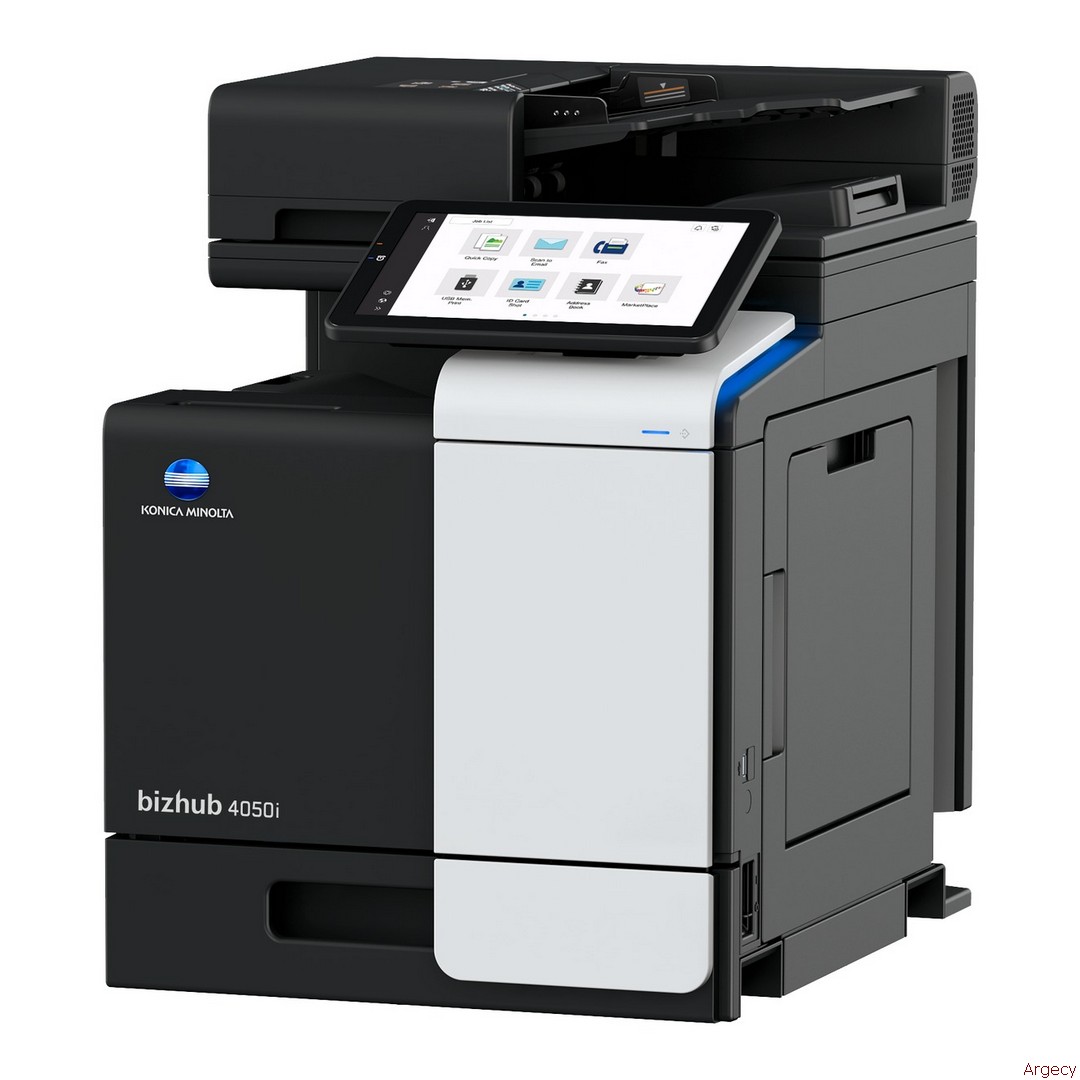
Konica bizhub 4050i MFP Printer
New
4050i (New)
New
4050i (New)
Retired, no longer available: Contact for alternatives
Konica BIZHUB 4050i MFP Printer
| CUSTOMER BENEFITS | |||||
| Intuitive operability | Mobile connectivity | Security | Application ecosystem | Services | Sustainability |
| Operate the bizhub like a Operate the bizhub like a smartphone or tablet with fully customized user interface | Print anytime from anywhere with Konica Minolta s innovative mobile technologies | Secure network integration, data encryption, and advanced user authentication | Enhanced efficiency thanks to Konica Minolta's extensive applications portfolio | Efficient printer fleet management, including automatic consumables delivery, pro-active maintenance and remote setup | Numerous eco features reduce energy consumption and costs |
ENHANCED FEATURES | |
| LK-104v3 Voice Guidance | Provides voice guidance in select screens |
| LK-105v4 OCR text recognition | Searchable PDF and PPTX |
| LK-106 Barcode fonts | Supports native barcode printing |
| LK-107 Unicode fonts | Supports native Unicode printing |
| LK-108 OCR A and B fonts | Supports native OCR A and B font printing |
| LK-110v2 Document converter pack | Generates various file formats incl. DOCX, XLSX and PDF/A |
| LK-111 ThinPrint client | Print data compression for reduced network impact |
| LK-116 Antivirus | Bitdefender antivirus provides real time scanning of all incoming and outgoing data |
| CONNECTIVITY | |
| FK-517 Fax board (Standard) | Super G3 fax, digital fax functioality |
| UK-221 Wireless LAN (Standard) | Wireless LAN and wireless LAN Access Point Mode |
| EK-P10 (Standard) | NFC (Near Field Communication) Support |
| EK-P08 USB I/F kit | USB keyboard connection |
| EK-P09 USB I/F kit | USB keyboard connection; Bluetooth |
| AU-102 Biometric authentication | Finger vein scanner |
| ID card reader Card authentication | Various ID card technologies |
| MK-P08 Mount kit | Installation kit for ID card reader |
| OTHERS | |
| WT-P03 Working table | Authentication device placement |
| UK-P19 Double feed detection kit | Multi-feed detector to reduce errors and paper jams |
| EM-908 Expanded Memory SSD | 1 TB SSD to increase storage space |
| KP-102 10-Key pad | For use instead of touchscreen |
| KH-P02 Keyboard holder | To place USB keyboard |
| MEDIA INPUT | |
| PF-P21 Paper tray | 500 sheets, A4, 60-90 g/m2 |
| PF-P25 Height adjustment unit | To achieve comfortable height for operation |
| DK-P05 Copier desk | Provides storage space for print media and other materials |
| MEDIA OUTPUT | |
| FS-P04 Off-line stapler | 20-sheet off-line stapling |
| TECHNICAL SPECIFICATIONS | |
| SYSTEM SPECIFICATIONS | |
| System speed letter | Up to 42 ppm |
| Autoduplex speed letter | Up to 42 ppm |
| 1st page out time letter | 4.8 sec. |
| Warm-up time1 | Approx. 13 sec. |
| Imaging technology | Laser |
| Toner technology | Simitri HD polymerized toner |
| Panel size/resolution | 10.1inch / 1024 x 600 |
| System memory | 5 GB (standard/max) |
| Solid state drive | 256 GB SSD (standard) / 1 TB SSD (optional) |
| Interface | 10/100/1,000-Base-T Ethernet; USB 2.0; USB 3.0; Wi-Fi 802.11 b/g/n/ac (optional) |
| Network protocols | TCP/IP (IPv4 / IPv6); SMB; LPD; IPP; SNMP; HTTP(S); Bonjour |
| Automatic document feeder | Up to 80 originals; 8.5" x 14"L to 5.5" x 8.5" ; 50-128 g/m2; |
| Dualscan ADF | |
| ADF double feed detection | Optional |
| Printable paper size | 3.5" x 8.8" to 8.5" x 14" |
| Printable paper weight | 60-210 g/m2 |
| Paper input capacity | 600 sheets / 1,600 sheets (standard/max) |
| Paper tray input (standard) | 1x 500; 3.9" x 5.8" to 8.5" x 11"; 60-210 g/m2 |
| Paper tray input (optional) | 1x 500 sheets; letter; 60-90 g/m2 (up to 2x) |
| Manual bypass | 100 sheets; 3.5" x 8.8" to 8.5" x 14"; 60-210 g/m2 |
| Finishing (optional) | Staple (offline) |
| Automatic duplexing | 4.7" x 8.8" to 8.5" x 14" ; 60-210 g/m2 |
| Output capacity | Up to 250 sheets |
| Duty cycle (monthly) 2 | Max.120,000 pages |
| Toner lifetime | Up to 20,000 pages (black) |
| Imaging unit lifetime | Up to 200,000 pages (imaging unit) (black) |
| Power consumption | 110-120V, 60Hz / 50/60 Hz; Less than 1.45 kW |
| System dimension | (W x D x H) 16.5" x 20.8" x 22.5" (without options) |
| System weight | Approx. 77 lbs (without options) |
| PRINTER SPECIFICATIONS | |
| Print resolution | 1200 x 1200 dpi |
| Page description language | PCL 6 (XL3.0); PCL 5c; PostScript 3 (CPSI 3016); XPS |
| Operating systems | Windows 7 (32/64); Windows 8.1 (32/64); Windows 10 (32/64);Windows Server 2008 (32/64); Windows Server 2008 R2;Windows Server 2012; Windows Server 2012 R2;Windows Server 2016; Windows Server 2019;Macintosh OS X 10.10 or later; Unix; Linux; Citrix |
| Printer fonts | 80 PCL Latin; 137 PostScript 3 Emulation Latin |
| Mobile printing | AirPrint (iOS); Mopria (Android);Konica Minolta Print Service (Android);Konica Minolta Mobile Print (iOS/Android)optional: WiFi Direct; Mobile Authentication and Pairing (iOS/Android) |
| SCANNER SPECIFICATIONS | |
| Scan speed | 48 opm in simplex (mono/color); 96 opm in duplex (mono/color) |
| Scan resolution | Up to 600 x 600 dpi |
| Scan modes | Scan-to-eMail (Scan-to-Me); Scan-to-SMB (Scan-to-Home);Scan-to-FTP; Scan-to-Box; Scan-to-USB; Scan-to-WebDAV;Scan-to-DPWS; Scan-to-URL; TWAIN scan |
| File formats | JPEG; TIFF; PDF; Compact PDF; Encrypted PDF; XPS;Compact XPS; PPTXoptional: Searchable PDF; PDF/A 1a and 1b;Searchable DOCX/PPTX/XLSX |
| Scan destinations | 2,000 destinations + 100 groups; LDAP support |
| Copy resolution | 600 x 600 dpi |
| Gradation | 256 gradations |
| Multicopy | 1-9,999 |
| Original format | Max. A4 |
| Magnification | 25-400% in 0.1% steps; Auto-zooming |
| FAX SPECIFCIATION | |
| Fax standard | Super G3 |
| Fax transmission | Analog; i-Fax; Color i-Fax; IP-Fax |
| Fax resolution | Up to 600 x 600 dpi |
| Fax compression | MH; MR; MMR; JBIG |
| Fax modem | Up to 33.6 Kbps |
| Fax destinations | 2,000 single + 100 groups |
| USER BOX SPECIFICATIONS | |
| Storable documents | Up to 3,000 documents or 10,000 pages |
| Type of user boxes | Public; Personal (with password or authentication);Secure print; Encrypted PDF print; Fax reception; Fax polling |
| Type of system boxes | Secure print; Encrypted PDF print; Fax reception; Fax polling |
| SYSTEM FEATURES | |
| Security | ISO 15408 HCD-PP Common Criteria (in evalutation);IP filtering and port blocking; SSL3 and TLS1.0/1.1/1.2 network communication; IPsec support; IEEE 802.1x support; User authentication; Authentication log; Secure print; Kerberos;Hard drive overwrite; SSD data encryption (AES 256);Confidential fax; Print user data encryption optional: Antivirusr ealtime scanning (Bitdefender ) |
| Accounting | 1 Warm-up time may vary depending on the operating environment and usage |
| 1 Warm-up time may vary depending on the operating environment and usage | |
| 2 If the maximum volume is reached within a period of one year, then a maintenance cycle must be performed | |
| All specifications refer to A4-size paper of 80 g/m2 quality. | |
| The support and availability of the listed specifications and functionalities varies depending on operating systems, applications and network protocols as well as network and system configurations. | |
| The stated life expectancy of each consumable is based on specific operating conditions such as page coverage for a particular page size (6% coverage of A4). The printing variables including page coverage, page size, media type, continuous or intermittent printing, ambientactual life of each consumable will vary depending on use and other temperature and humidity. | |
| Some of the product illustrations contain optional accessories. | |
| Konica Minolta does not warrant that any specifications mentioned will be error-free. | |
| All brand and product names may be registered trademarks or trademarks of their respective holders and are hereby acknowledged. |