
Xerox Workcentre 5325 5330 5335 MFP Printers - Parts & Supplies
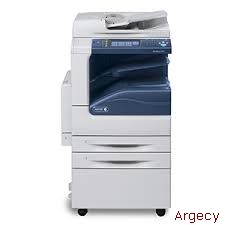
| Supplies | Description | Order Number | |
| Toner Cartridges | Black - Metered Black - Sold | 006R01158 006R01159 | |
| Staple Refills | Integrated Office Finisher Office Finisher LX | 008R12941 008R12941 | |
| Staple Cartridges | Integrated Office Finisher Office Finisher LX Booklet Maker for Office Finisher LX | 008R12964 008R12964 008R12897 | |
| Smart Kits | Description | Order Number | |
| Smart Kit Drum Cartridge | 013R00591 | ||
| WorkCentre 5325 | WorkCentre 5330 | WorkCentre 5335 | |
Xerox WorkCentre 5325 Series Printer New WC5325-Z1 (New) $673.20 Exceeds UPS shipping dimensions / weight. | |||
| Configurations | |||
| Copy: Black and white copying | |||
| Copy/Print/Scan/Optional Fax: Black and white copying, network black and white printing, color scanning, black and white faxing | |||
| Speed | |||
| Black and white | Up to 25 ppm (pages per minute) | Up to 30 ppm | Up to 35 ppm |
| 8.5 x 11 in. (A4/210 x 297 mm) LEF | 8 .5 x 11 in. (A4/210 x 297 mm) LEF | 8.5 x 11 in. (A4/210 x 297 mm) LEF | |
| Up to 16 ppm 8.5 x 14 in. | Up to 19 ppm 8.5 x 14 in. | Up to 20 ppm 8.5 x 14 in. | |
| (216 x 356 mm) | (216 x 356 mm) | (216 x 356 mm) | |
| Up to 14 ppm 11 x 17 in. | Up to 16 ppm 11 x 17 in. | Up to 17 ppm 11 x 17 in. | |
| (A3/297 x 420 mm) | (A3/297 x 420 mm) | (A3/297 x 420 mm) | |
| First-Page-Out Time | |||
| Copy | As fast as 4.2 seconds | As fast as 4.2 seconds | As fast as 4.0 seconds |
| As fast as 11.0 seconds | |||
| Paper Handling | |||
| Duplex Automatic Document Feeder (Standard) | |||
| Capacity1 | 110 sheets | ||
| Speed | 55 images per minute (Letter/A4 long edge feed (LEF) | ||
| Sizes | 5.5 x 8.5 in. to 11 x 17 in. (A5 to A3) SEF | ||
| Custom sizes: 3.3 x 4.9 in. to 11.7 x 17 in. (85 x 125 mm to 297 x 432 mm) (simplex); | |||
| 4.3 x 4.9 in. to 11.7 x 17 in. (110 x 125 mm to 297 x 432 mm) (duplex) | |||
| Weights | 13 to 32 lb. bond (38 to 128 gsm) (simplex); 16 to 32 lb. bond (50 to 128 gsm) (duplex) | ||
| Bypass Tray (Standard) | |||
| Capacity1 | 50 sheets | ||
| Sizes | Custom sizes: 3.5 x 3.9 in. to 11.7 x 17 in. (89 x 98 mm to 297 x 432 mm) | ||
| Weights | 16 lb. bond to 80 lb. cover (60 to 215 gsm) | ||
| Types | Same as front-loading trays plus envelopes, postcards and labels | ||
| Stand Option | |||
| Capacity1 | Trays 1 and 2: 520 sheets each | ||
| Sizes | Custom sizes: 5.5 x 7.2 in. to 11.7 x 17 in. (140 x 182 mm to 297 x 432 mm) | ||
| Weights | Tray 1: 16 lb. to 28 lb. bond (60 to 105 gsm) Tray 2: 16 lb. bond to 80 lb. cover (60 to 215 gsm) | ||
| Types | Plain Paper Recycled Bond Custom Type 1 through 5 Heavyweight Extra Heavyweight Punched Letterhead Pre-printed | ||
| Total Capacity | 1,090 sheets | ||
| High-Capacity Tandem Tray Option | |||
| Capacity1 | Trays 1 and 2: 520 sheets each High-Capacity Tandem Tray: 2,000 sheets | ||
| Sizes | Trays 1 and 2: Custom sizes: 5.5 x 7.2 in. to 11.7 x 17 in. (140 x 182 mm to 297 x 432 mm) High-Capacity Tandem Tray: Standard selectable sizes: 8.5 x 11 in. and 7.25 x 10.5 in. (A4 and B5) | ||
| Weights | 16 lb. bond to 80 lb. cover (60 to 215 gsm) | ||
| Types | Plain Paper Recycled Bond Custom Type 1 through 5 Heavyweight Extra Heavyweight Punched Letterhead Pre-printed | ||
| Total Capacity | 3,090 sheets | ||
| High Capacity Feeder (HCF) (Optional with High-Capacity Tandem Tray Module only) | |||
| Capacity1 | 2000 sheets | ||
| Sizes | Standard Sizes: 7.25 x 10.5 in., 8.5 x 11 in. LEF (A4, B5) | ||
| Envelope Tray (Optional replaces Tray 1) | |||
| Capacity1 | Up to 60 envelopes | ||
| Sizes | #10 Commercial (9.25 x 4.125 in.), Monarch, DL, C5 Custom sizes: 3.9 x 5.8 in. to 6.4 x 9.5 in. (98 x 148 mm to 162 x 241 mm) | ||
| Weights | 20 lb. bond to 24 lb. bond (75 to 90 gsm) | ||
| Output / Finishing | |||
| Dual Catch Tray (Standard) | |||
| Capacity1 | Up to 250 sheets each, lower output offset | ||
| Sizes | 3.5 x 3.9 in. to 11 x 17 in. (89 x 98 mm to A3/297 x 420 mm) | ||
| Weights | 16 lb. bond to 80 lb. cover (60 to 215 gsm) | ||
| Integrated Office Finisher (Optional) | |||
| Stacking Tray1 | 500 sheets of 8.5 x 11 in. (A4) 250 sheets of 11 x 17 in. (A3) | ||
| Sizes | 3.5 x 3.9 in. to 11.7 x 17 in. (89 x 98 mm to 297 x 432 mm) | ||
| Weights | 16 lb. bond to 80 lb. cover (60 to 215 gsm) | ||
| Stapling | Single Auto stapling: 50 sheets maximum: Letter/A4/B5-size sheets (less than 90 gsm) 30 sheets maximum: Legal/Tabloid/A3/B4-size sheets (less than 90 gsm) | ||
| Office Finisher LX (Optional) | |||
| Stacking Tray | 2,000 sheets unstapled or 1,000 sheets single staple or 750 sheets dual staple (24 lb. bond / 90 gsm letter/A4) | ||
| Sizes | 3.5 x 3.9 in. to 11.7 x 17 in. (89 x 98 mm to 297 x 432 mm) | ||
| Weights | 16 lb. bond to 80 lb. cover (60 to 215 gsm) | ||
| Stapling | Single and dual Auto stapling (50 sheets maximum less than 90 gsm) Letter, Legal, Tabloid, A3, A4, B4 and B5 sizes supported | ||
| Hole Punch for Office Finisher LX (Optional) | |||
| North America | 2/3-hole punch | ||
| Europe | 2-hole punch 4-hole punch | ||
| Booklet Maker (Score/Crease, Saddle-stitch Staple) for Office Finisher LX (Optional) | |||
| Capacity | 40 booklets (1-15 sheets per booklet 80 gsm or less; 2-10 sheets per booklet over 80 gsm) | ||
| Sizes | Letter 8.5 x 11 in. (A4/210 x 297 mm) Legal 8.5 x 14 in. (216 x 356 mm) Ledger 11 x 17 in. (A3/297 x 420 mm) | ||
| Saddle-stitch Stapling | 2-15 sheets / 8 60 page booklet 16 lb. bond to 24 lb. bond / 55 to 90 gsm | ||
| Convenience Stapler (Optional) | |||
| Copy Specifications | |||
| Document Scanner | Duplex Automatic Document Feeder with 110-sheet capacity1 | ||
| Sides (input:output) | 1:1, 1:2, 2:2 and 2:1 | ||
| Quantity | 1 to 999 | ||
| Resolution | 600 x 600 dpi | ||
| Concurrency | Concurrent scanning and printing | ||
| Digital Imaging | Auto rotation Image shift Edge erase Auto centering Original type selection (photo and text, photo, text, map) with sub-types Lighter/darker Background suppression Auto and manual contrast Sharpness | ||
| Reduction/Enlargement | Variable zoom from 25% to 400% in 1% increments Anamorphic zoom Six user-programmable percentages | ||
| Copy Features | Annotation Automatic booklet creation Automatic tray selection Automatic two-sided Auto reduction/enlargement to fit selected paper size Background Suppression Book copying Build Job (enables special programming for different pages in one document can be used for inserts, different paper sources and mixing input from the document glass and the document feeder) Covers insertion (front only, front and back, back only, blank or printed) Delete Outside/Delete Inside Electronic pre-collation Form Overlay Hole Punch (requires Office Finisher LX and Hole Punch options) ID Card Copy Mixed-size originals Multi-position stapling (requires Office Finisher LX and Booklet Maker options) Multi-up 2, 4 or 8 up Negative/mirror image Page Layout Poster mode Saddle-stitch booklets (requires Office Finisher LX and Booklet Maker options) Sample set Single position stapling (requires Integrated Office Finisher) Watermark | ||
| Foreign Device Interface (Optional) | Interface to third-party access control devices, coin machines and card readers Supports a variety of vending stations available through the Xerox Custom Application Service | ||
| Print Specifications | |||
| System | |||
| Memory | Copier: 1 GB Copier/Printer/Scanner: 1 GB (2 GB with optional PostScript Kit) | ||
| Hard Drive | 160 GB minimum | ||
| Network Printing Network Controller | |||
| Processor | 667 MHz | ||
| Supported Page Description Languages on the Device | PCL 5e PCL 6 HP-GL / HP-GL2 TIFF/PDF XPS Adobe Postscript 3 (optional) | ||
| Supported Page Description Languages on the Driver | PCL 6 Adobe Postscript 3 | ||
| Network Printing Resolution | 1200 x 1200 dpi | ||
| Network Printing Printing Features | |||
| Features | Automatic two-sided Banner Sheets Bi-directional status Booklet creation Cover selection Delay Print (specific time) Draft Mode Fit to new paper size Hole Punch (requires Office Finisher LX and Hole Punch option) Image Quality (High speed, high resolution) Mirror image N-up Output tray selection Paper selection by attribute Print from USB Reduce/enlarge Saddle-stitch booklet making (requires Office Finisher LX and Booklet Maker option) Sample Set Save to Device Folder Secure Print Store and recall driver settings Transparency separators | ||
| Connectivity | 10/100/1000Base-TX Ethernet High speed USB 2.0 direct print | ||
| Client Operating Systems | Microsoft Windows XP SP3 (32- and 64-bit), Windows Server 2003 (32- and 64-bit), Windows Vista (32- and 64-bit), Windows Server 2008 (32- and 64-bit), Windows 7 (32- and 64-bit) Mac OS 10.5 and above Netware: 5.11J / 5.12J AIX 5 v5.3 HP UX 11.0, 11i v2 Oracle Solaris 9, 10 Linux Fedora Core 12-14 Red Hat Enterprise Linux 4 | ||
| Network Protocols | TCP/IP: HTTP/HTTPS, Internet Printing Protocol, LPR/LPD, Raw Socket Printing/Port 9100, NetBIOS, IPv6 Netware: Bindery and NDS IPX/SPX, NDPS /NEPS (with Server Gateway), TCP/IP AppleTalk : EtherTalk Microsoft Windows Networking over IP and NetBEUI (All protocols not in use can be disabled) WSD, IPP SMB (Windows network) | ||
| Administrative Protocols | DHCP, BOOTP, SNMP, WINS, DDNS, SLP v2, HTTP, RARP, DHCP Autonet, SSL | ||
| Fonts | Postscript 3: 136 Type 1 fonts, 2 Multiple Master fonts PCL: 82 scalable fonts, line printer bitmap font | ||
| Printer Drivers | Operating System | PCL 6 | PostScript |
| Print Drivers | Windows 2003/XP SP3 (32- and 64-bit) Windows Vista 32- and 64-bit) Windows Server 2008 (32- and 64-bit) Windows 7 (32- and 64-bit) (Microsoft certified) | Bidirectional with user-selectable interface (standard 3 and enhanced 2 ) | Bidirectional with user-selectable interface (standard 3 and enhanced 2 ) |
| Macintosh OS 10.5 and above | N/A | Bi-directional with user-selectable interface | |
| Linux (HP-UX 11.0, 11i, AIX 5 (Red Hat Enterprise, Fedora Core 12-14)) | N/A | Bi-directional with user-selectable interface | |
| Xerox Mobile Express Driver (X-MED) | Makes it easy for mobile users to find, use and manage Xerox and non-Xerox devices in every new location. Plug into a new network, and X-MED automatically discovers available printers and provides status and capability information. Save a list of favorite printers for each location, store application print settings for use on any printer in any network, and greatly reduce mobile support calls to IT. Printers are automatically discovered Printer list can be managed based on location Gives Bi-directional feedback device status, supplies, queue management | ||
| Xerox Global Print Driver (X-GPD) | A truly universal print driver that lets IT administrators install, upgrade and manage Xerox and non-Xerox devices from a single driver. It provides a consistent, easy-to-use interface for end-users, reducing the number of support calls, and simplifying print services management. Printers are automatically discovered Printer list can be managed based on location Gives Bi-directional feedback device status, supplies, queue management | ||
| Print Submission Tools | Command prompt LPR/UNIX tool for print submission Contents Bridge tool supports TIFF/PDF/XPS and Office 2007 direct print | ||
| Device Management | |||
| Management Support | SNMP Version 1, SNMP Version 2c and Version 3 trap over TCP/IP and IP MIB access (IETF-MIB II RFC 1213), Host Resources MIB RFC 2790, Printer MIB RFC 1759 v. 2 | ||
| IP Filter | Allows administrator to control print access to device via IP address. Restricts access to device to/from network. | ||
| Fax Specifications | |||
| PSTN One-line or Three-line Fax (Optional) | |||
| Resolution | ITY (CCITT) group 3 quality/resolution superfine/600x600, super fine/400 x 400, fine/200x200, standard/200x100dpi | ||
| Speed | V.34 modem(s): 33,600 bps. Less than four seconds per page transmission time. ISDN via third-party adapter. | ||
| Compression | G3 Auto Forced 4800 bps G4 Auto | ||
| Fax Send Features | Fax from print driver (LAN Fax) Auto fax transmission reduction Page-by-page job status at the machine Fax from glass Delay start Automatic memory resend Automatic cover sheets Priority send Broadcast Booklet Scan PSTN Fax Phone number entry via keyboard or address book Secure Fax via FCODE Up to 50 group dials with up to 20 recipients per group | ||
| Speed Dials | Up to 2,000 | ||
| Fax Receive Features | One- or two-sided printing Reduction at reception to fit available paper FCODE Secure Fax | ||
| Fax Forwarding | When enabled with the scan and fax kit, faxes can be received into a folder. Using Job Flow Sheets, images that are in the folder can be routed to an Email, an FTP or SMB location or a Fax | ||
| Fax Reports | Activity report Dial directory Transmission confirmation Pending fax Folder | ||
| Fax Receive Mailboxes | Up to 200 password-protected mailboxes | ||
| Auto Dialing | Auto redial, Batch send | ||
| Fax Print Features | One- or two-sided printing Quantity Staple on/off Collate on/off Finisher output tray selection Secure print on/off | ||
| Internet Fax (Requires Fax Kit) | |||
| Capability | Direct document transmission to remote Internet Fax machines or email clients (SMTP) Reception and automatic printout of documents in black and white sent via email from remote Internet Fax machines or email clients | ||
| Maximum Scan Area | 11 x 17 in. (A3/297 x 432 mm) | ||
| Address Directory Access | Downloaded address list (comma-separated value file format) | ||
| File Formats | TIFF-S, TIFF-F, TIFF-J | ||
| Resolutions | 600 x 600 dpi 400 x 400 dpi 200 x 200 dpi 200 x 100 dpi Bit Depth: 1 bit (monochrome) | ||
| Network Protocols | SMTP POP3 | ||
| Compliance | ITU-T T.37 compliant | ||
| Fax over IP (Optional with Copy/Print/Scan configuration) | |||
| Resolution | T.38 compliant IP fax/resolution superfine/600x600, super fine/400 x 400, fine/200x200, standard/200x100 dpi | ||
| Fax Send Features | LAN Fax - Fax from print driver Auto fax transmission reduction Page-by-page job status at the machine Fax from platen Delay start Automatic memory resend Automatic cover sheets Priority send Broadcast Booklet Scan | ||
| Fax Receive Features | One- or two-sided printing Reduction at reception to fit available paper Junk Fax prevention | ||
| Fax Forward | Faxes can be received into a folder on the device hard drive. Images that are in the folder can be routed to a combination of Email addresses, FTP or SMB sites or locations, or Fax destinations | ||
| Fax Reports | Activity report Address Book Transmission confirmation Pending fax Folder List | ||
| Fax Receive Folders | Up to 200 password-protected folders | ||
| Auto Dialing | Auto redial, Batch send | ||
| Scan Specifications | |||
| Scanning (Standard with Copy/Print/Scan configuration) | |||
| Capability | Color scanning, gray scale, black and white | ||
| Concurrency | Scan while the system is printing or while it is transferring Scan to Network or Fax jobs | ||
| Input Speed | Scan at 55 ipm Color / Black and white (216 x 279 mm/A4 long edge feed) | ||
| Resolution | 600 x 600 dpi 400 x 400d pi 300 x 300 dpi 200 x 200 dpi Bit depth: 1-bit (monochrome), 8-bit (grayscale), 24-bit (color) | ||
| Maximum Scan Area | 11 x 17 in. (A3/297 x 432 mm) | ||
| Network Protocol | FTP via TCP/IP Microsoft SMB via TCP/IP HTTP/Web DAV (scan template only) | ||
| Compression Method | MH (photo) MMR (text, text/photo) JBIG2 (PDF) MRC Compression (optional) | ||
| Document Management Fields | One to six user-programmable metadata fields per scan job Customized fields viewed on user interface Variable data entered using virtual keyboard Only for Network Scan through templates | ||
| Scan Features | Bound originals Edge erase Reduction/enlargement Fit to size Scan presets Original type (photo and text, photo, text) Background Suppression | ||
| Supported Scan Destinations (Standard) | Scan to remote email destinations via direct SMTP addresses Scan to Server (FTP/SMB) (Requires Scan Kit) Scan to Folder (Requires Scan Kit) Scan to Home (Requires Scan Kit) WSD Scan (Microsoft Client OS) (Requires Scan Kit) | ||
| Supported Scan Destinations (Optional) | Scan to Application (workflow, Electronic Document Management System/Repositories) (Requires Scan Kit) Scan to Microsoft Exchange 2000 Web Folders(Requires Scan Kit) Scan to PC (Network scanning (Requires Scan Kit) | ||
| Scan to PC Desktop SE (Optional) | A desktop and server-based offering that provides document imaging, archiving, editing and organization tools Nuance PaperPort image viewing and file management software Nuance OmniPage (for desktop/client installation) OCR and file format conversion software Image Retriever provides fully automated retrieval of scanned images direct from a scan enabled Xerox WorkCentre to individual desktops. | ||
| Scan to PC Desktop Pro (Optional) | A desktop and server-based offering that provides document imaging, archiving, editing and organization tools The PaperPort Personal Scanning Platform empowers office workers with the ability to customize, directly from the desktop, the scanning menus available to them on Xerox EIP enabled MFP devices. Nuance PaperPort Pro image viewing and file management software Nuance OmniPage Pro (for desktop/client installation) OCR and file format conversion software Image Retriever provides fully automated retrieval of scanned images direct from a scan enabled Xerox or through email WorkCentre to individual desktops. Also includes an Email inbox polling capability. | ||
| Scan to Email (Standard with Copier/Printer/Scanner configuration) | |||
| Capability | Color scanning, gray scale, black and white Direct document email from device Manual or directory Exchange/Notes/LDAP address searching From field auto-populated from LDAP (when authentication is used) | ||
| Network Protocol | SMTP, S/MIME, LDAP, LDAP with SSL, POP3, SMTP with SSL | ||
| Authentication | Device login with network user name and password Single sign-on supports: Kerberos (UNIX/Windows 2003 Server), SMB, (Windows 2000/Windows 2003 Server) , LDAP | ||
| Directory Access | Corporate address list via LDAP Downloaded address list (comma-separated file format) | ||
| Scan to Folder (Standard with Copy/Print/Scan configuration) | |||
| Capability | Color scanning, gray scale, black and white | ||
| Features | Images can be scanned, printed and faxed directly to the device hard drive and stored in a mailbox. Scanned images that are stored in the mailbox can then be printed, emailed, sent via fax, sent via IFax, routed to a PC, an FTP or SMB server | ||
| Thumbnail Preview (Optional) | |||
| Device Specifications | |||
| 256-bit Hard Disk Encryption 802.1X | |||
| Security | WorkCentre 5325/5330/5335 Copier | WorkCentre 5325/5330/5335 Copier/Printer/Scanner | |
| Capability | 256-bit Hard Disk Encryption Image Overwrite | 802.1X Annotation Audit Log Authentication with LDAP/Kerberos/SMB/CAC Email over SSL FIPS 140-2 encryption IPsec Image Overwrite LDAP over SSL Encrypted Scan to Email (S/MIME) SNMP v3.0 Secure Print Watermark Secure Web Page via SSL (HTTPS) SSL/TLS IP filtering PDF/XPS digital signatures Digital certificate management OCSP/CRL IPv6 256-bit Hard Disk Encryption Encrypted Password Protected PDF | |
| Secure Access and Authentication (Optional) | Optional secure device login with network user name and password Remote Authentication: Kerberos (Windows Server 2003, Windows Server 2008, Windows 7, UNIX), SMB (Windows Server 2003, Windows Server 2008, Windows Vista, Windows 7) Local Authentication LDAP | ||
| Common Access Card Enablement (optional) | Common Access Card Enablement is a solution that increases security of government facilities and critical information through the use of smart identification cards. (Available only in U.S.) | ||
| Accounting | |||
| Auditron (Local Accounting) | Controls and tracks black and copy, print, fax and scan usage | ||
| Accounting with Third-Party Server Applications | Up-to-the-minute data on how the system is being used; comprehensive usage tracking and reporting; print, scan, copy and fax (optional with Copier Printer/Scanner) | ||
| Accounting Control | Xerox Standard Accounting Job based accounting Supports Foreign Device Interface Active directory user profile - Controls copy and print usage and feature/pathway control Xerox Page Accountant (optional) Print Audit 5 (optional) | ||
| Accounting - Xerox Standard Accounting (Copier/Printer/Scanner only) | |||
| Tracking | Copy, Print, Fax and Scan usage | ||
| Accounting | Up to 9,999 User accounts (User ID); Up to 9,999 Group accounts (Department) | ||
| Features | Enable/disable via the web UI or the GUI in tools, admin can manage the feature remotely via the web UI, Data can be exported via a CSV file, user required to enter XSA ID into the print driver when submitting a print job, similar to secure print. | ||
| Monthly Duty Cycle | |||
| WorkCentre 5325: Up to 100,000 pages / month WorkCentre 5330: Up to 125,000 pages / month WorkCentre 5335: Up to 150,000 pages / month | |||
| Xerox Extensible Interface Platform (EIP) | |||
| Xerox EIP is a software platform inside the WorkCentre 5300 series that enables personalized solutions you can access right from the device touch screen. These applications can leverage your existing databases and meet your specific business challenges. | |||
| Basic Configurations | |||
| Copier: | Copier/Printer/Scanner: | ||
| WorkCentre 5325/5330/5335 with Stand | WorkCentre 5325/5330/5335 with Stand | ||
| WorkCentre 5325/5330/5335 with High-Capacity Tandem Tray Module | WorkCentre 5325/5330/5335 with High-Capacity Tandem Tray Module | ||
| Electrical | |||
| Input Voltage | 220 - 240 V Nominal, 50/60 Hz, 8A 110-127 V, 50/60 Hz, 12A | ||
| Warm Up | 40 seconds (maximum) | ||
| Low-Power Recovery | 12 seconds (maximum) | ||
| Required Temperature Range | 50 to 90 F (10 to 32 C) | ||
| Required Relative Humidity | 15 to 85% | ||
| Average Power Consumption | WorkCentre 5325 | WorkCentre 5330 | WorkCentre 5335 | ||||
| Copier | Copier/Printer/ Scanner | Copier | Copier/Printer/ Scanner | Copier | Copier/Printer/ Scanner | ||
| 110 - 127 V Running: Standby: Low Power Mode: Sleep Mode: | 695 watts 111 watts 89 watts 1.1 watts | 699 watts 127 watts 89 watts 1.3 watts | 721 watts 112 watts 89 watts 1.1 watts | 692 watts 111 watts 89 watts 1.3 watts | 744 watts 115 watts 89 watts 1.1 watts | 730 watts 111 watts 89 watts 1.3 watts | |
| 220 - 240 V Running: Standby: Low Power Mode: Sleep Mode: | 724 watts 115 watts 87 watts 1.6 watts | 706 watts 122 watts 87 watts 1.8 watts | 742 watts 111 watts 87 watts 1.6 watts | 720 watts 108 watts 87 watts 1.8 watts | 783 watts 115 watts 87 watts 1.6 watts | 757 watts 118 watts 87 watts 1.8 watts | |
| Heat Emission | |||||||
| 110 - 127 V Running: Standby: | 2,370 BTU/Hr 379 BTU/Hr | 2,384 BTU/Hr 433 BTU/Hr | 2,459 BTU/Hr 382 BTU/Hr | 2,360 BTU/Hr 379 BTU/Hr | 2,537 BTU/Hr 392 BTU/Hr | 2,489 BTU/Hr 379 BTU/Hr | |
| 220 - 240 V Running: Standby: | 2,469 BTU/Hr 392 BTU/Hr | 2,407 BTU/Hr 416 BTU/Hr | 2,530 BTU/Hr 379 BTU/Hr | 2,455 BTU/Hr 368 BTU/Hr | 2,670 BTU/Hr 392 BTU/Hr | 2,581 BTU/Hr 402 BTU/Hr | |
| Acoustic Noise Emission | |||||||
| Sound Power Standby: Running: | 3.82 (LwAd)b 6.46 (LwAd)b | 3.82 (LwAd)b 6.56 (LwAd)b | 3.82 (LwAd)b 6.65 (LwAd)b | ||||
| Sound Pressure Standby: Running: | 20 (LmAp)dBA 47 (LmAp)dBA | 20 (LmAp)dBA 48 (LmAp)dBA | 20 (LmAp)dBA 50 (LmAp)dBA | ||||
| Dimensions and Weights | Width | Depth | Height | Weight | |||
| Base Unit with Bypass Tray Closed | 23.5 in. / 597 mm | 25.1 in. / 637.5 mm | 43.9 in. / 1,115 mm | 220 lb. / 100 kg | |||
| Base Unit with Office Finisher LX | 48.8 in. / 1,239 mm | 25.6 in. / 651 mm | 43.9 in. / 1,115 mm | 301.9 lb. / 137.2 kg | |||
| Base Unit with High Capacity Feeder | 36.7 in. / 932 mm | 25.5 in. / 648 mm | 43.9 in. / 1,115 mm | 301.9 lb. / 137.2 kg | |||
| Certifications | FCC Class A Compliant (U.S./Canada) ENERGY STAR 89/336/EEC (Europe) TUV Listed CB Certified (IEC 60950-1/EN 60950-1) 2006/95/EC Windows Hardware Quality Labs Blue Angel (Europe) EcoLogo Certified Common Criteria (ISO 15408) GS Mark Environmental Choice NOM/GOST | ||||||